
Cart is empty
No reviews found


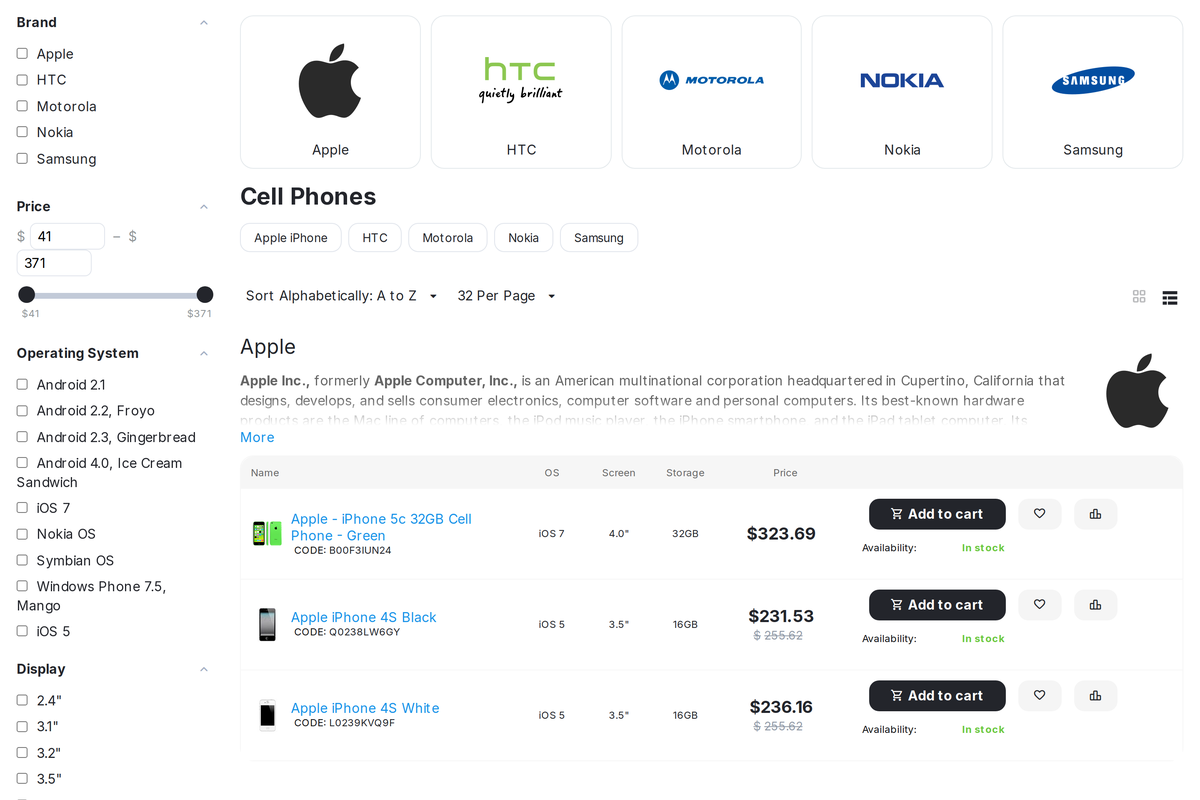
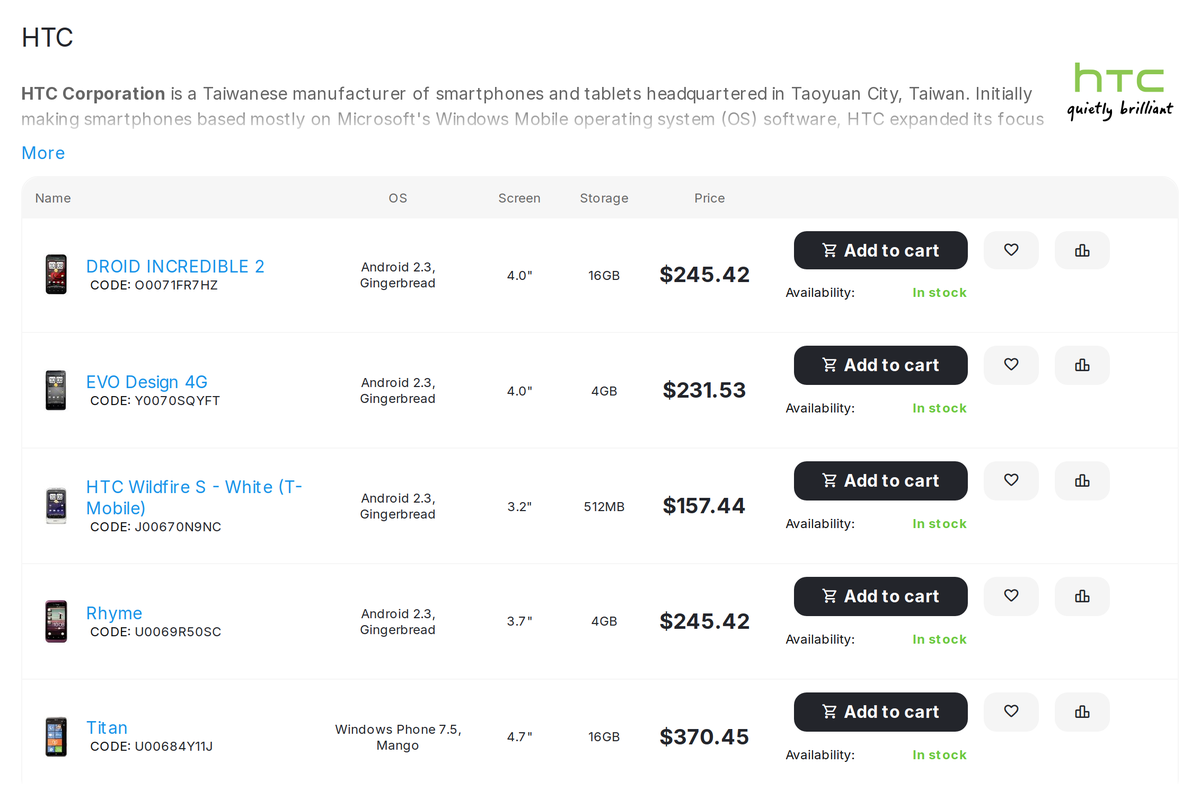
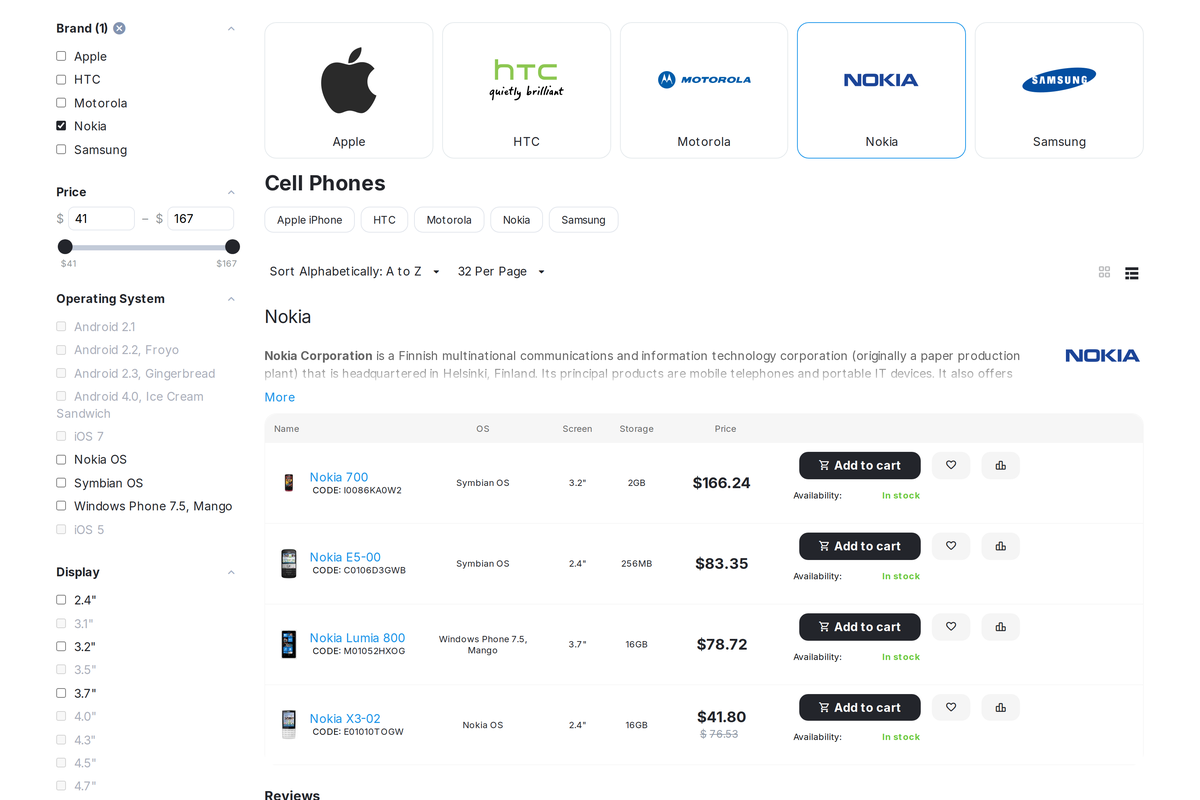
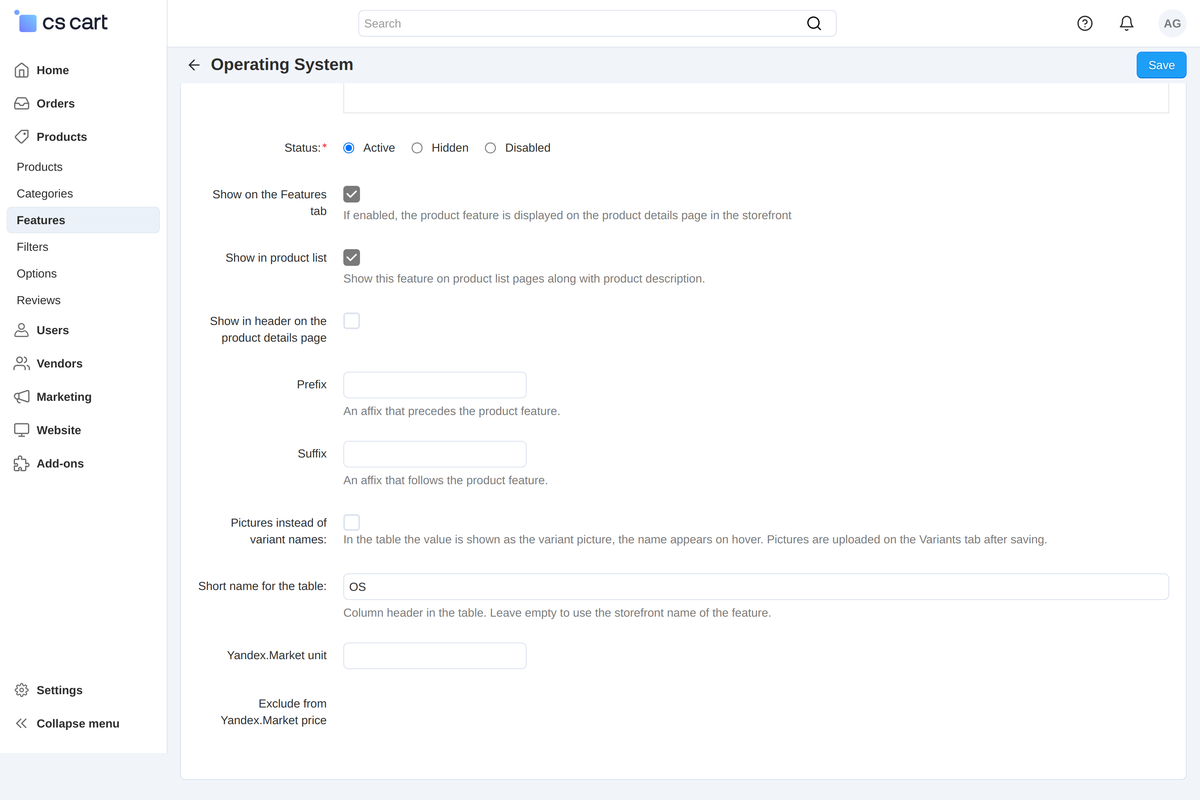
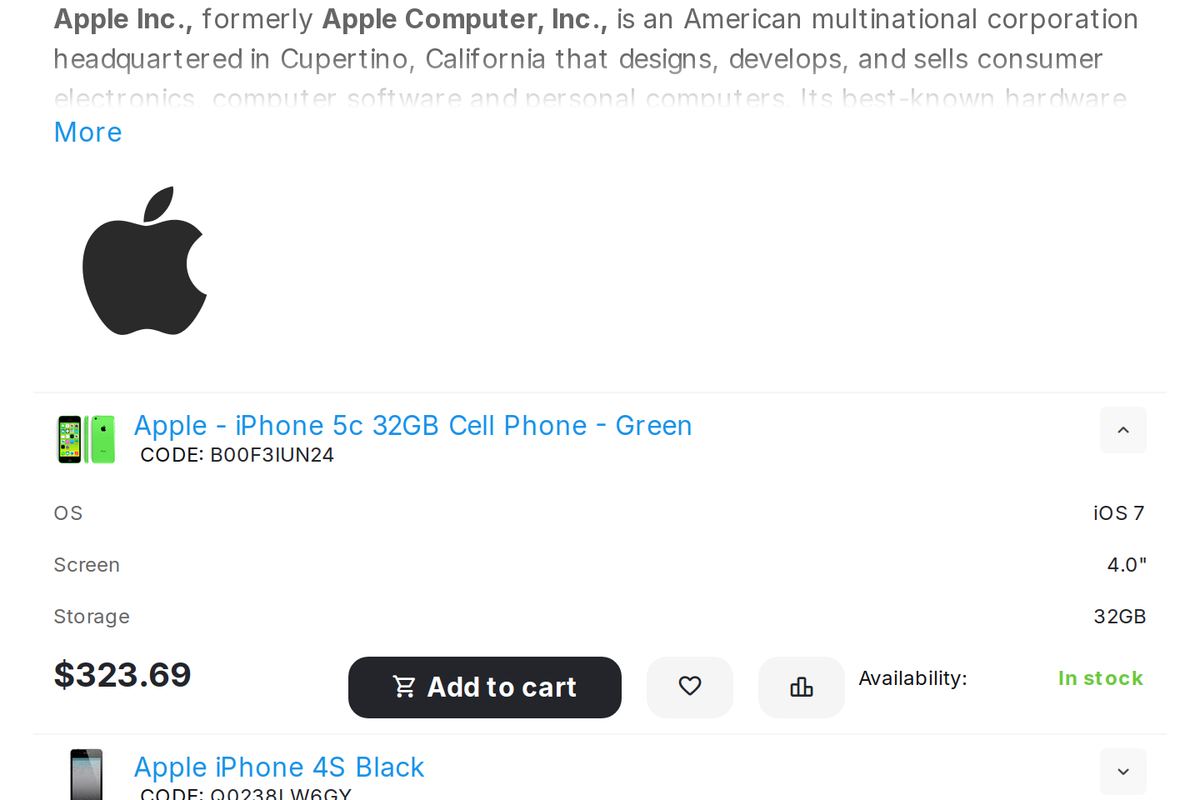
When a shopper chooses between similar products - fasteners, cables, tyres, phones - they need parameters, not pictures. The add-on gives CS-Cart the "Table with features" product list view: a row per product, its features as columns, then the price and the "Add to cart" button. Products are split into groups by brand or series, and picture tiles of the main filter sit above the table.
Up to 9 columns product features in a table row
|
Product groups by brand, series or another list
|
Main filter picture tiles above the table
|
CS-Cart 4.17.1+ Responsive-based themes and UniTheme2
|
In the CS-Cart grid and list a shopper sees a picture, a name and a price. To find out the thread size, the storage capacity or the cable cross-section they open one product page after another. In catalogs where products differ by parameters this is a long way to an order.
The table shows the parameters right in the list: the values of one feature stand one under another, they are easy to compare, and the product goes to the cart from the same row.
Parameters in the list
Product features are table columns. No need to open a product page to compare models. |
Buying from a row
The price and the "Add to cart" button close every row. |
Groups with a header
Products are arranged by a feature value; a group has a name, a description and a picture. |
Fits a phone
On a narrow screen a row turns into a card, and the features open with a button. |
Do I have to edit theme templates?
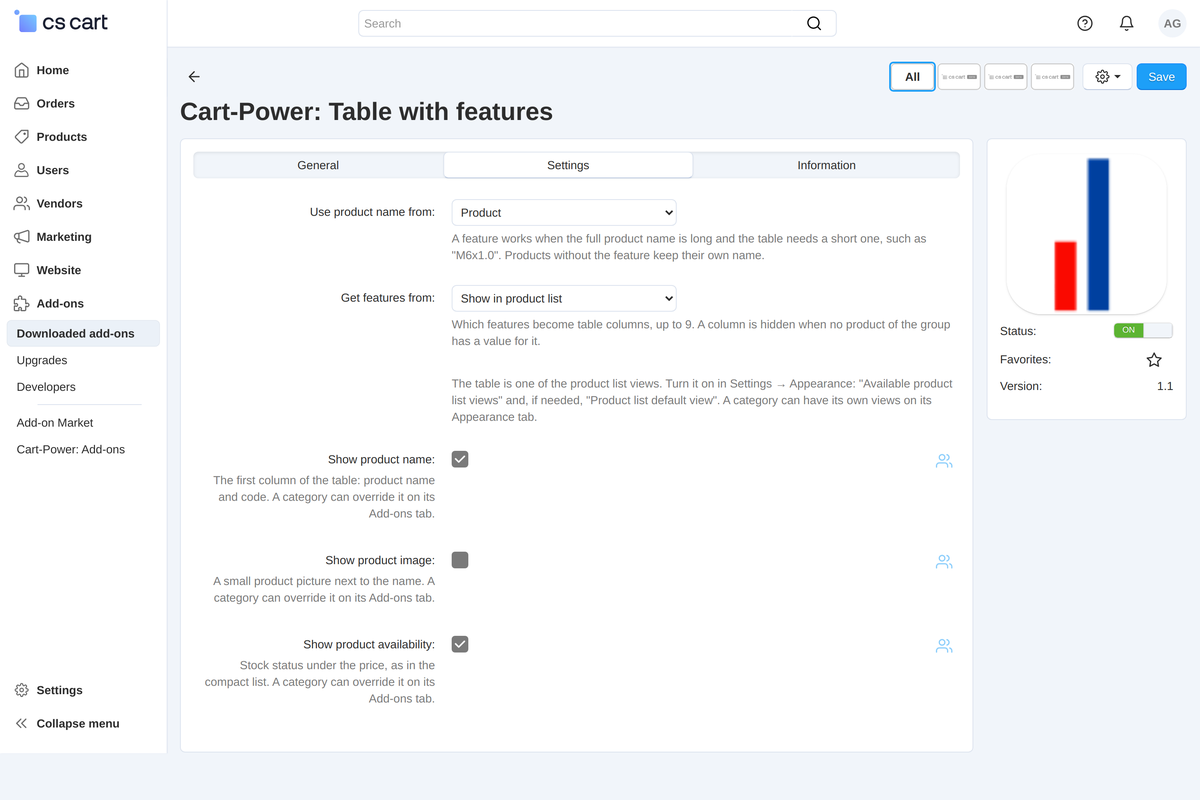
No. The table is added as one more product list view next to the grid and the list and is enabled in the appearance settings.
Can the table be enabled for a part of the catalog only?
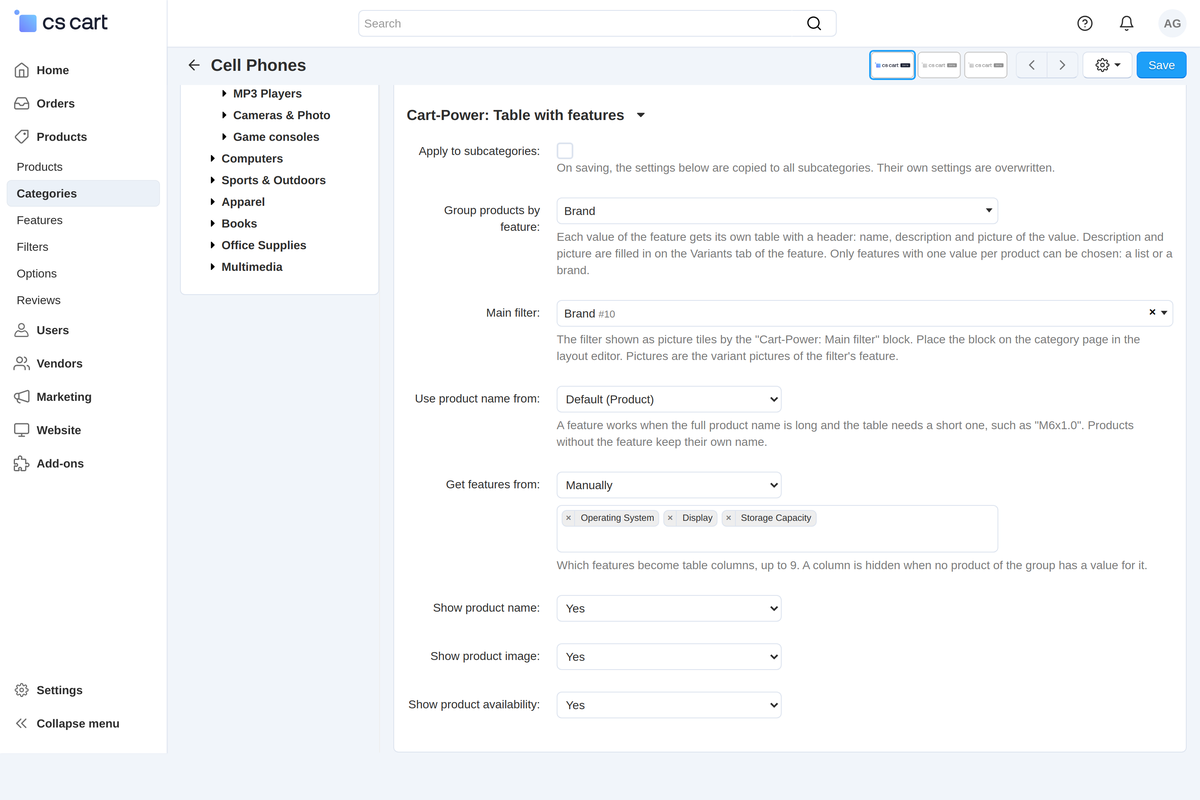
Yes. The set of views and the default view are defined for each category on its Appearance tab, and the columns, grouping and main filter on its Add-ons tab.
How many features fit into the table?
Up to nine columns. A column with no values in a group is hidden, so there are no empty columns.
What happens to the catalog if the add-on is disabled?
The table view is removed on every level - global settings, storefronts and categories - and products are shown in a standard view. The main filter blocks are removed when the add-on is uninstalled.
Does the table work in Multi-Vendor?
Yes. The marketplace administrator configures the table in categories; vendor products are shown in it the same as in any other product list view.
Can a shopper switch to the grid?
Yes, when both views are enabled for the category: the CS-Cart view switcher shows the table icon next to the others.
No reviews found
|
CS-Cart development · in-house team · since 2013 We build, upgrade and speed up CS-Cart stores and marketplacesAnalysts, developers, designers, QA and support under one roof — no subcontractors. We ship add-ons you can buy on this page today, and we take on the work that no ready-made add-on covers. |
|
2013 Working with |
4.98 Rating from |
200+ Solutions on this |
500+ E-commerce projects |
Flagship products
Everything else we publish improves one screen. These two change the numbers: how customers find products, and how often they come back.
|
Add-on · Search & merchandising Smart SearchElasticsearch-powered search for large catalogues. The customer types two letters, sees products with images and prices, and buys from the dropdown — even after a typo or with the wrong keyboard layout. Visitors who use the search bar are 24% of traffic and 44% of revenue, and convert about 2.5× better than people who only browse categories. If search returns nothing, up to 80% of them leave. | ||||||||
| ||||||||
Try it on a live catalogue: open the demo store and search with a deliberate typo. |
|
Add-on · Mobile commerce PowerApp — mobile app for your storeA native iOS and Android app running on your CS-Cart data: the same products, prices, stock, promotions, reward points and orders. There is no second catalogue to maintain — everything stays in the admin panel you already use. A mobile site brings a customer in once; an app brings them back for free. Push notifications replace the retargeting budget you spend to buy the same customer a second time. | ||||||||
| ||||||||
Screens, block types and pricing tiers: see how the app is built. |
Services
Fixed scope, written specification, a named project manager and a warranty on what we ship.
|
Custom CS-Cart development Functionality the platform does not have: add-ons, marketplace mechanics, integrations with 1C, CRM, ERP, payment and delivery providers. We start from a written specification, not from an estimate on a phone call. Details → |
|
CS-Cart upgrade Move to the current version without losing data, custom code or add-ons. We audit every modification first, upgrade on a staging copy, adapt what breaks and switch over with little or no downtime. Details → |
|
Speed and performance optimisation Conversion falls by about 4.4% for every extra second of load time. We profile the server, the database and the front-end, then fix what actually costs the seconds — and show you the before-and-after numbers. Details → |
|
Design for CS-Cart Mobile-first storefront design built on CS-Cart's own template structure, so the layout survives the next platform upgrade instead of becoming a migration problem. Details → |
|
SEO for CS-Cart A technical audit of indexing, duplicates, redirects, structured data and Core Web Vitals — delivered as a prioritised fix list your developers can act on, or that we implement ourselves. Details → |
How we work
|
Before we start We discuss the goal, offer options and write the specification. You approve scope and price before development begins. |
While we build A named project manager reports progress on a fixed schedule. You always know what is in work and what is next. |
|
Before release A separate QA pass on every release — the developer who wrote the code is not the person who signs it off. |
After handover Documentation for everything we ship, plus a warranty on the modifications and the project. |
Tell us what the store needs to doDescribe the task in a couple of sentences and we will come back with options, a scope and a price. The consultation is free, and we will say plainly if a ready-made add-on already solves it.
|
Client cases, our full add-on catalogue and 184 customer reviews are in the tabs above.


