No reviews found
Claims and Complaints — settled in the store, not in a mailbox
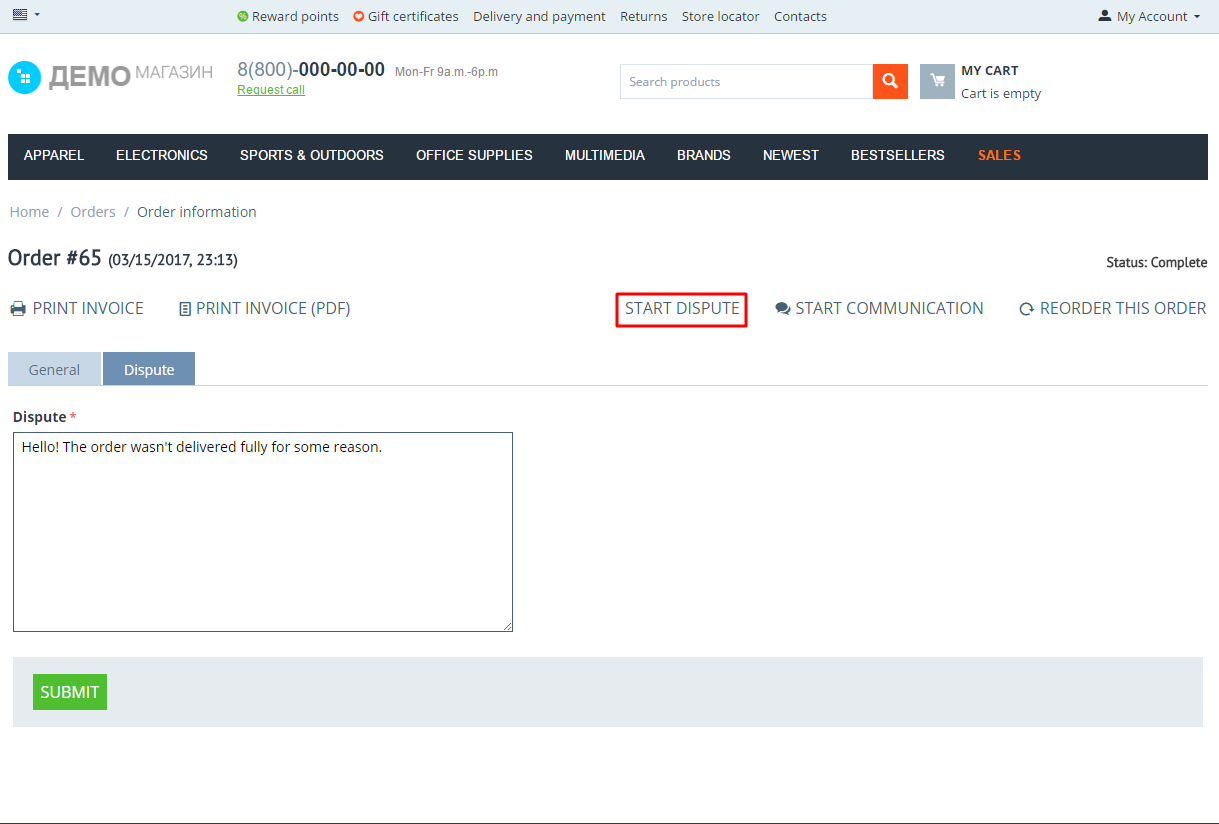
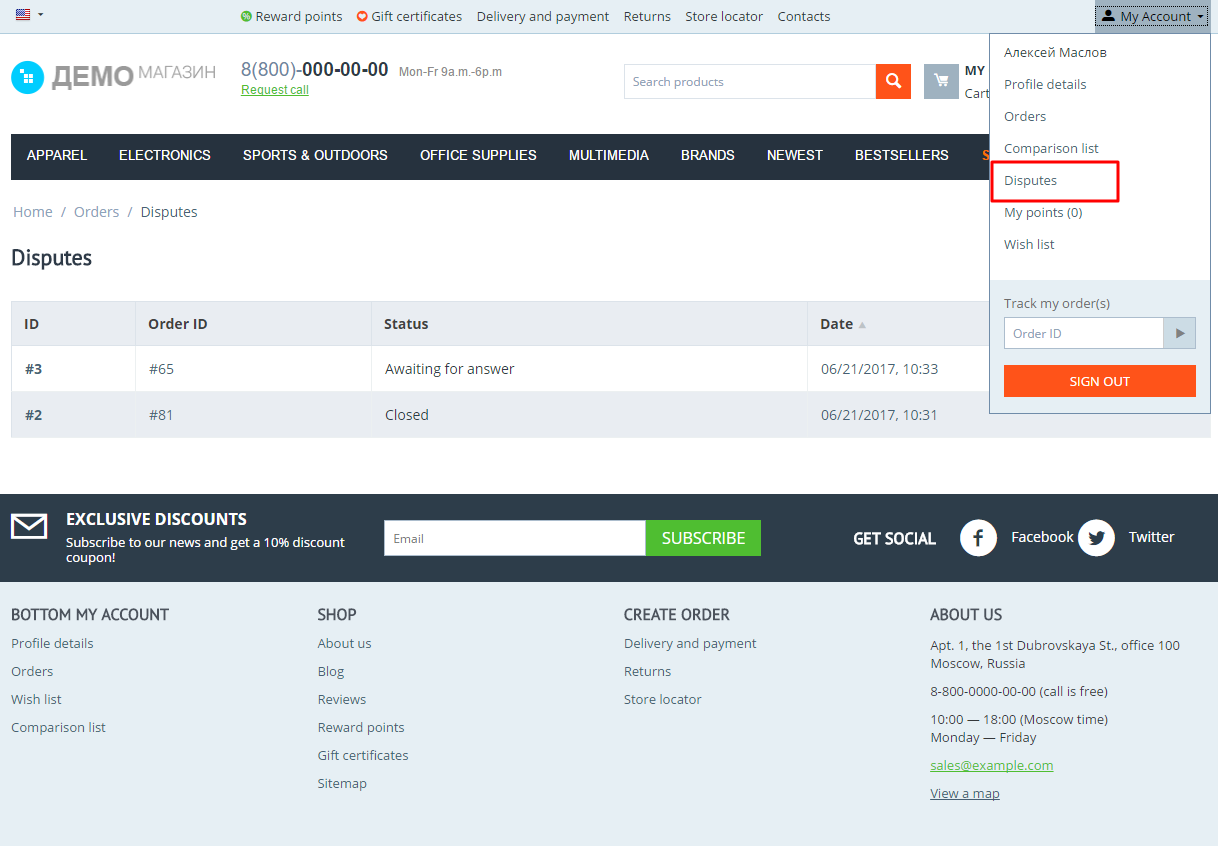
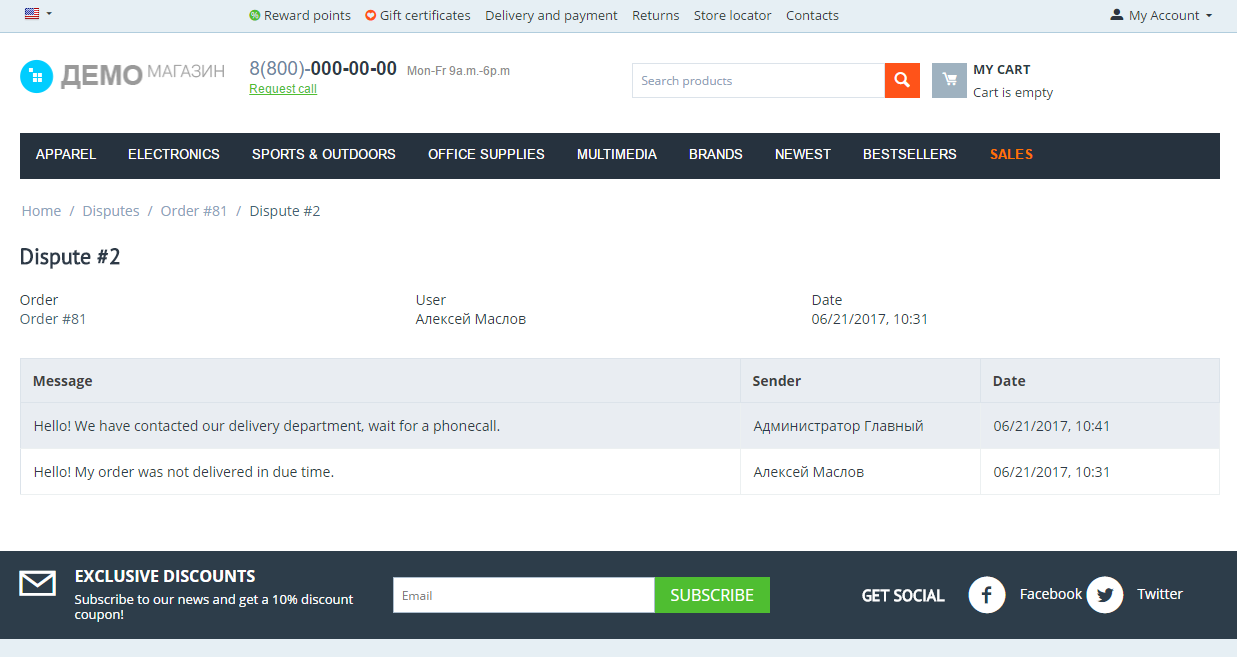
The customer files a claim about an order from their account. The claim is tied to the order and its items, the answer has a statutory deadline with a timer, and the conversation, the resolution and the compensation stay in the store.
An answer deadline set in calendar days, paused while the customer is expected
|
One channel instead of e-mail the claim, the thread, the files and the resolution in one place
|
A claims report share of orders, answer time, overdue claims, compensations
|
CS-Cart 4.14.1+ and Multi-Vendor with marketplace arbitration
|
Why a store needs it
A claim arrives by e-mail, and from there its fate depends on who opened the mailbox first. Nobody counts the deadline, the thread scatters across personal inboxes, and when the customer comes back a month later there is nothing to pull the history from.
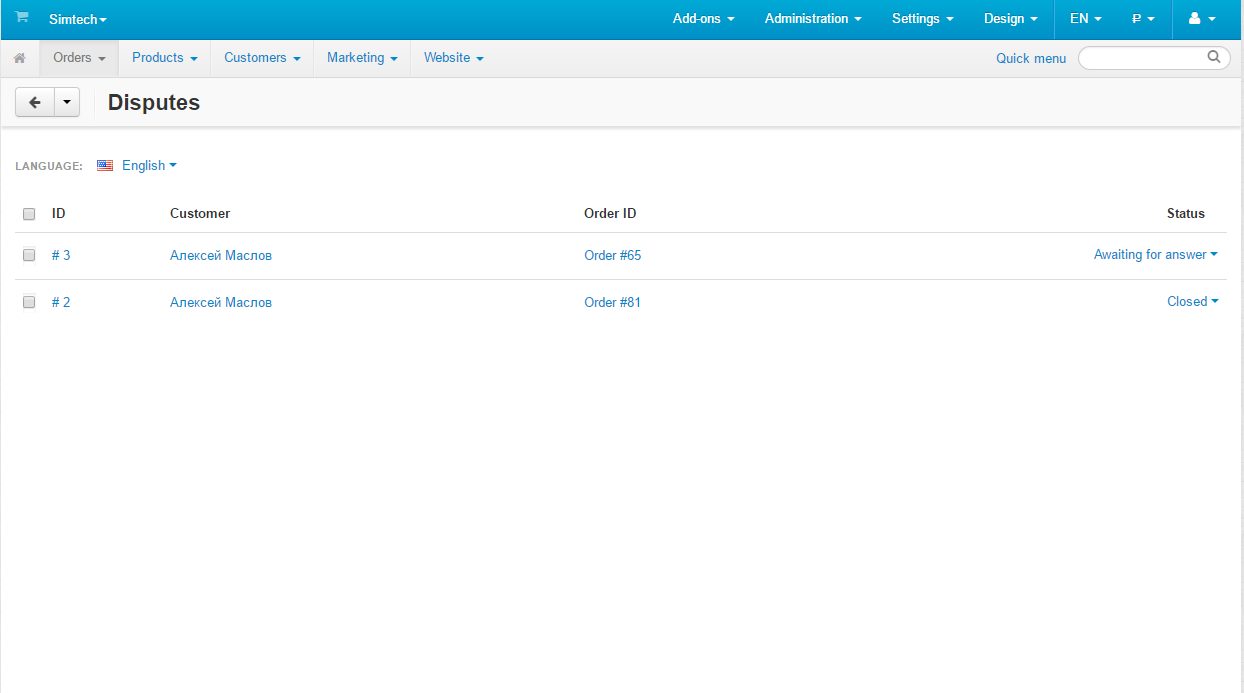
The deadline is visible before it passes
Every claim carries its own timer: how many days are left to answer. The list shows what is burning. |
Claims are counted
The report shows the share of orders, the time to answer and to resolve, overdue claims and the compensations paid. |
The case stays in the store
The thread, the files, the resolution and the rating are tied to the order: a year later it is clear what was agreed. |
It is clear who answers
A claim has an assignee, internal notes for the staff and a log of who changed what and when. |

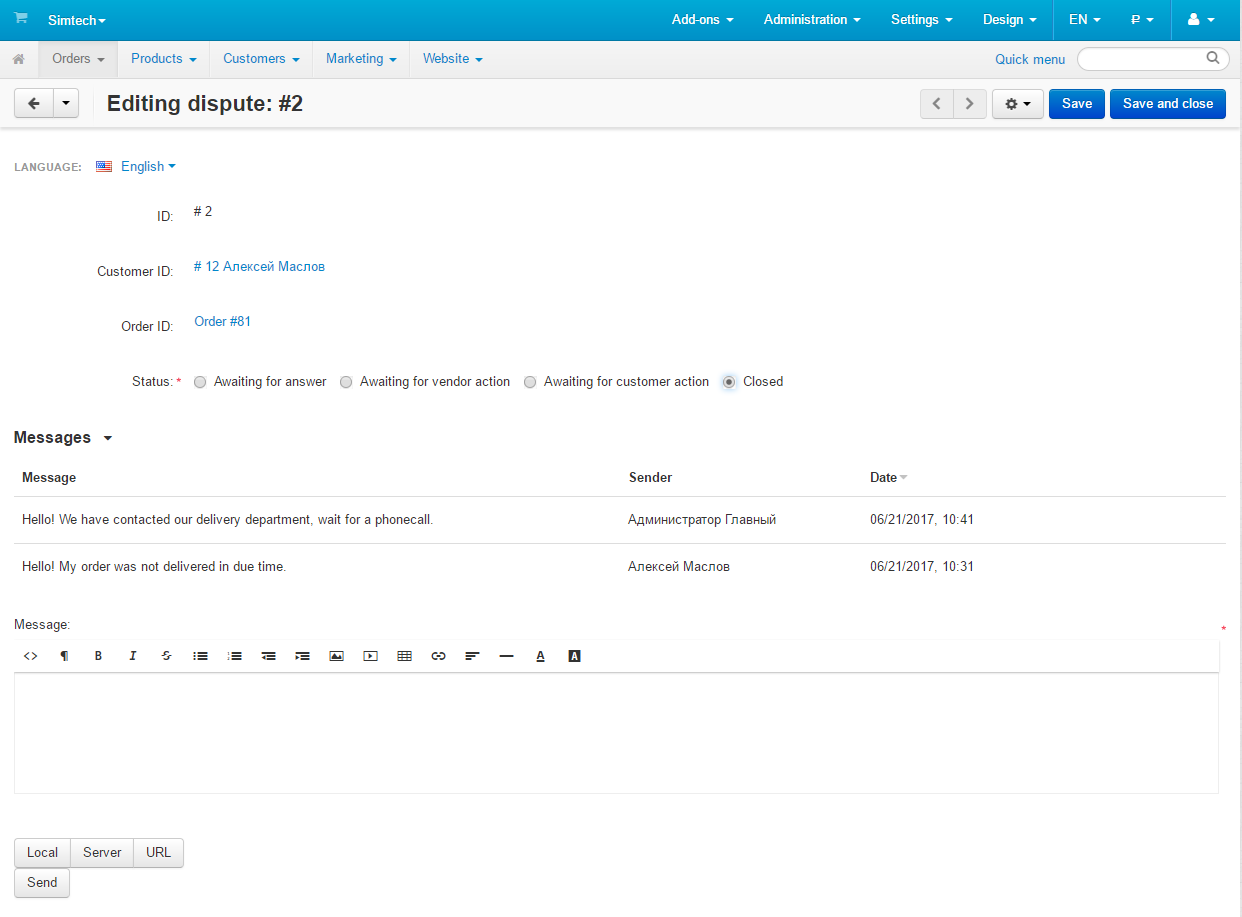
A claim is more than a thread
- • The claim type and the customer demand come from the store dictionary rather than free text: the report is built on them.
- • Order items. The claim is made about particular products, not about the whole order.
- • Attachments. Photos and documents are accepted by an extension whitelist and handed only to the participants of the claim.
- • Internal notes. Visible to the staff, hidden from the customer and not counted as an answer.
- • Resolution and compensation. From the resolutions dictionary, with an amount that lands in the report.


The statutory answer deadline
An answer to a claim is a deadline, not a wish. The add-on counts it itself: from the moment the claim is filed, in calendar or working days, and pauses it while the store waits for the customer.
- • A reminder for the staff when the deadline draws near.
- • An overdue mark in the list and in the report — visible, not buried.
- • Automatic escalation to the marketplace when a vendor stays silent.
- • Automatic closing when the customer stops answering.
The pause is counted honestly
While a claim waits for the customer, the clock stands still. Once the customer answers, it continues with the accumulated pause taken into account — and the report counts overdue claims the same way.
A report to show the manager
A separate screen answers the questions asked at the weekly meeting: how many claims came in, what they were about, how fast the store answers, how many deadlines were missed and what it cost.

Multi-Vendor: the marketplace settles the dispute
- • A vendor sees only their own claims — both in the list and in the privileges.
- • The customer can turn to the marketplace when the vendor answer does not satisfy them.
- • Vendor silence hands the claim over to the marketplace automatically, by setting.
- • The marketplace owner settles the dispute and closes it with their own resolution.
How to start
STEP 1
Install the add-on
Through the Cart-Power Add-ons Manager — updates arrive the same way. |
STEP 2
Check the dictionary
Claim types, demands and resolutions come with the add-on; rename them to fit your store. |
STEP 3
Set the answer deadline
In the settings: how many days and whether to count working days only. |
STEP 4
Enable the schedule
The cron job sends reminders, marks overdue claims and closes silent ones. |
What to know in advance
The update from version 1.0 runs as migrations: the conversations are kept, but the statuses, the dictionary and the privileges are created anew — walk through the settings after updating.

What's new in version 2.1
- • The add-on works on CS-Cart and Multi-Vendor 4.14: it installs on the 4.14.1 core and newer.
- • A vendor e-mail about a claim status change, switched on per status with "Notify the vendor", by default for "New", "Escalated", "Satisfied" and "Declined".
- • Every e-mail links to the claim: the customer to the storefront, a guest with the access key, the store and the vendor to their panels. Status e-mails name the status.
- • The CAPTCHA on the claim and reply forms follows the store anti-bot settings.
- • Updating from 1.0 through the add-on manager and the Upgrade Center, including on 4.14.
Frequently asked questions
How is this different from the stock returns (RMA)?
A return is about goods: items, stock, order recalculation. A claim is about settling the case: the customer demand, the deadlines, the thread and the resolution. A return request can be created from a claim when it comes to that.
Does the customer need an account?
Not necessarily. The claim opens by a link with a key from the e-mail — the customer answers without signing in.
What happens to the deadline while we wait for the customer?
It is paused and continues once the customer answers. The accumulated pause is taken into account both on the claim and in the report.
Can the statuses be renamed for our process?
Yes. Claim statuses live in the stock statuses section: your own names per language, colours and e-mails.
Who sees the internal notes?
Only the store staff and — in Multi-Vendor — the staff of the vendor the claim belongs to. The customer never sees them and they are not counted as an answer.
Does it work in Multi-Vendor?
Yes. Vendors see only their own claims, and a dispute can be handed over to the marketplace, manually or automatically when the vendor stays silent.
- Store Builder
- Store Builder Ultimate
- 4.21.1
- 4.20.1
- English
- Русский
|
CS-Cart development · in-house team · since 2013 We build, upgrade and speed up CS-Cart stores and marketplacesAnalysts, developers, designers, QA and support under one roof — no subcontractors. We ship add-ons you can buy on this page today, and we take on the work that no ready-made add-on covers. |
|
2013 Working with |
4.98 Rating from |
200+ Solutions on this |
500+ E-commerce projects |
Flagship products
Two add-ons that change how a store performs
Everything else we publish improves one screen. These two change the numbers: how customers find products, and how often they come back.
|
Add-on · Search & merchandising Smart SearchElasticsearch-powered search for large catalogues. The customer types two letters, sees products with images and prices, and buys from the dropdown — even after a typo or with the wrong keyboard layout. Visitors who use the search bar are 24% of traffic and 44% of revenue, and convert about 2.5× better than people who only browse categories. If search returns nothing, up to 80% of them leave. | ||||||||
| ||||||||
Try it on a live catalogue: open the demo store and search with a deliberate typo. |
|
Add-on · Mobile commerce PowerApp — mobile app for your storeA native iOS and Android app running on your CS-Cart data: the same products, prices, stock, promotions, reward points and orders. There is no second catalogue to maintain — everything stays in the admin panel you already use. A mobile site brings a customer in once; an app brings them back for free. Push notifications replace the retargeting budget you spend to buy the same customer a second time. | ||||||||
| ||||||||
Screens, block types and pricing tiers: see how the app is built. |
Services
When no add-on solves it, we do the work
Fixed scope, written specification, a named project manager and a warranty on what we ship.
|
Custom CS-Cart development Functionality the platform does not have: add-ons, marketplace mechanics, integrations with 1C, CRM, ERP, payment and delivery providers. We start from a written specification, not from an estimate on a phone call. Details → |
|
CS-Cart upgrade Move to the current version without losing data, custom code or add-ons. We audit every modification first, upgrade on a staging copy, adapt what breaks and switch over with little or no downtime. Details → |
|
Speed and performance optimisation Conversion falls by about 4.4% for every extra second of load time. We profile the server, the database and the front-end, then fix what actually costs the seconds — and show you the before-and-after numbers. Details → |
|
Design for CS-Cart Mobile-first storefront design built on CS-Cart's own template structure, so the layout survives the next platform upgrade instead of becoming a migration problem. Details → |
|
SEO for CS-Cart A technical audit of indexing, duplicates, redirects, structured data and Core Web Vitals — delivered as a prioritised fix list your developers can act on, or that we implement ourselves. Details → |
How we work
What you get besides the code
|
Before we start We discuss the goal, offer options and write the specification. You approve scope and price before development begins. |
While we build A named project manager reports progress on a fixed schedule. You always know what is in work and what is next. |
|
Before release A separate QA pass on every release — the developer who wrote the code is not the person who signs it off. |
After handover Documentation for everything we ship, plus a warranty on the modifications and the project. |
Tell us what the store needs to doDescribe the task in a couple of sentences and we will come back with options, a scope and a price. The consultation is free, and we will say plainly if a ready-made add-on already solves it.
|
Client cases, our full add-on catalogue and 184 customer reviews are in the tabs above.