Cart is empty
No reviews found

Try it before you buy
Launch your own demo store with this add-on already installed. The store is ready within a few minutes and runs for 7 days.
An extension for Store Builder and Multi-Vendor that brings order to the information duty coming from European product safety rules. The shopper is meant to find the responsible entity, the warnings and the documents, a user manual or a material safety data sheet among them, right next to the product. Across a catalogue counted in hundreds of items, that duty turns into retyping the same content over and over. The Compliance of products with the GPSR directive add-on moves the work into dictionaries: entity details, documents and additional notes are prepared once, bound into a GPSR card, and then assigned to a product or to a whole manufacturer.
Key Features
- A GPSR card joins the responsible entity, the documents and the additional notes into one record that you update in a single place.
- Manufacturer assignment covers the whole brand assortment, including items added in the future.
- A document repository with types: safety information, material safety data sheet, user manual and guarantee.
- The product page tab works right after installation, with no layout work involved.
- Documents are served through an address with an encrypted identifier, with a check that the file belongs to the store.
- A column in the product list shows catalogue coverage, and the card identifier appears in the CSV export.
Rollout starts with two decisions. You point at the product feature describing the brand, which is how the add-on recognises manufacturers, and you choose whether the GPSR card gets a tab of its own in the product form or fits into the add-ons tab. There are no API keys here and no connections to outside services

Screenshot 1: configuration comes down to the brand feature and the placement of the card picker.
The whole add-on lives under the Customers menu, in the Directive GPSR entry, and splits into four catalogues: cards, responsible entities, documents and additional information. The card list shows at once what each card holds and whether it is active

Screenshot 2: every add-on catalogue gathered in one place of the panel.
The GPSR card is the heart of the whole solution. It carries its own name, position and status, so cards can be prepared in advance and switched on once the supplier sends the complete set of documents

Screenshot 3: a GPSR card ties the responsible entity, documents and extra information into a single record.
On the documents tab you pick files from the repository. The same file can serve many cards, so a new revision of a manual means one replacement instead of a walk through the products

Screenshot 4: a card can carry any number of documents picked from the repository.
The responsible entity comes from a dictionary rather than from retyped text. A change of importer address is one edit that applies to every card using that entry

Screenshot 5: manufacturer or importer details come from a dictionary, so they stay consistent across every card.
The third element of a card is the additional information: warnings, age markings, disposal notes. You write them once in the visual editor and attach them to further cards

Screenshot 6: recurring warnings and notes get their own catalogue and reach many cards at once.
A card can be handed to a batch of products without opening them one by one. The products tab inside the card uses the standard assortment search, which makes it the shortest route when compliance has to reach an existing catalogue

Screenshot 7: one card serves many products chosen straight from the card form.
The most economical assignment goes through the manufacturer. You tick the brand on the feature variant list and the card covers all of its items, including those that reach the catalogue half a year from now. In Ultimate edition stores, each storefront can point at its own card for the same manufacturer

Screenshot 8: selecting a manufacturer covers all of its products, including those added later.
Documents have a catalogue of their own, with a type on every entry. Once the files pile up, the type helps you find the right manual or safety sheet without scrolling through the whole list
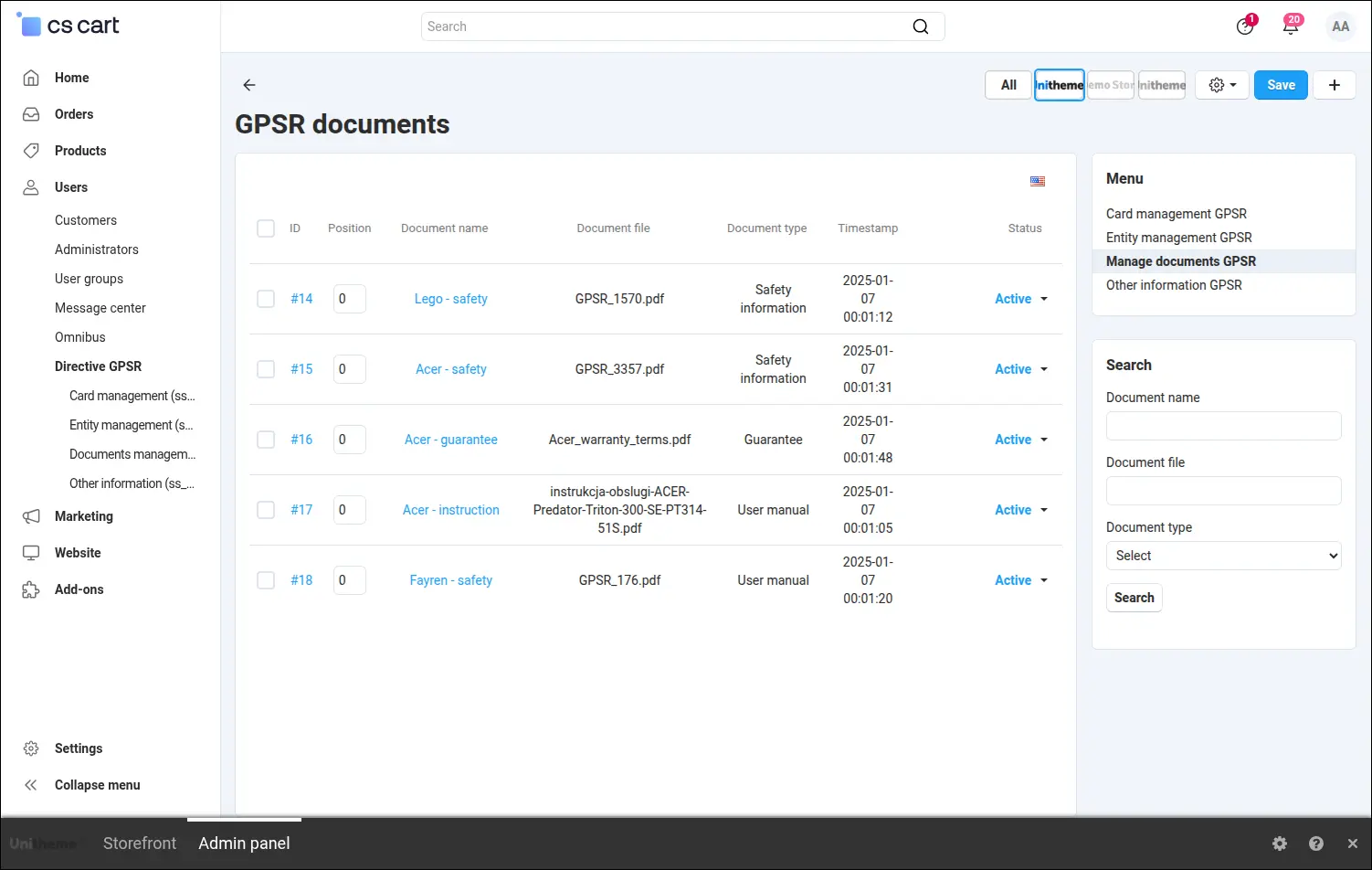
Screenshot 9: a document repository typed as safety information, material safety sheet, manual or guarantee.
Adding a document takes a name, a file and a type. The file goes into the store repository rather than a directory that anyone could open straight from a browser
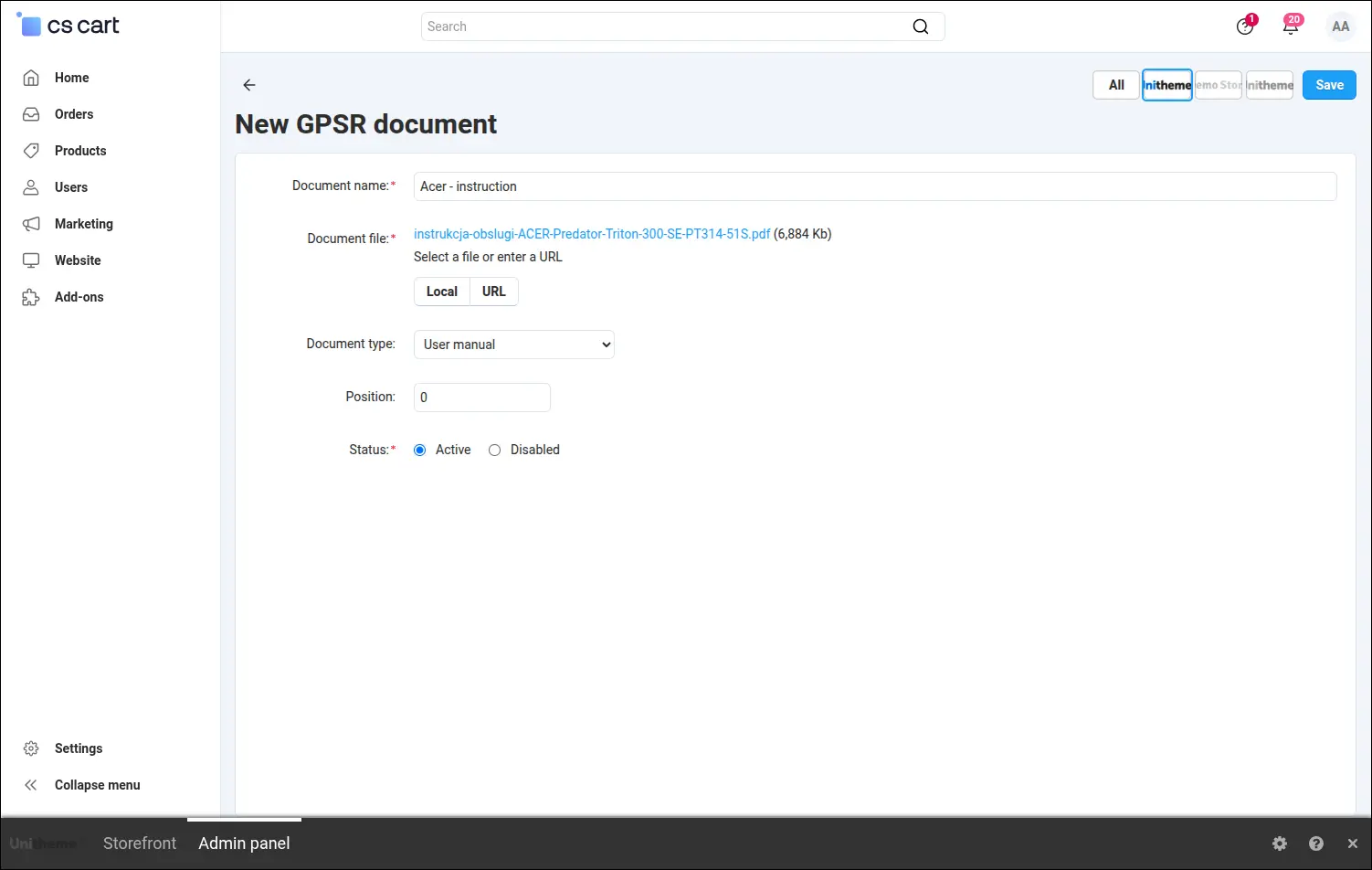
Screenshot 10: the document form with an attached file and the chosen type.
Responsible entities have a separate catalogue, and one of the entries can be marked as the default. New cards then suggest it on their own, which saves time in stores that import goods themselves
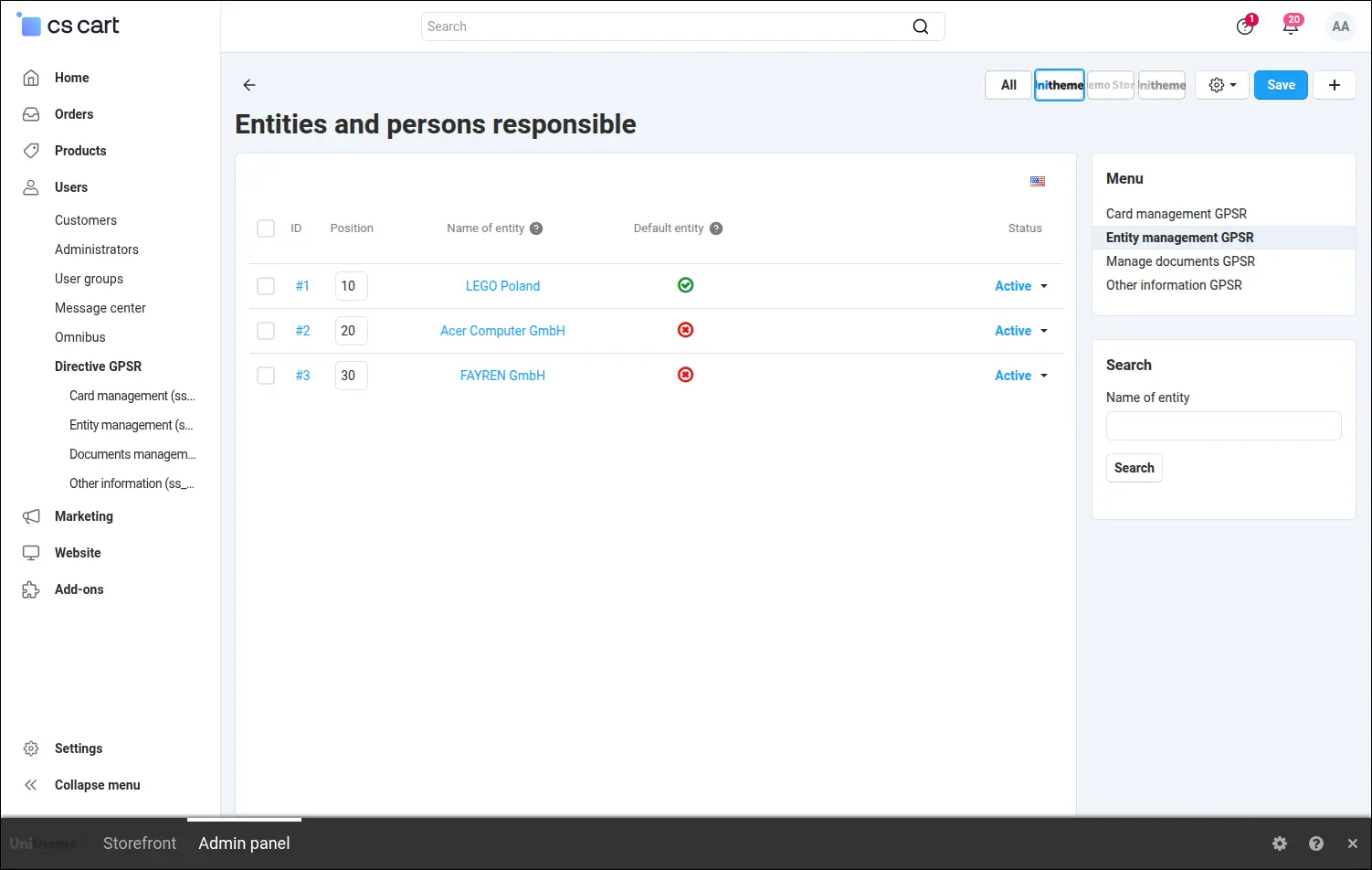
Screenshot 11: the catalogue of responsible entities, with one entry marked as the default.
Entity content is written in the visual editor, so the address, the contact details and the link for safety reports look exactly the way you want the customer to see them
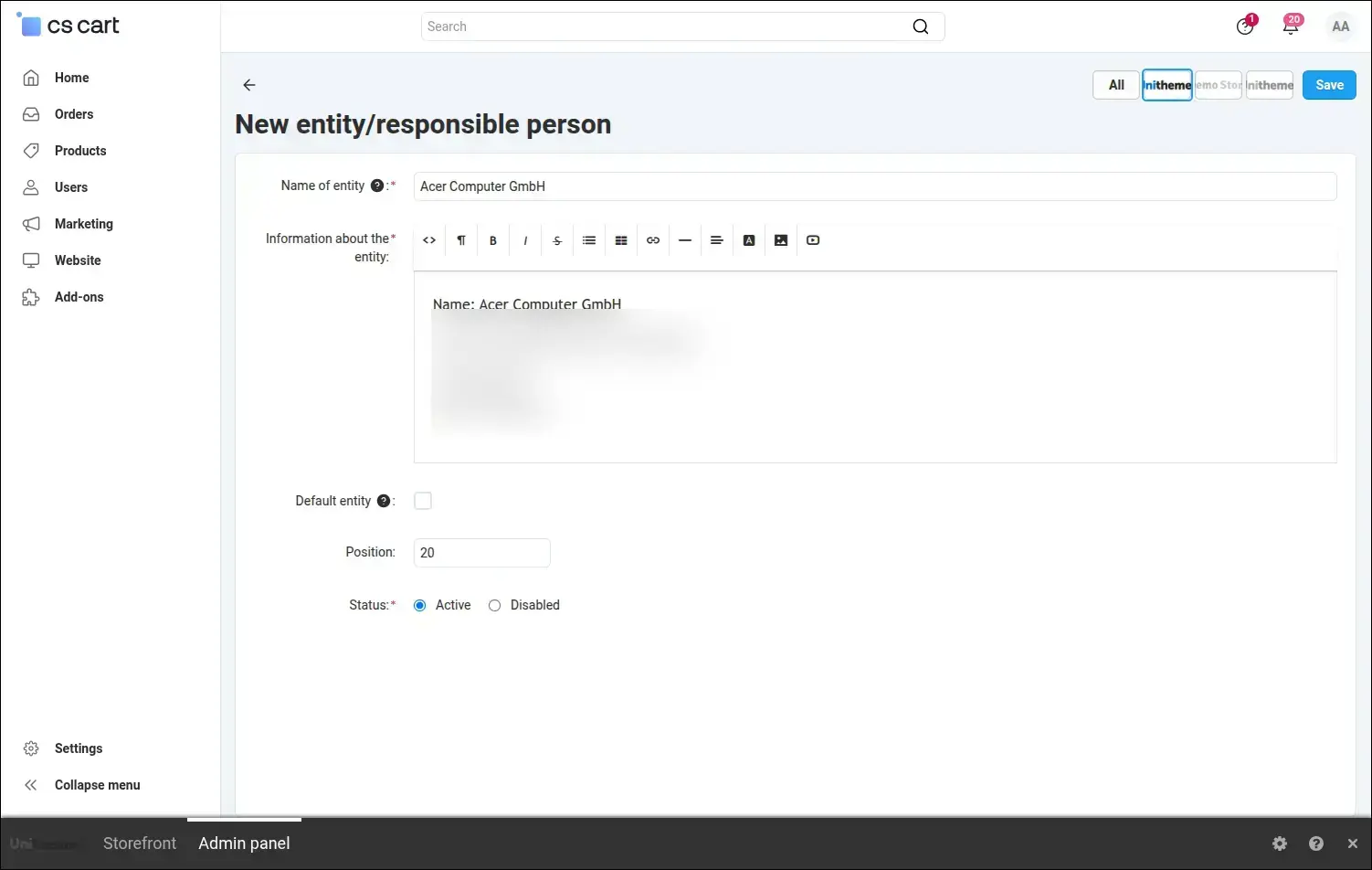
Screenshot 12: entity details with address and contact, ready to be published next to the product.
Additional information works the same way. A working name helps you find it later, and the visual editor content stays consistent in wording across every card that uses it
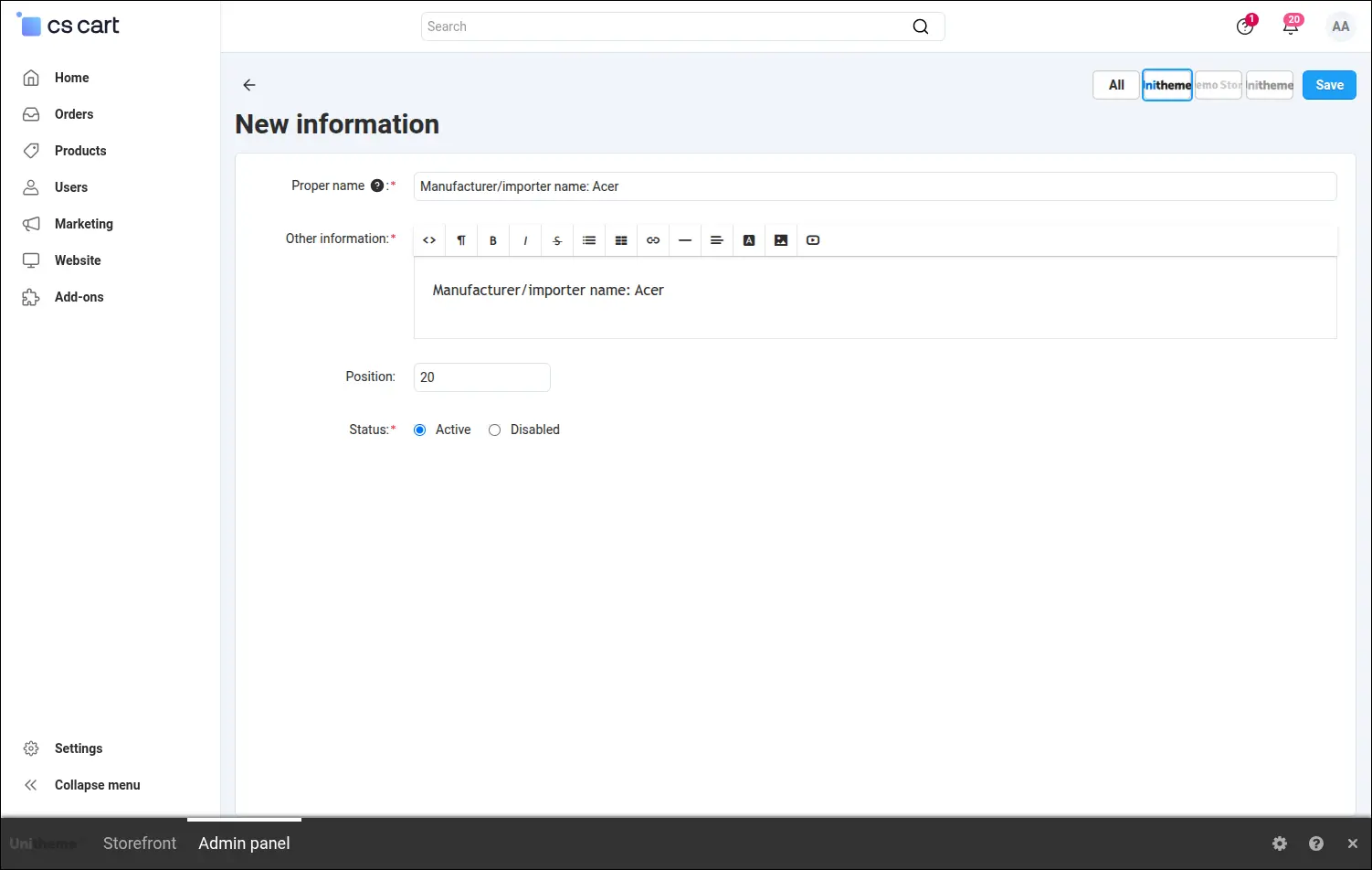
Screenshot 13: a block of additional information prepared once and reused many times.
Whoever enters a new item never has to open a separate module. The card is chosen in the product form, in a tab of its own or in the add-ons tab, depending on the setting picked during rollout
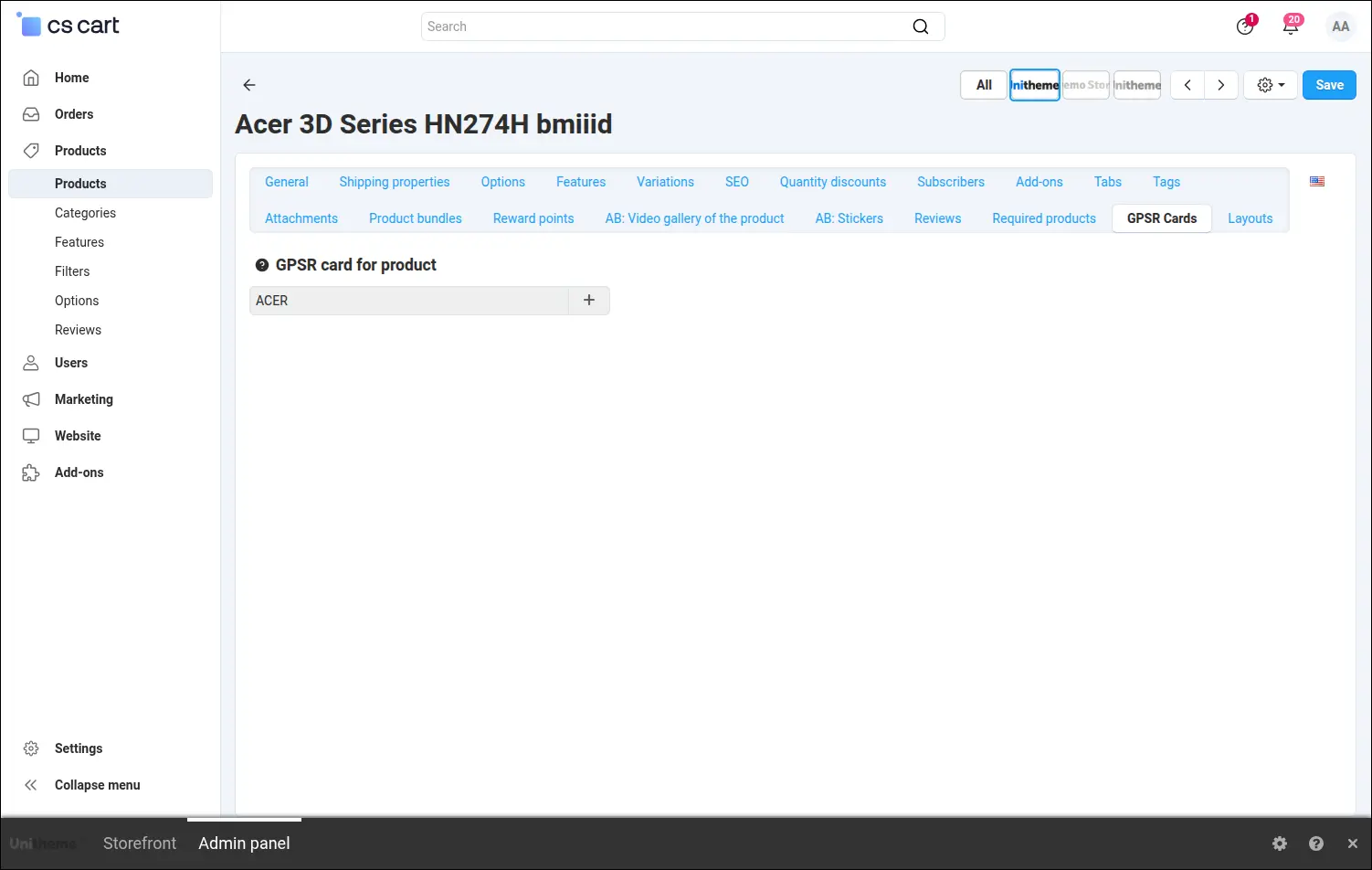
Screenshot 14: the card is assigned right in the product form.
Catalogue coverage is visible without opening single products. A column in the product list shows which items already carry a card and which are still waiting
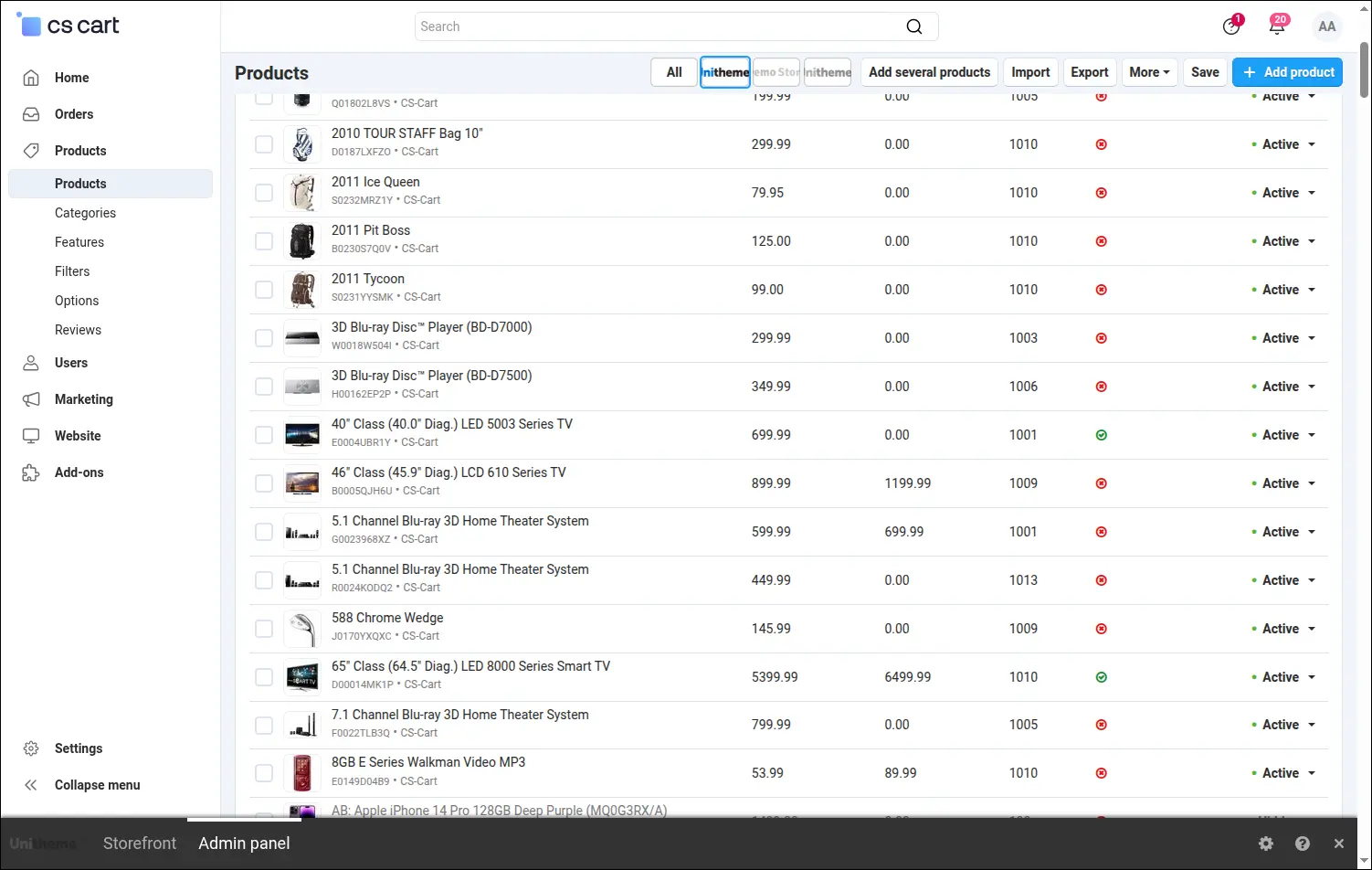
Screenshot 15: the product list shows at a glance which items still lack a GPSR card.
The add-on is present in the feature catalogue as well. The brand feature variants gain its column, which in an Ultimate edition store points to the manufacturers tab of the card, because feature variants are shared between storefronts there
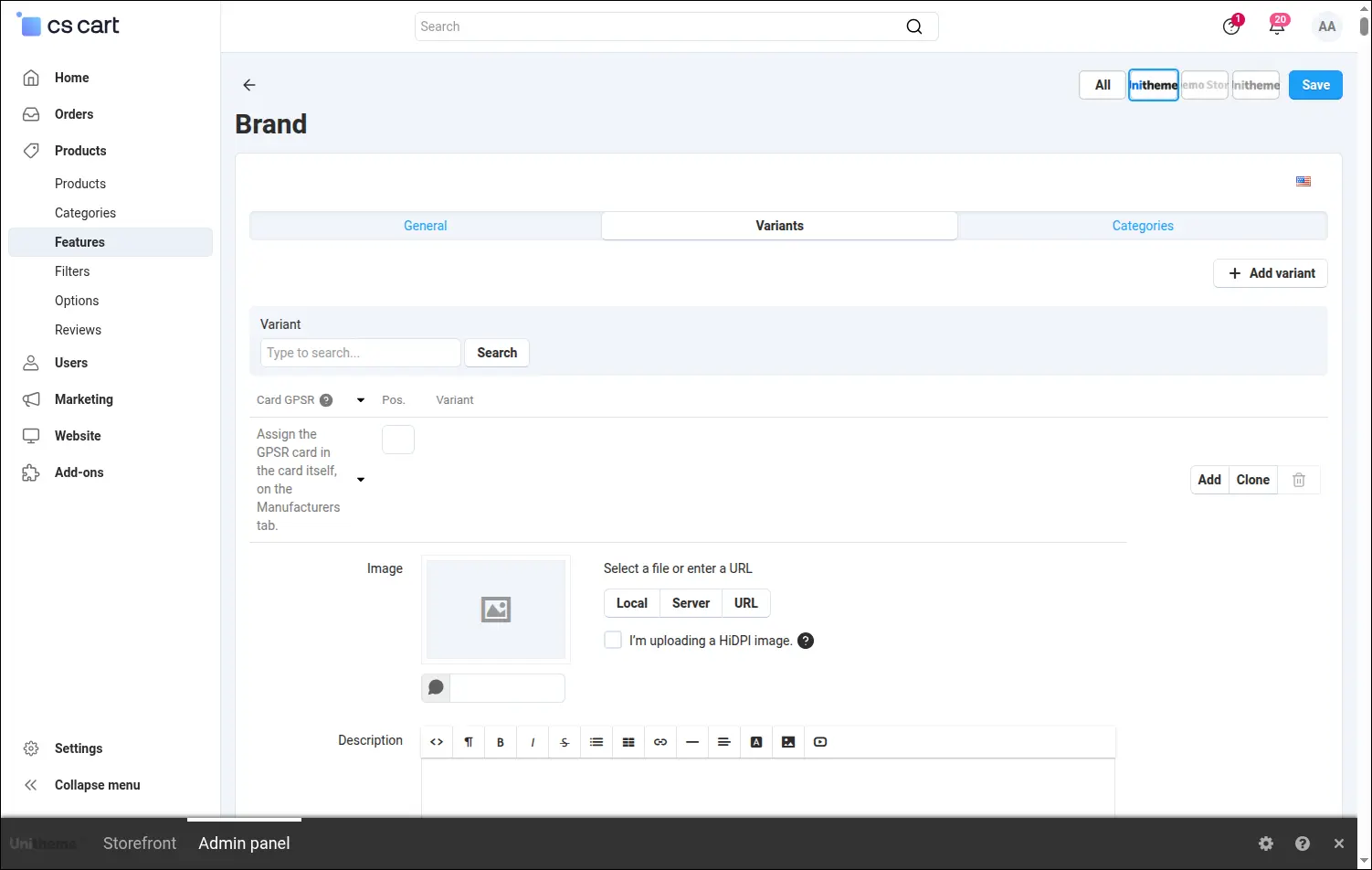
Screenshot 16: the column on the brand feature variants points to the manufacturers tab of the GPSR card.
Storefront presentation calls for no layout work. Installation registers a product page tab of its own, active from the start and created separately for each storefront, while its name and order are edited together with the remaining tabs
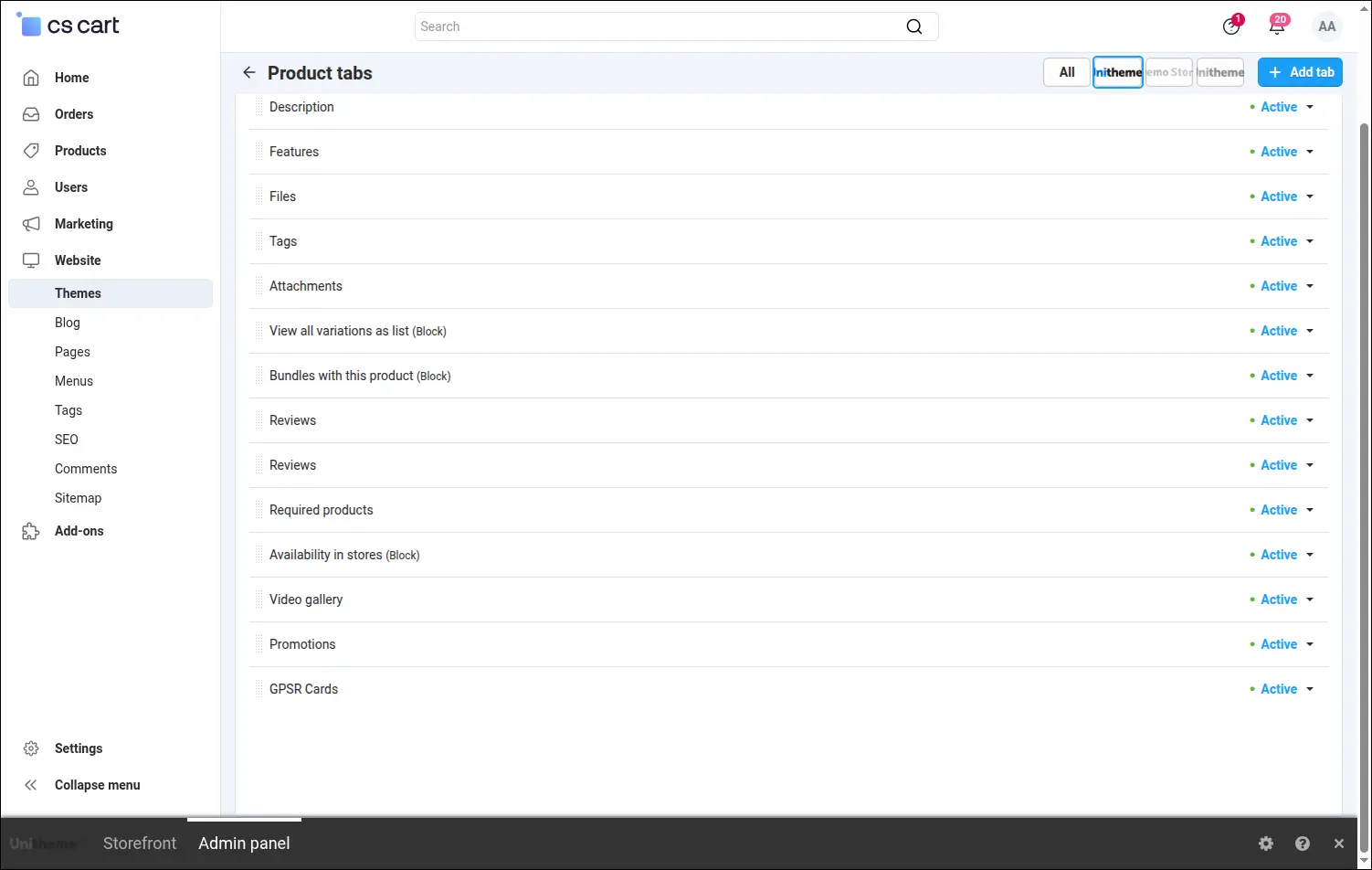
Screenshot 17: the GPSR tab is active right after installation, alongside the other product tabs.
This is what the customer ends up with. The product page tab gathers the responsible entity, the documents with their download buttons and the additional information, and every section shows up only when it has content
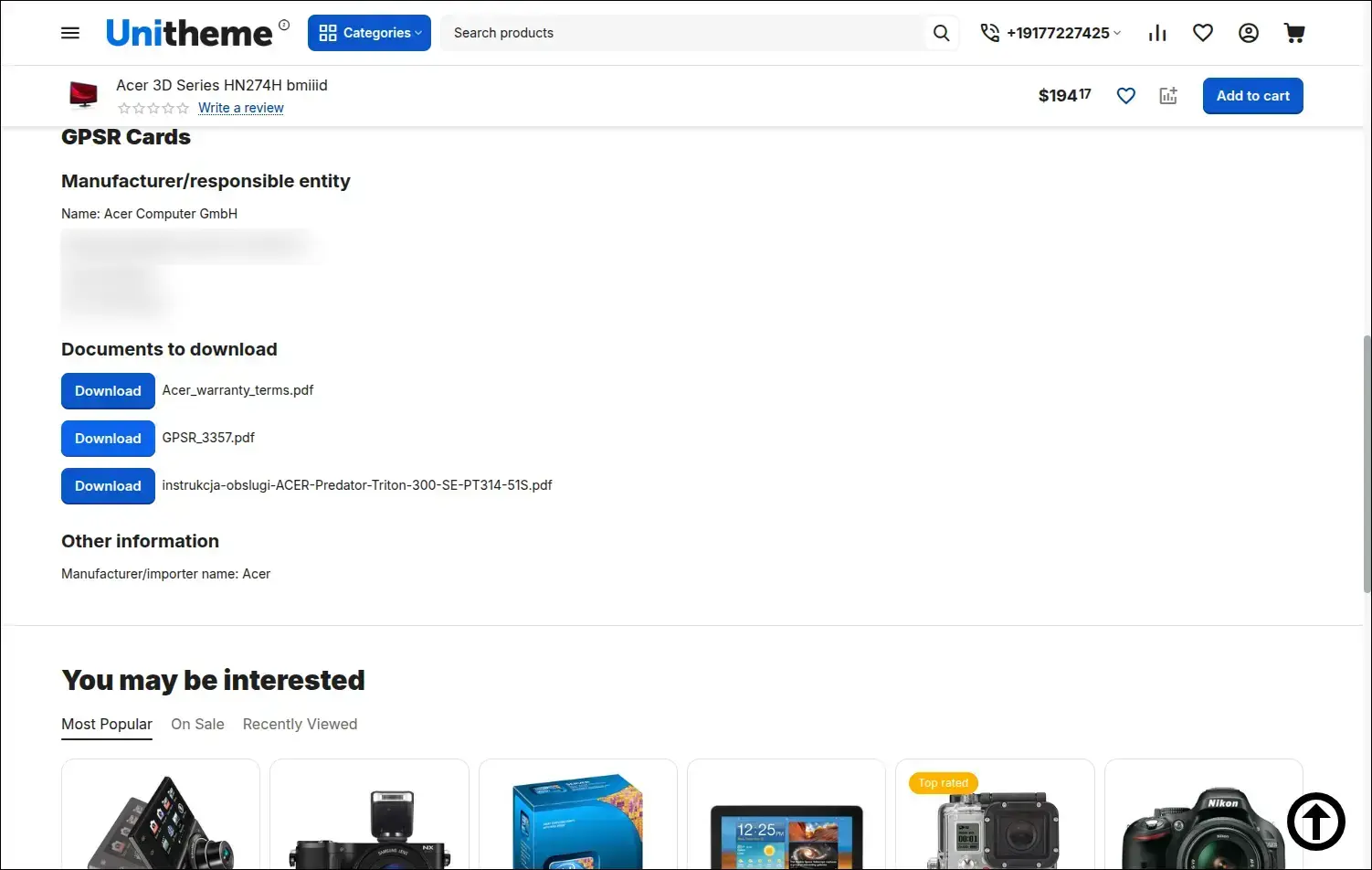
Screenshot 18: the customer sees the responsible entity, downloadable documents and additional information.
The Compliance of products with the GPSR directive add-on turns the information duty into a few dictionaries and one assignment. Stores built around brands cover compliance once per manufacturer, stores with a short catalogue attach cards to individual items, and multi-store installations keep separate data for every storefront. Documents stay under the control of the store, and the customer receives them in the place where they look for details.
Feel free to contact us and purchase the add-on!
No reviews found
SoftSolid has been an official CS-Cart developer since February 2010. We build add-ons that a store owner can set up without calling a developer: clear settings, sensible defaults and documentation. Every add-on is kept compatible with new CS-Cart releases.
2010 official CS-Cart developer since | 160+ add-ons in this marketplace |
5.0 average rating from 90+ reviews | 29 add-ons also on a low monthly subscription |
What we do for CS-Cart and Multi-Vendor stores
Beyond ready add-ons, we take on almost any development work for CS-Cart, Store Builder and Multi-Vendor:
 | Custom add-on development New features for your store built as separate, update-safe add-ons, from a small admin tool to a complete module. |
 | Changes to existing functionality Checkout, product pages, promotions, orders, admin panel and vendor panel adjusted to the way your business works. |
 | Integrations ERP and accounting systems, marketplaces and order management, couriers and parcel lockers, payment gateways, and any service with an API or data feed. |
 | Multi-Vendor marketplaces Vendor plans, commissions, payouts, vendor permissions and tools that make running a marketplace easier. |
 | Upgrades and migrations CS-Cart and Multi-Vendor upgrades to new versions, moving data from other platforms, imports and exports. |
 | Performance and security Store audits, finding and removing malicious code, speed and server configuration. |
 | AI and automation AI chat assistants trained on your store content, automatic translations and automation of repetitive work. |
 | Support and maintenance Ongoing care of your store, fixes and keeping custom code compatible with new CS-Cart releases. |
 | Turnkey stores A complete CS-Cart or Multi-Vendor store set up on a ready theme: configuration, add-ons, integrations, data import and launch. |
 | Mobile applications Mobile apps for your store or marketplace, connected to your CS-Cart data. |
Our flagship add-ons
 | Base.com (BaseLinker) integration Exchange orders and products between your store and Base.com, and sell on marketplaces from one place. |
 | DeepL translations Translate products, categories, pages and menus into every language of your store: one click, in bulk or automatically. |
 | AI Agent / Chat Bot (RAG) An AI assistant that answers your customers using the real content of your store. |
 | Promotions for vendors Promotions with vendor conditions on Multi-Vendor, and vendors can create promotions of their own. |
Why merchants choose us
Tell us what your store needs to do. We will point you to the add-on that already does it, or build a solution for your case.