Cart is empty
No reviews found

The add-on allows you to quickly and simply, in a few clicks of the mouse button, link the products and categories of the seller with the categories of the marketplace. With it, you can easily add a marketplace category to all the seller's products. This means that your customers will be able to easily find the products they need in your category tree.
When creating products via import, CS-Cart compares the names of the seller's categories with the names of the marketplace categories. If the algorithm finds a category in the import file, for example, "T-shirts", then it searches for a category with the same name in the category tree of the marketplace.
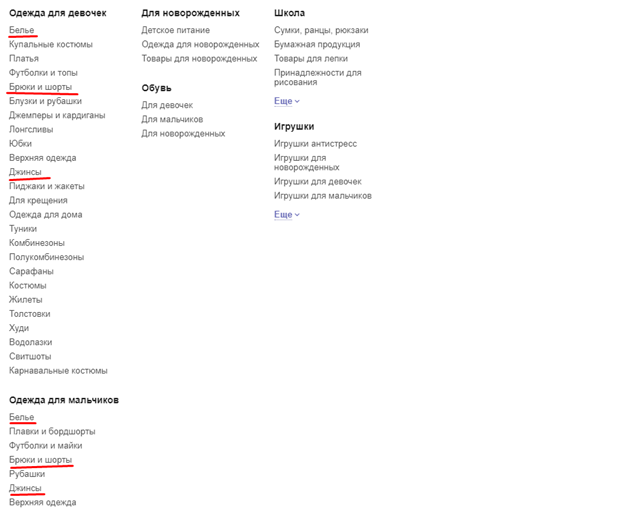
But the same T-shirts can be in different places: in women's clothing, in men's, children's, sports. And all products from the seller's category will be placed in all the categories of the same name.
The second problem: there may be subcategories within your category. For example, in primary (in 1C this is a group of categories) The "Dresses" categories can be subcategories: "Light summer dresses", as well as "Evening dresses" and "Cocktail Dresses", as well as "Wool Dresses", and so on. And the seller has all the dresses simply folded into the "Dresses" category. The algorithm will match the category names and add products from the seller's category to your "Dresses" category, which is not the primary category, but the final one.
Of course, ideally, I would like sellers to familiarize themselves with the category tree of your marketplace in advance and distribute products into your categories even when creating products: manually, if there are few products, or when creating an import file, if there are a lot of products.
But let's be honest: the seller who comes to you with his products also trades on many other sites. And if he has at least a few dozen products, then he is unlikely to want to develop a new import file for each site, taking into account their category tree. Such requirements can only be afforded by large, popular sites among buyers, such as Ozon, Wildberries, AliExpress, Yandex.Market and so on.
You will have to decide on your own the distribution of the seller's products by the categories of the marketplace. This means that you will have to look through each import file to understand the structure of the seller's category tree, and after importing, go into each product and set a marketplace category for it.
To present an approximate amount of work, you can perform the simplest calculations. It will take from one to seven minutes to process one product, on average we will take five minutes. This is to open a list of products, select the desired product, assign it a marketplace category, save changes.
Let's say you are lucky enough to bring a large seller with an assortment of 10 thousand products to your site. On average, 5 minutes for each, this is about 100 working days of one person. Obviously, you will have to hire several people to process new products, otherwise sellers will have to wait too long for their products to start selling.
We have developed a simple and intuitive interface that allows you to quickly and easily distribute products into categories or link categories together. The intuitive interface will allow you to significantly reduce the time for processing new products, which, in turn, will allow you to minimize the number of employees needed for this. In fact, in order to disassemble a new import for 10 thousand products, you will need no more than a couple of hours of work by one person.
By default, the seller does not have the opportunity to create his own category from import or when unloading bp 1C. The add-on changes the interface and makes it possible to create your own tree of seller categories

After importing new products, they are assigned only the seller's category. If you display these products together with their categories on the showcase, it will be extremely difficult for the buyer to search for the right product, because you will have to view the categories not only of the marketplace itself, but also the categories of sellers separately. The desired product can be in any of them.
In order to save the buyer from having to waste his time on this meaningless search, our add-on restricts the display on the showcase for products that are not sorted into categories of the marketplace.
The buyer will see only those products that you or the seller have already sorted into the categories of the marketplace.
The interface of the add-on is so simple and clear that you can entrust the distribution of products by categories of the marketplace to sellers. Or you can do it completely on your own. Access to category communication capabilities is configured through privileges in user groups.
That is, you can divide sellers into different groups, for which you will make different privilege settings. To the sellers with whom you have been working for a long time, you are confident in them and you know that they are not only ready to independently distribute products according to your categories, but will also do it as correctly as possible, you can give the appropriate privileges. For new sellers who have not yet fully understood the work of your site, and are not yet sure how interested they are in cooperating with you, you can close the communication interface and analyze their products yourself.
The easiest way to work with those categories of products that both you and the seller have laid out in similar categories. In this case, you just need to compare the two categories. For example, this is typical for electronics, where everything is usually distributed by types of equipment, manufacturers, lines and models. In this case, it is enough to simply link the two categories together.
After linking the two categories together, all products from the seller's category are automatically assigned a linked marketplace category. It is also automatically assigned to all new products that fall into this category of the seller. That is, once you have linked two categories together, you can no longer return to them.
But what about the products in those categories that correspond to the non-finite categories of the marketplace, as well as those products that the seller does not have categorized?
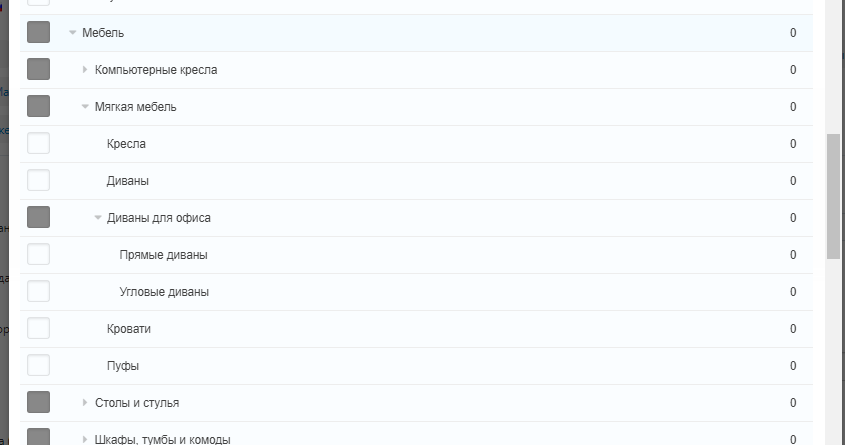
Everything is also quite simple with them: these products must be distributed by categories of the marketplace using the add-on interface. It is quite convenient to do this, for this we have many useful functions:
You can easily find products that need to be linked to the categories of the marketplace, divide them into subcategories and link them to the appropriate categories of the marketplace.
Some products may logically look in several categories: for example, products for newborns may be in the categories "For newborns", "Going to the maternity hospital", "Products for pregnant women".
For such cases, there is the possibility of multiple connections. You can associate a category or product with several categories of the marketplace, and the products will be displayed in all specified categories.
If you have entrusted the linking of categories to sellers, then you need to check the links they have established, make sure that they have linked the categories correctly. To do this, we have added to the add-on the ability to moderate the links of categories and products.
To make sure that the seller has correctly linked the categories, it is important for the moderator to review the contents of both categories. To do this, he does not have to go to the lists of categories, search for the right categories, and so on. It is enough to click on the category name directly from the category page and study which products are in it.
Depending on whether the communication was carried out correctly or not, the moderator can approve or reject it. In any case, he can accompany his decision with explanations. You can create explanation templates in advance, from which the moderator will subsequently choose. This will significantly speed up moderation. If the moderator does not find a suitable explanation among the templates, then he can enter it in a special field in a free form.
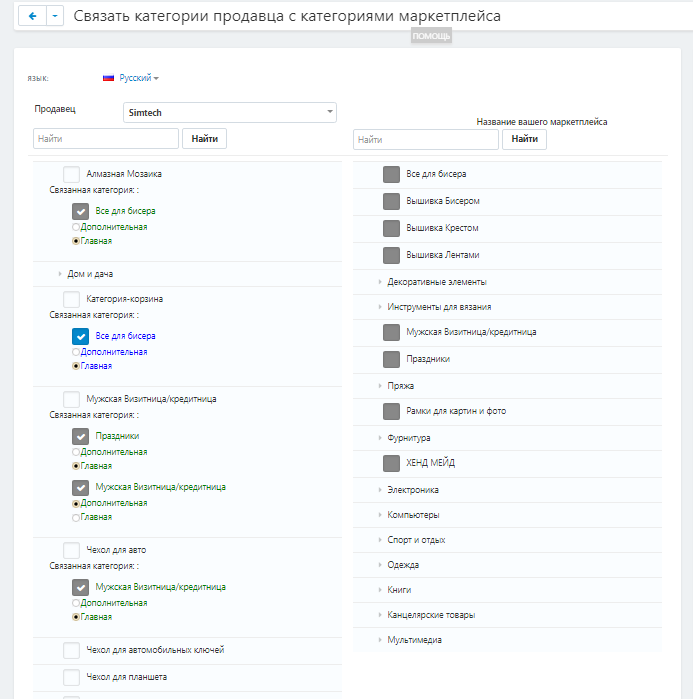

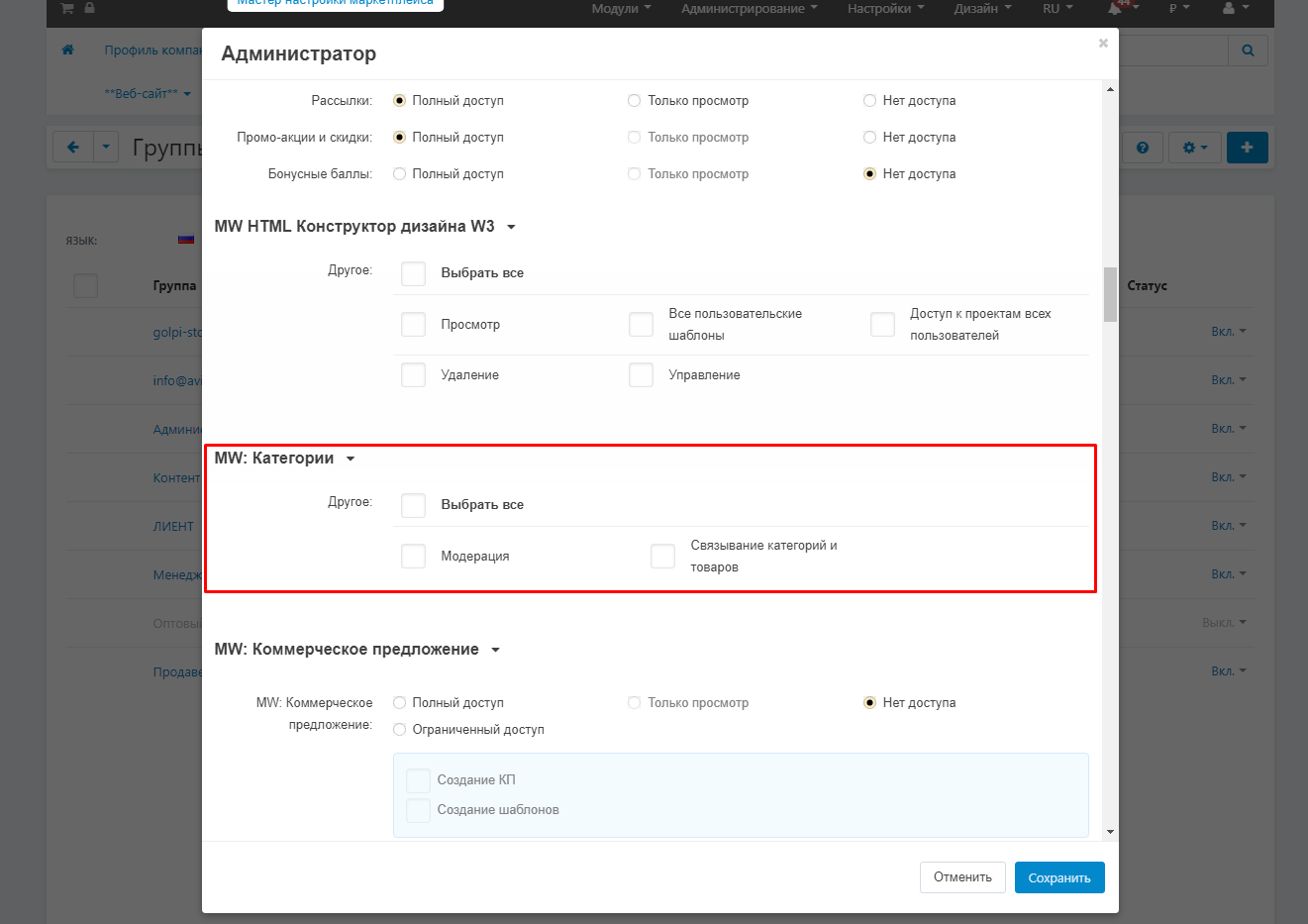
The administrator has closed the possibility to change the product, only familiarization
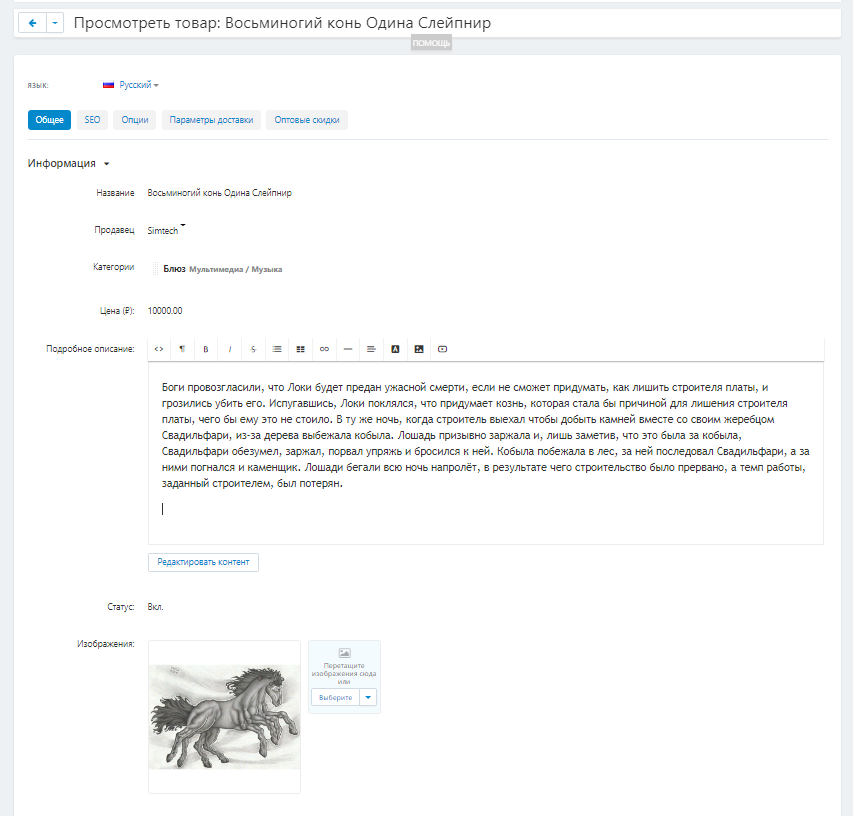
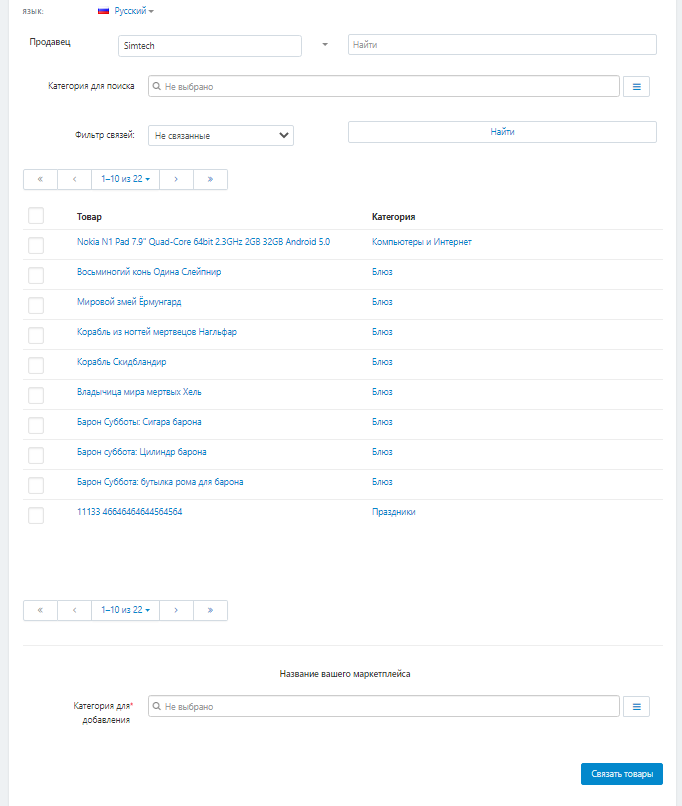
The administrator has a convenient interface for viewing products in the category that the seller wants to link and compare with the category of the marketplace
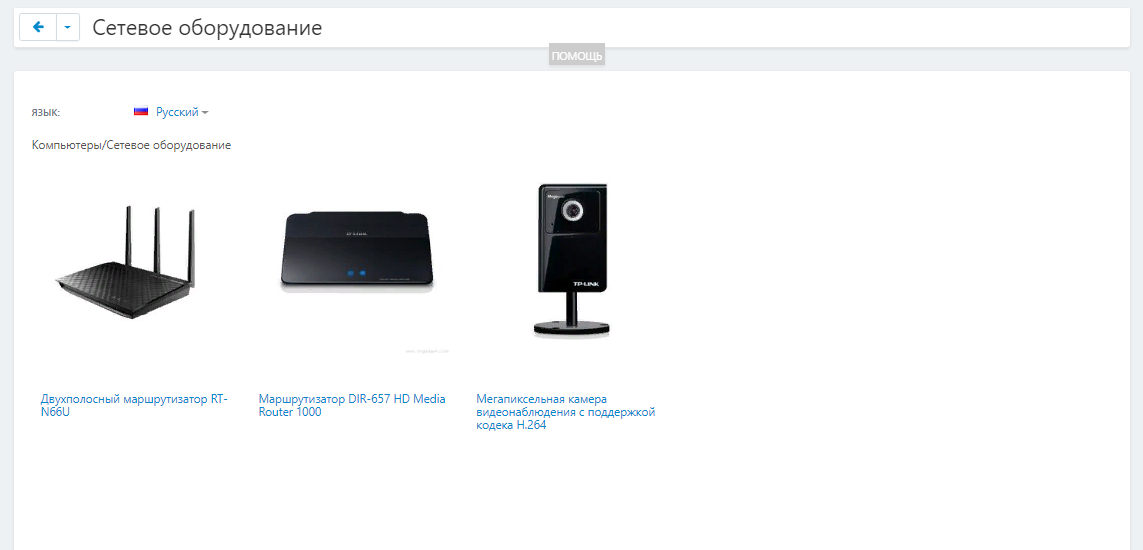
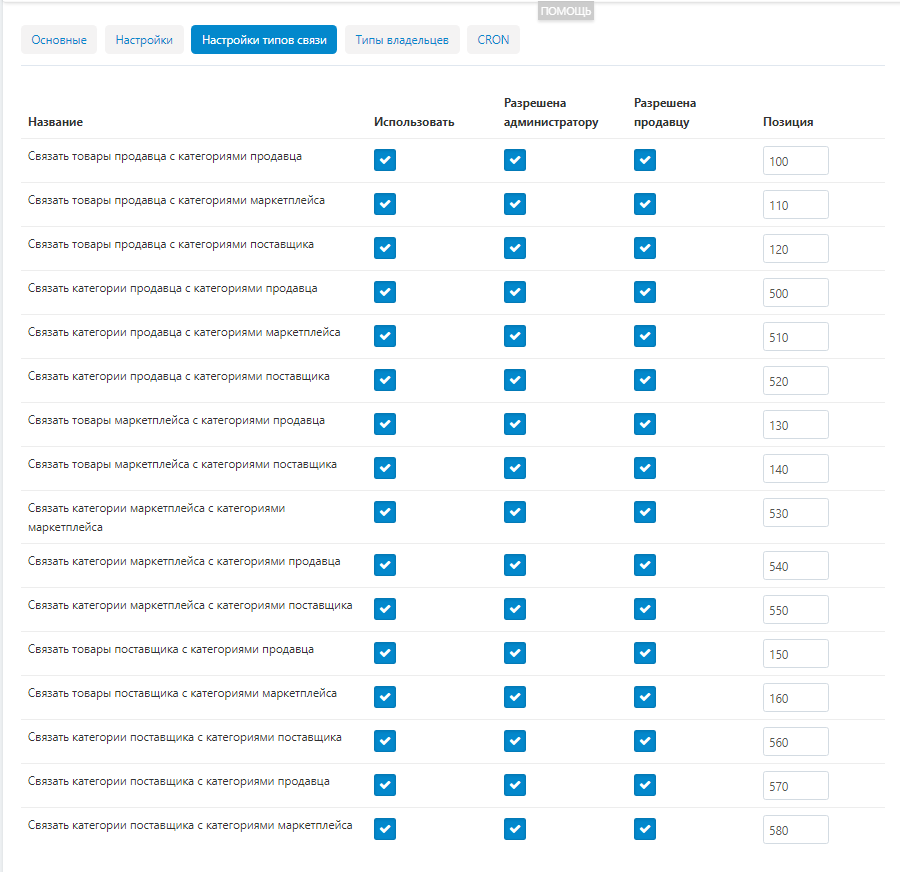
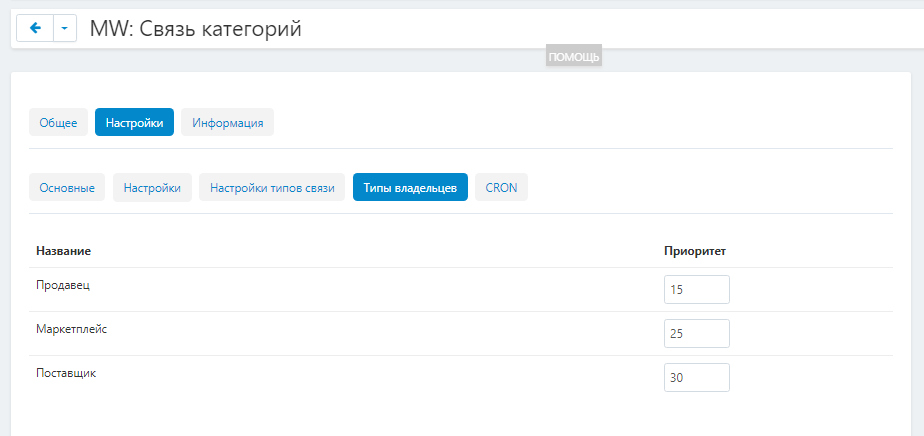
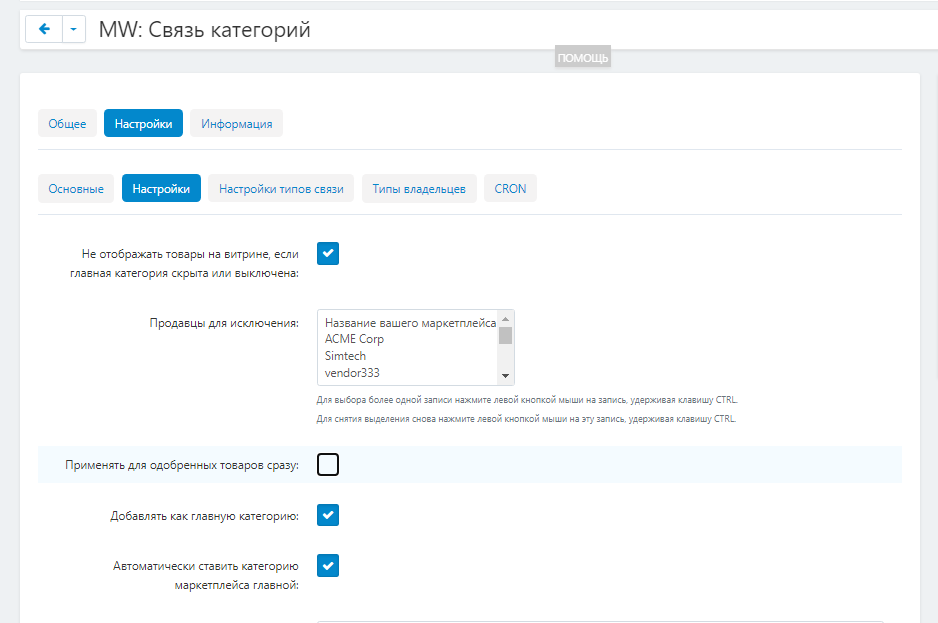
The "Links of categories and products with categories for the marketplace" add-on simplifies working with seller categories, accelerates the distribution of products by category. You can do this work yourself, or you can entrust it to sellers, and then only check the result yourself.
You will not have to inflate the staff of the marketplace in order to ensure the distribution of products by category.
In turn, sellers will not have to constantly change their import files to meet your requirements, spend time and effort on it. Even if they themselves have to deal with linking products and categories, it will not require much effort from them. It is enough to do this once, and in the future only slightly adjust when new products and categories appear.
The add-on "Links of categories and products with categories for the marketplace" actively interacts with the add-on "Seller's Product PRO: Control - categories, weight and dimensions, images, characteristics, tabs, lines, links, etc.".
"Seller's Product PRO" displays information to the seller in the list of products and in the product itself about whether the product will be displayed on the showcase. The "Links of categories and products with marketplace categories" add-on adds another one to the verification criteria: the presence of a marketplace category. In collaboration, the add-ons display information in the product card that it will not be displayed on the showcase, since the product does not have a marketplace category.
Also, this add-on actively interacts with the add-on "Checking and pre-moderation of sellers' products for CS-Cart Multi-Vendor". He adds another one to the list of criteria for moderation: whether the product has a marketplace category.
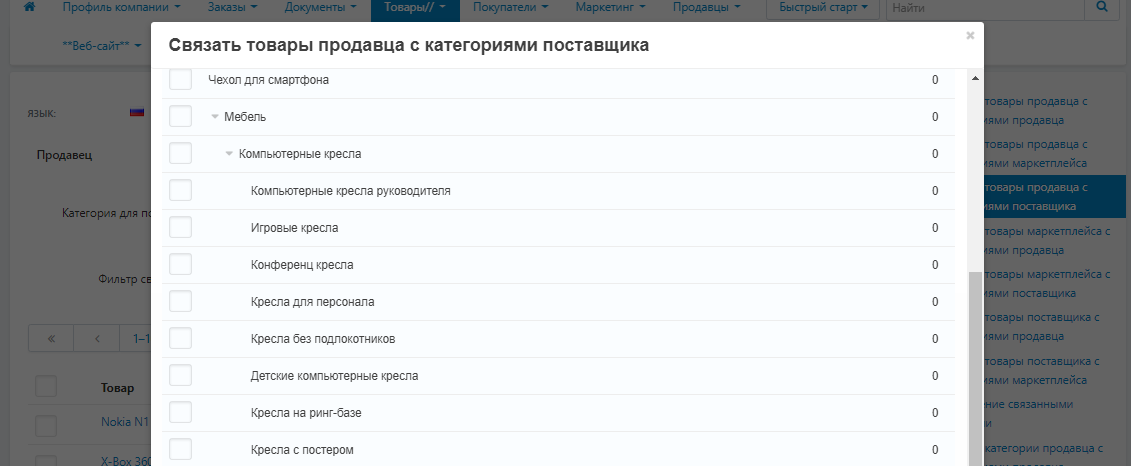
This is an important point. The model "Prohibiting the selection of a non-finite category for a vendor" will not allow linking the final category of the seller with the non-final category of the marketplace.
For example, the seller has a certain number of products from the category of children's toys, but there are not many of them, so he did not further divide the category of "Toys" into subcategories. You also have subcategories in the category "Toys": "Constructors", "Soft toys", "Sandbox Toys", "Dolls" and so on.
If you allow the seller to directly link his "Toys" category with yours, it turns out that his several soft toys, a designer and two dolls will not lie in the final categories where buyers will look for them, but simply in the "Toys" category. To prevent such a situation, the administrator must check the connections, and then approve, but our add-on limits the very possibility of linking non-finite categories.
Up-to-date information about changes in the add-on's functionality, as well as compatibility with other add-ons, is published in our Telegram channel and in the VKONTAKTE
Telegram t.me/maurisweb
VKONTAKTEvk.com/maurisweb
You can submit a request to the support service, ask questions to the managers about the work or completion of the add-on via messengers, the groupVKONTAKTE and mail.
- WhatsApp +7-923-364-90-07
- Telegram t.me/mauriswebru
- Telegram +7-923-364-90-07
- VKONTAKTEvk.com/maurisweb
- E-mail: [email protected]
Detailed step-by-step instructions for the add-on can be found in the "Instructions" section
No reviews found
Our Maurisweb web studio is engaged in the development of automated online stores and marketplaces, as well as individual modules. We have been working since 2014, and during this time we have created more than 300 modules for the CS-Cart and CS-Cart Multi-Vendor platform.
For you, we have developed packages of modules and services for the development of online stores and marketplaces in the all-inclusive format: MWP - DBS in 15 days, eCommerce DBS in 30 days and FBO, FBO+, DBS, FBS in 90 days.
We offer a simple communication format: you tell us what you want to get, we offer a solution. At the exit, you get a ready-made turnkey project. We pay special attention to the implementation of logistics and WMS systems and filling the site with content.
Optimize and convert to WebP all the images on the site