GetResponse Integration

Store customers land in GetResponse contact lists on their own: at sign-up, by the checkbox at checkout and through the newsletter form. Action tags, profile fields, orders and abandoned carts travel with the contact - the base for automation scenarios.
Last update: 12.10.2026 Supports current CS-Cart version
cp-addon-2430
Select the CS-Cart edition on which you will use the add-on.
The update period determines the period of time when you can get access to the new versions of this add-on compatible with the new versions of CS-Cart software released during the chosen period.
To instal the add-on, we will need the FTP access to your server. Please send it along with the order number to sales@cart-power.com once the order is paid.
Connect the store to GetResponse - customers join the right list with tags and orders on their own
GetResponse Integration
$130.00

GetResponse gets the store customers without manual exports

An email service can write by scenario - abandoned cart, repeat purchase, welcome series - when it knows who your customers are and what they did. The add-on tells it on its own: storefront subscriptions, action tags, profile fields, orders and carts go to GetResponse on schedule.

3 subscription points
checkout, customer account and the newsletter form - set per list
Action tags
cart, wish list, comparison, call request, order, user type
Ecommerce
categories, products, orders with a billing status and abandoned carts in the GetResponse store
CS-Cart 4.17.1-4.21.1
and Multi-Vendor, every edition, updated with the Add-on Manager

Why the store needs a GetResponse link

A contact list filled from manual exports is stale by the end of the week: new customers are missing, nobody set the tags, and the abandoned-cart scenario has nothing to start from. The add-on removes the manual step - the service receives the data from the store itself.

Subscription where the customer already types an e-mail

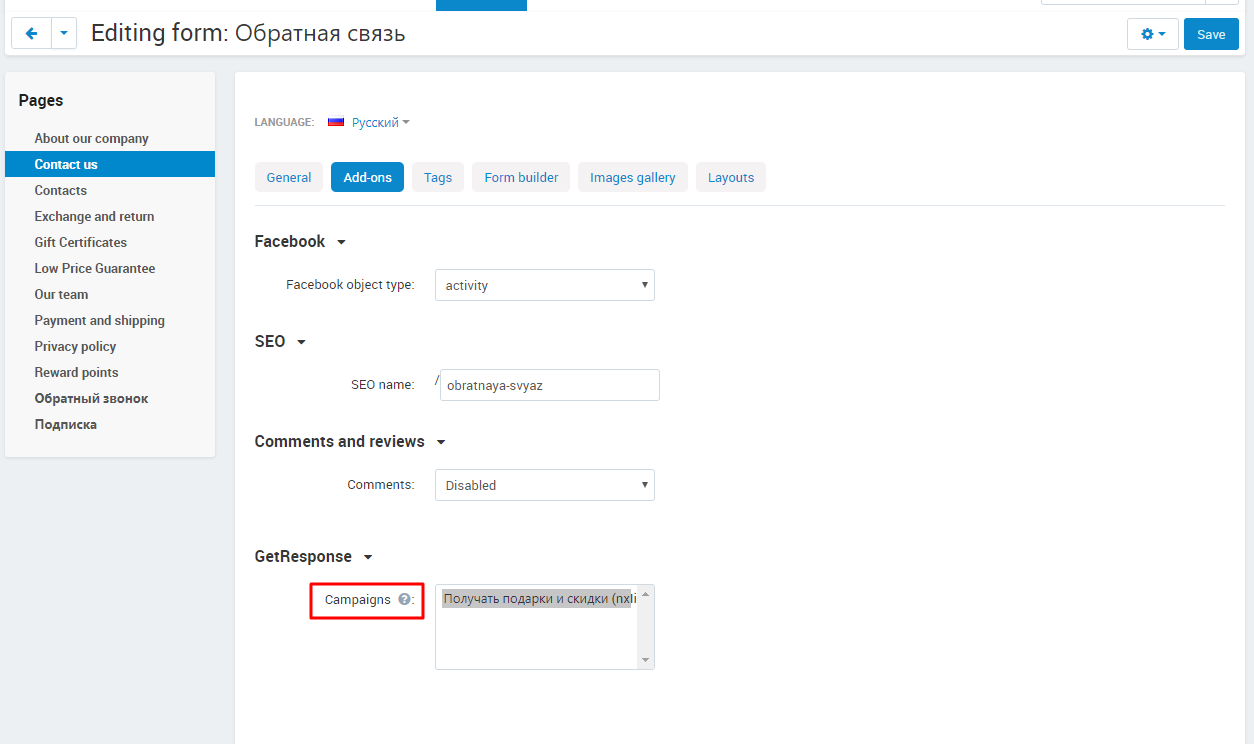
The list checkbox stands at checkout, in the customer account and in the newsletter form; which one is pre-checked is your call.

Tags instead of guesswork

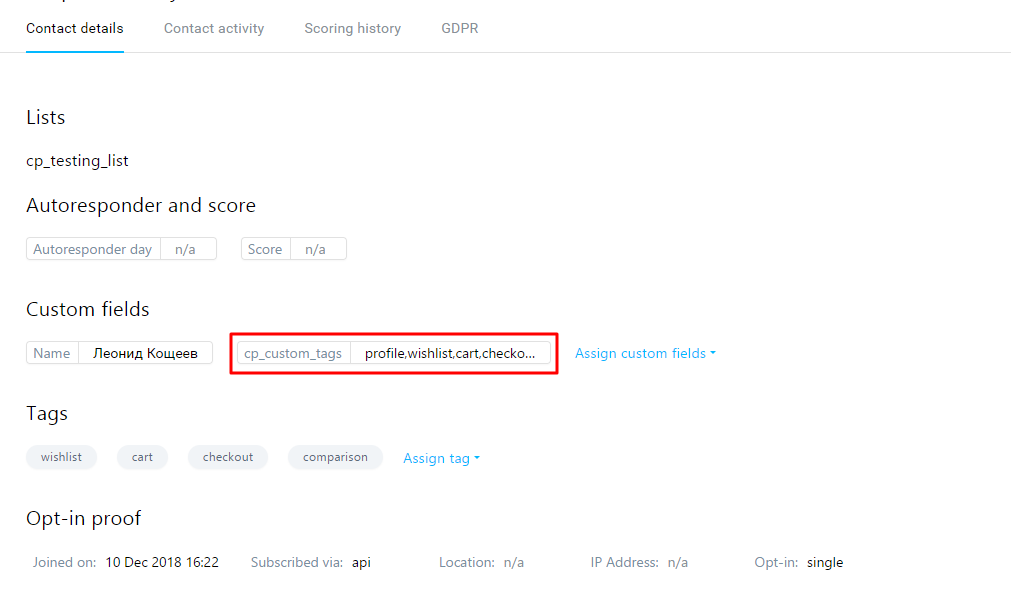
Added to cart, wish list or comparison, left a call request, placed an order - the contact in GetResponse gets a tag to build a segment on.

Abandoned carts with the item list

The cart goes to GetResponse with its items and total; after checkout it is closed and the order is exported separately.

Profile fields in the contact card

Phone, city, registration date, order date and total - any profile field is mapped to a GetResponse custom field.

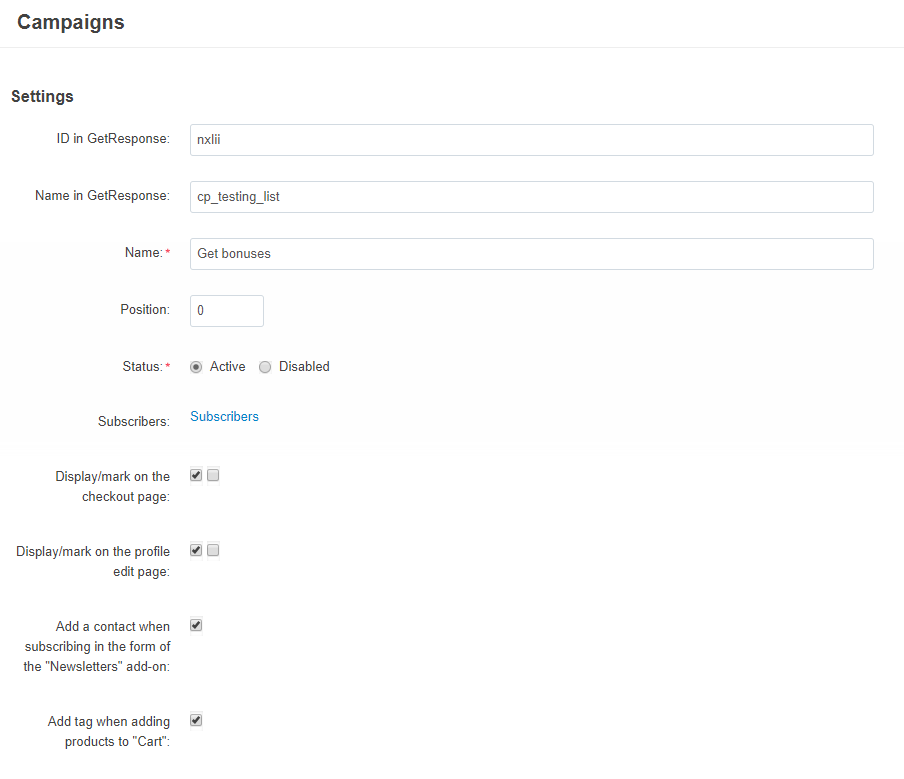
Checkout: the "Customers" list checkbox is pre-checked - that is how the list is set up.

How a customer joins a list

  • •  Checkout. The list is shown at the last step; the checkbox can be pre-checked or left empty, as your consent policy requires.
  • •  Customer account. The customer manages subscriptions on the profile page; an unconfirmed subscription is shown as such.
  • •  Newsletter form. An address from the standard CS-Cart form goes to the list marked for newsletters.
  • •  Sync patterns. A rule like "every English-speaking customer goes to list X" queues the customers who registered before the add-on was installed.
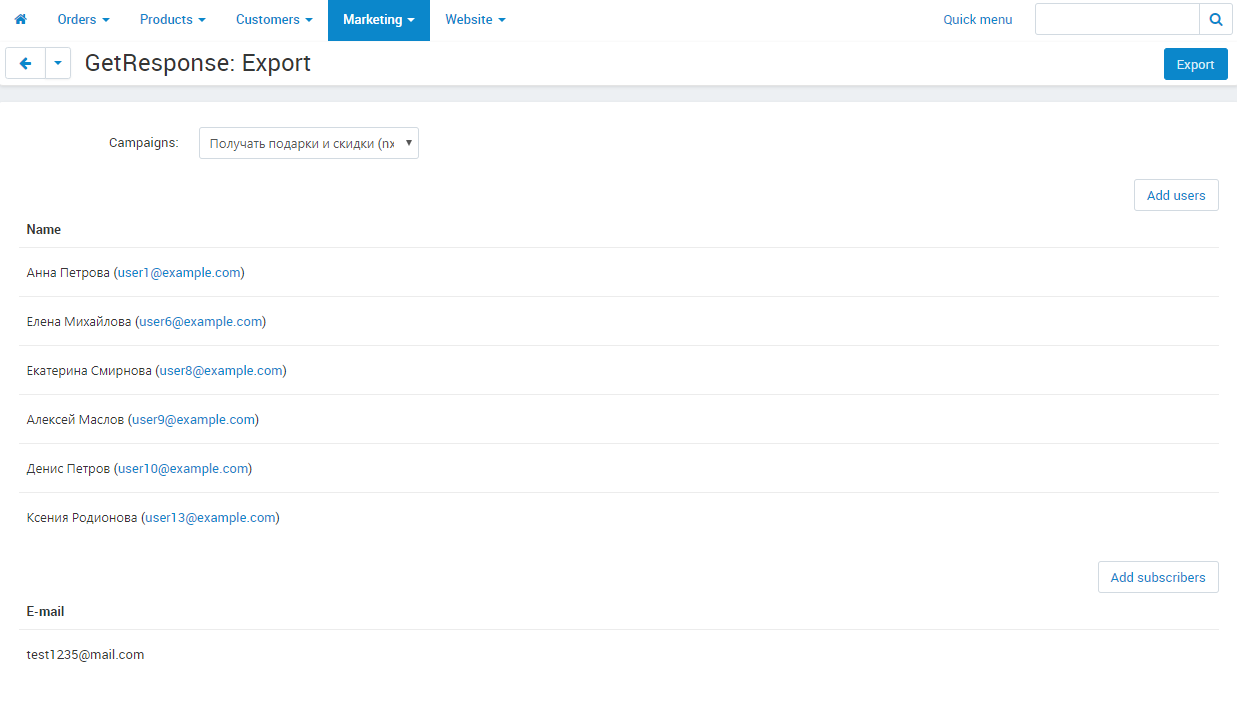
  • •  Manually. The administrator subscribes a customer from the customer card or adds a group of users and newsletter subscribers on the export screen.
  • •  Any list language. A list in a language the store does not have is imported as well - its GetResponse language is shown in the table.
Customer account: three lists with checkboxes - subscriptions are visible and managed by the customer.
Contact lists imported from GetResponse: the language of the list, the id in the service, the storefront name and the status.

What travels with the contact

  • •  Action tags: add to cart, wish list, comparison, call request, one-click purchase, subscription at checkout, "has orders", user type.
  • •  Custom fields: four service fields (registration date, last login, order date and total) and any of yours - linked to a customer profile field.
  • •  Contact name and e-mail, subscription confirmation, date.
  • •  Tags and fields are edited by the administrator in the customer card - the changes leave with the next scheduled run.
The GetResponse tab in the customer card: list subscriptions and field values.
Action tags: the default set is created with one button both in the store and in GetResponse.

Ecommerce: products, orders and carts

With ecommerce enabled the add-on keeps the store in GetResponse: categories and products with price, image and link, orders with items and total, customer carts.

  • •  Everything that changed in the store lands in the export queue and leaves on schedule - saving a product is never delayed.
  • •  Manual export: "all" or "only new" for every object type, single objects through the picker.
  • •  Abandoned carts of customers who are not subscribed to any list yet can go to a separate list.
  • •  An order leaves with a billing status - PAID, PENDING or CANCELLED - by its status in the store: which statuses count as paid and as cancelled is set in the settings.
  • •  Category, product and order pages carry a tab with the GetResponse id and the export date.
Customer carts that will go to GetResponse: items, total, date.
The export queue: what changed in the store and which action goes to the service.

The administration panel

  • •  The "Marketing - GetResponse" section: contact lists, subscribers, export, export queue, sync patterns, waiting for sync, custom fields, tags.
  • •  Subscribers of every list: name, e-mail, confirmation, link to the store account, removal from the list.
  • •  The "waiting for sync" queue shows who goes to the service on the next run.
  • •  Tags and fields are created from the panel straight in GetResponse; removal - in the store only or everywhere.
Subscribers of a list: who confirmed the address, who has a store account.
Sync patterns: user type, language and mailing list - to a contact list.

Settings and schedule

  • •  API key and GetResponse store, the Web Connect code for on-site tracking.
  • •  Three scheduled commands with ready cron lines: subscribers, ecommerce objects, patterns.
  • •  The schedule key is generated at installation and stored in the add-on settings.
  • •  Order statuses that reach GetResponse as paid and as cancelled.
  • •  Administrator group privileges: viewing separately from managing.
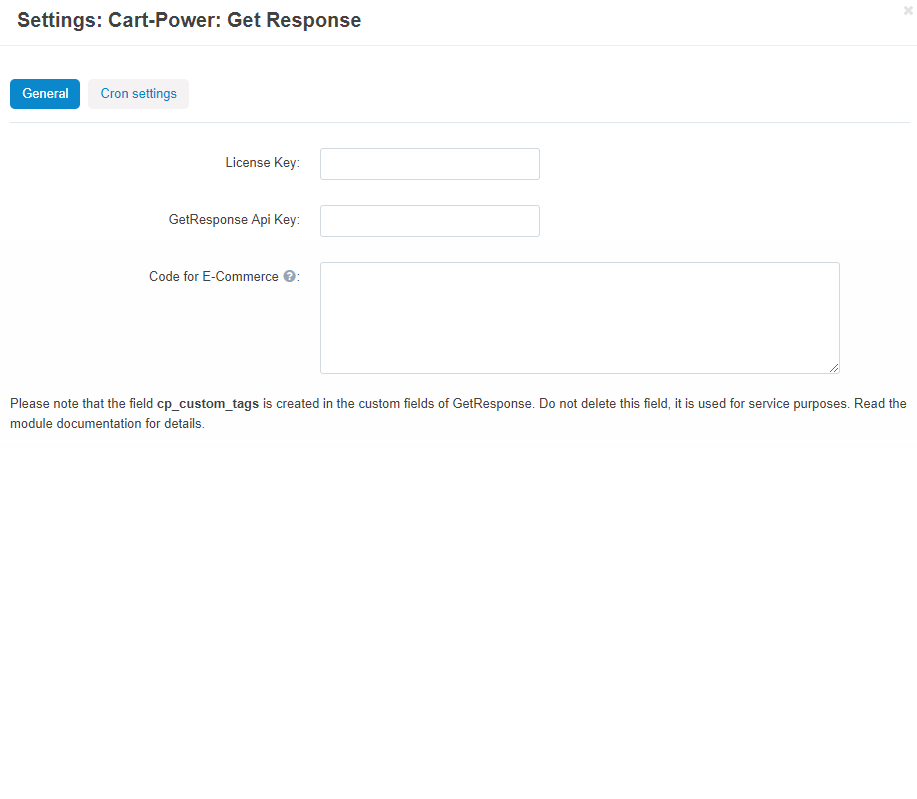
Add-on settings: API key, GetResponse store, export queue and the Web Connect code.
The Orders section: which statuses reach GetResponse as PAID and as CANCELLED.

Marketplace and several storefronts

  • •  CS-Cart Ultimate. API key, store and lists are separate per storefront; settings are set for all storefronts at once or one by one.
  • •  Multi-Vendor. The add-on is managed by the marketplace administrator; vendors do not see it.
  • •  Languages. Names of lists, tags and fields are translated into the store languages.

What's new in version 2.7

  • •  Orders reach GetResponse with the billing status PAID, CANCELLED or PENDING by their order status; the paid and the cancelled statuses are chosen in the new "Orders" settings section.
  • •  The order date, tax total and order page address travel with the order - scenarios like "N days after the purchase" count from the order date.
  • •  The scheduled exchange is protected by a separate cron key: it is generated automatically at installation, stored in the add-on settings and can be updated any time on the CRON tab.
  • •  Contact lists in a language the store does not have are imported under the default language; the list table shows the language of the list in GetResponse.
  • •  The sync queue of a disabled or deleted list is cleared.
  • •  CS-Cart Ultimate: exporting all customers to a list takes the customers of the current storefront only.

Frequently asked questions

Do I need a paid GetResponse plan?

You need an account with API access; lists, tags and fields work on any plan. The ecommerce features (products, orders, carts) need a plan where GetResponse opens stores.

How often does the data reach GetResponse?

On the schedule you set in cron, usually every 5-15 minutes. The command lines are ready in the add-on settings - copy them to the server.

What about customers who registered before the installation?

A sync pattern "all customers - list" queues them; separately you can add all administrators, vendors or selected users from the export screen.

Can the checkbox stay unchecked?

Yes. Every list has two switches: show and pre-check - for checkout and for the profile separately.

Will the GetResponse abandoned cart scenarios work?

Yes: the cart leaves with items and total, and at checkout it is closed and replaced by the order. The Web Connect code from the settings links the visitor to the contact.

What happens on the update from 2.x to 2.7?

Lists, subscribers, tags and fields stay in place. The "Orders" settings section appears with defaults: orders in Processed and Complete leave as paid, Canceled, Declined and Failed as cancelled, the rest as pending. The cron key does not change.

See the add-on at work. On the demo store sign in as a customer, open the account and the checkout, and in the panel - contact lists, tags and the export queue.
Payment type
One-time payment
Product
  • Store Builder
  • Store Builder Plus
  • Store Builder Ultimate
  • Multi-Vendor
  • Multi-Vendor Plus
  • Multi-Vendor Ultimate
Compatible versions
  • 4.21.1
  • 4.20.1
  • 4.19.1.SP2
  • 4.19.1.SP1
  • 4.19.1
  • 4.18.4
  • 4.18.3
  • 4.18.2.SP1
  • 4.18.2
  • 4.18.1.SP1
  • 4.18.1
  • 4.17.2.SP3
  • 4.17.2.SP2
  • 4.17.2.SP1
  • 4.17.2
  • 4.17.1
Localizations
  • English
  • Русский

No reviews found

  CS-Cart development · in-house team · since 2013 We build, upgrade and speed up

Contact information


CS-Cart development · in-house team · since 2013

We build, upgrade and speed up CS-Cart stores and marketplaces

Analysts, developers, designers, QA and support under one roof — no subcontractors. We ship add-ons you can buy on this page today, and we take on the work that no ready-made add-on covers.

2013

Working with
CS-Cart since

4.98

Rating from
184 reviews

200+

Solutions on this
marketplace

500+

E-commerce projects
delivered

Flagship products

Two add-ons that change how a store performs

Everything else we publish improves one screen. These two change the numbers: how customers find products, and how often they come back.


Add-on · Search & merchandising

Smart Search

Elasticsearch-powered search for large catalogues. The customer types two letters, sees products with images and prices, and buys from the dropdown — even after a typo or with the wrong keyboard layout.

Visitors who use the search bar are 24% of traffic and 44% of revenue, and convert about 2.5× better than people who only browse categories. If search returns nothing, up to 80% of them leave.
Constructor, Beyond Relevance Report 2025; Google Cloud × The Harris Poll, 2023

Catalogue size Sub-second results on 300,000+ products, Multi-Vendor included
Understands Typos, wrong keyboard layout, synonyms, word forms, SKUs, brands and attributes
Reporting Query analytics — what customers search for and which searches return nothing
Deployment Our cloud, or Elasticsearch on your own server

from $35/month

Plans by catalogue size · self-hosted from $1,215 one-time

Plans and details →

Try it on a live catalogue: open the demo store and search with a deliberate typo.


Add-on · Mobile commerce

PowerApp — mobile app for your store

A native iOS and Android app running on your CS-Cart data: the same products, prices, stock, promotions, reward points and orders. There is no second catalogue to maintain — everything stays in the admin panel you already use.

A mobile site brings a customer in once; an app brings them back for free. Push notifications replace the retargeting budget you spend to buy the same customer a second time.

Platforms Native iOS and Android, published under your own developer account
Home screen Built in the admin panel from six block types, the same way you build website pages
Time to launch Under a week from purchase to submission for App Store and Google Play review
Compatibility CS-Cart and Multi-Vendor 4.18–4.20 · 11 client apps already live in the stores

from $790

Buy outright, or $79/month on subscription

Open the add-on page →

Screens, block types and pricing tiers: see how the app is built.

Services

When no add-on solves it, we do the work

Fixed scope, written specification, a named project manager and a warranty on what we ship.

Custom CS-Cart development

Functionality the platform does not have: add-ons, marketplace mechanics, integrations with 1C, CRM, ERP, payment and delivery providers. We start from a written specification, not from an estimate on a phone call. Details →

CS-Cart upgrade

Move to the current version without losing data, custom code or add-ons. We audit every modification first, upgrade on a staging copy, adapt what breaks and switch over with little or no downtime. Details →

Speed and performance optimisation

Conversion falls by about 4.4% for every extra second of load time. We profile the server, the database and the front-end, then fix what actually costs the seconds — and show you the before-and-after numbers. Details →

Design for CS-Cart

Mobile-first storefront design built on CS-Cart's own template structure, so the layout survives the next platform upgrade instead of becoming a migration problem. Details →

SEO for CS-Cart

A technical audit of indexing, duplicates, redirects, structured data and Core Web Vitals — delivered as a prioritised fix list your developers can act on, or that we implement ourselves. Details →

How we work

What you get besides the code

Before we start

We discuss the goal, offer options and write the specification. You approve scope and price before development begins.

While we build

A named project manager reports progress on a fixed schedule. You always know what is in work and what is next.

Before release

A separate QA pass on every release — the developer who wrote the code is not the person who signs it off.

After handover

Documentation for everything we ship, plus a warranty on the modifications and the project.

Tell us what the store needs to do

Describe the task in a couple of sentences and we will come back with options, a scope and a price. The consultation is free, and we will say plainly if a ready-made add-on already solves it.

Write to us here

Use the Ask a question button at the top of this page — it reaches the same team.

Or reach us directly

sales@cart-power.com · cart-power.com
We work in English and Russian.

Client cases, our full add-on catalogue and 184 customer reviews are in the tabs above.

Similar products

Extended Email Marketing
5.0 (14)
$120.00
Six emails the store sends without you: abandoned cart, wishlist and recently viewed products, a review request after delivery, a birthday greeting and a campaign to an audience. Every email carries the customer's products and a personal promo code, and the admin panel shows the queue, the sending log and the statistics. Since version 1.36 — subscription to Power Blog articles and the mailing about new articles.
Generation of product reviews and repeat sales
5.0 (10)
$60.50
Best addon for triggered email - clients leave feedbacks on purchased goods and get a discount as reward
Abandoned cart recovery PRO by Email / SMS
5.0 (10)
$50.00
$73.70
Save 32%
Automatically track & list all abandoned carts & abandoned checkouts with abandonment protector (cart reminder) & order recovery system
Pop-up notifications add-on for cs-cart
5.0 (5)
$60.00
  • Flexible settings.
  • Wide application.
  • Varied appearance.
Poptin: Pop Ups & Contact Us Forms
5.0 (4)
Free
Easily create engaging website pop ups and forms and start converting more visitors into customers, leads and subscribers

Orders Feedback
4.3 (6)
$49.00
Send your customer email message and ask him leave a feedback about products he ordered.