
Cart is empty
Joseph


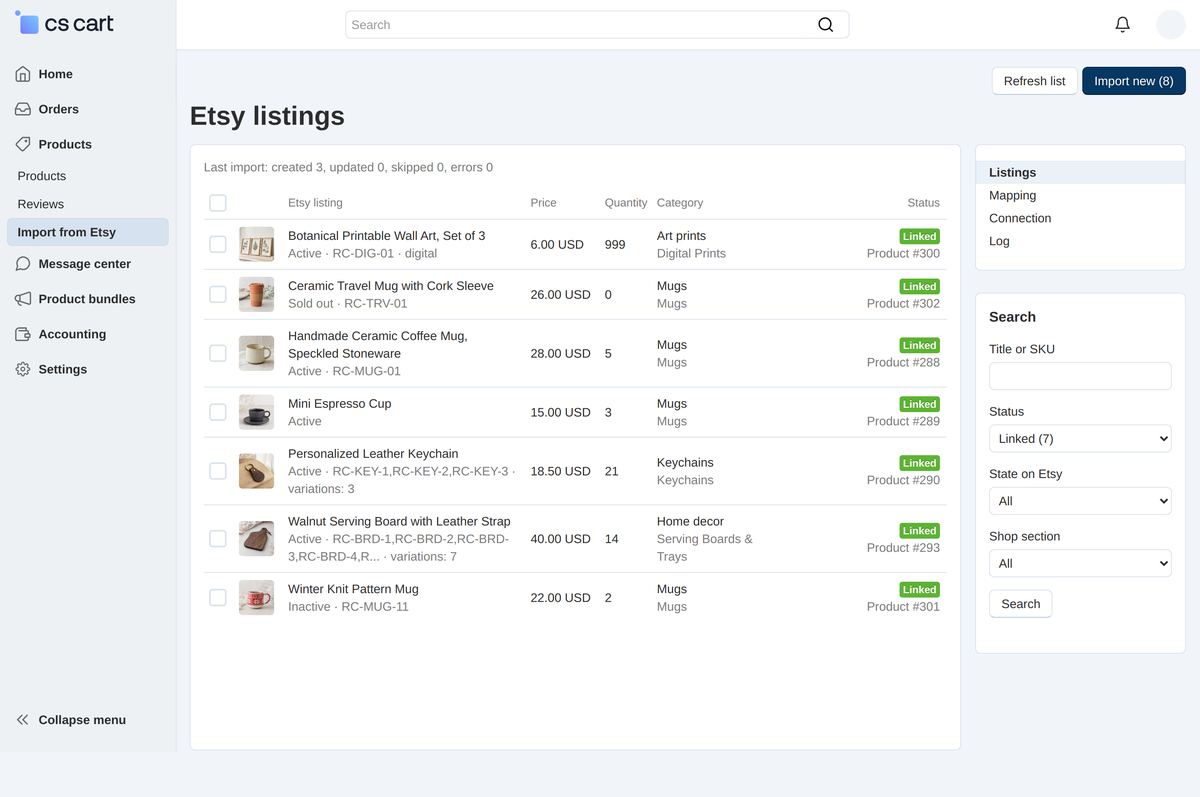
Many makers already sell on Etsy and have no time to enter dozens of listings again on a new platform. The add-on lets each vendor connect their Etsy shop in the vendor panel, map categories and features and import the listings. After that, prices and stock are updated on a schedule.
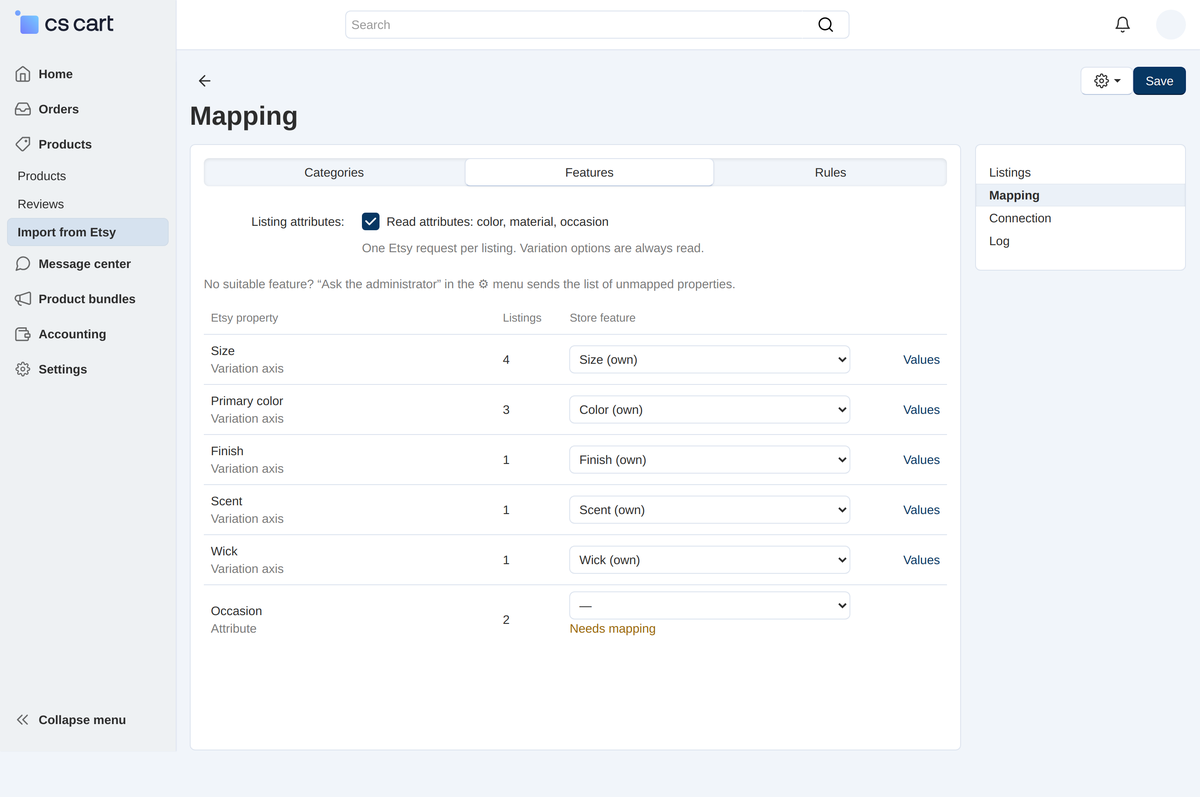
No requests to the admin the vendor connects the shop, maps the data and starts the import
|
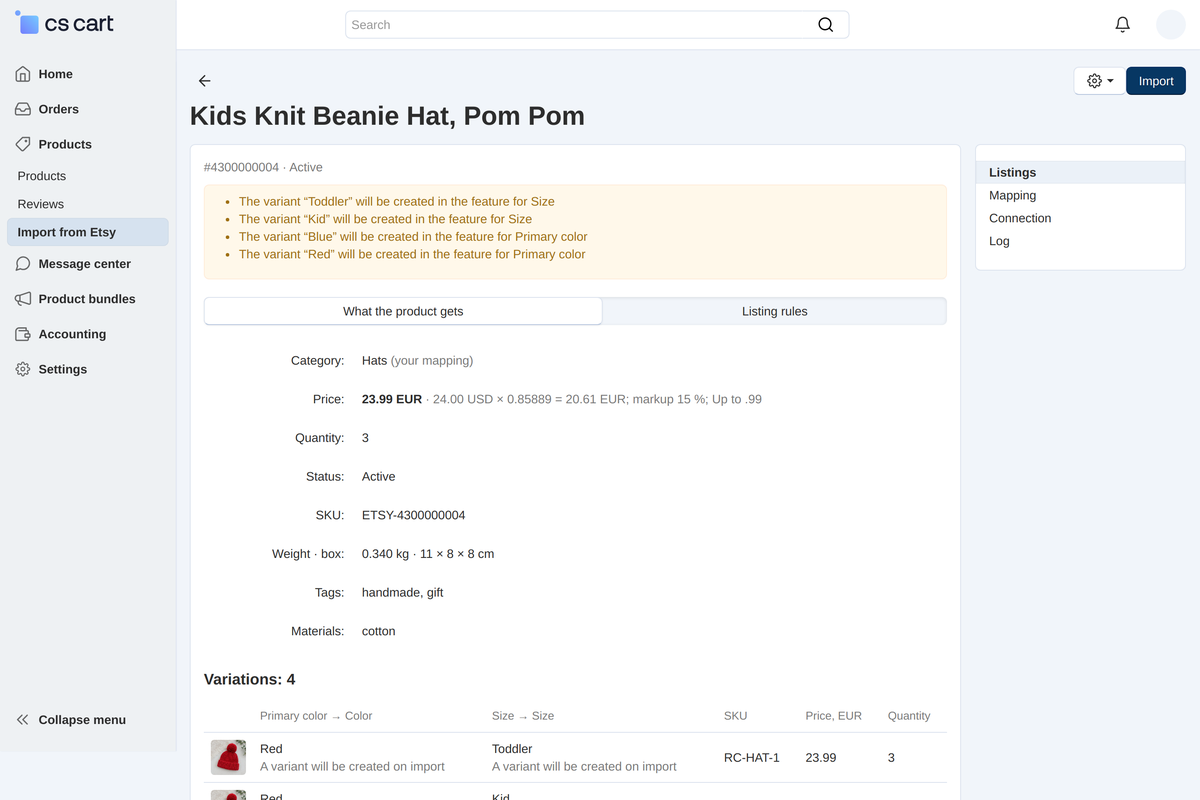
Variations and images Etsy sizes and colors become a variation group with price and stock
|
Scheduled updates prices, stock and statuses; the vendor's own edits on the marketplace are kept
|
CS-Cart 4.17.1-4.21.x Multi-Vendor and CS-Cart Ultimate; Etsy API v3
|
For a maker who already has an Etsy shop, moving to a new platform means retyping descriptions, photos, variations and prices. The add-on removes that work: the vendor connects the shop and imports the listings without retyping each description, photo and price.
Self-service
Connection, mapping and import happen in the vendor panel, without requests to the admin. |
Complete listings
Title, description, images, tags, materials, weight and dimensions, variations and personalization. |
Up-to-date stock
Prices, stock and statuses are updated on a schedule, and marketplace sales reduce the Etsy stock. |
Platform control
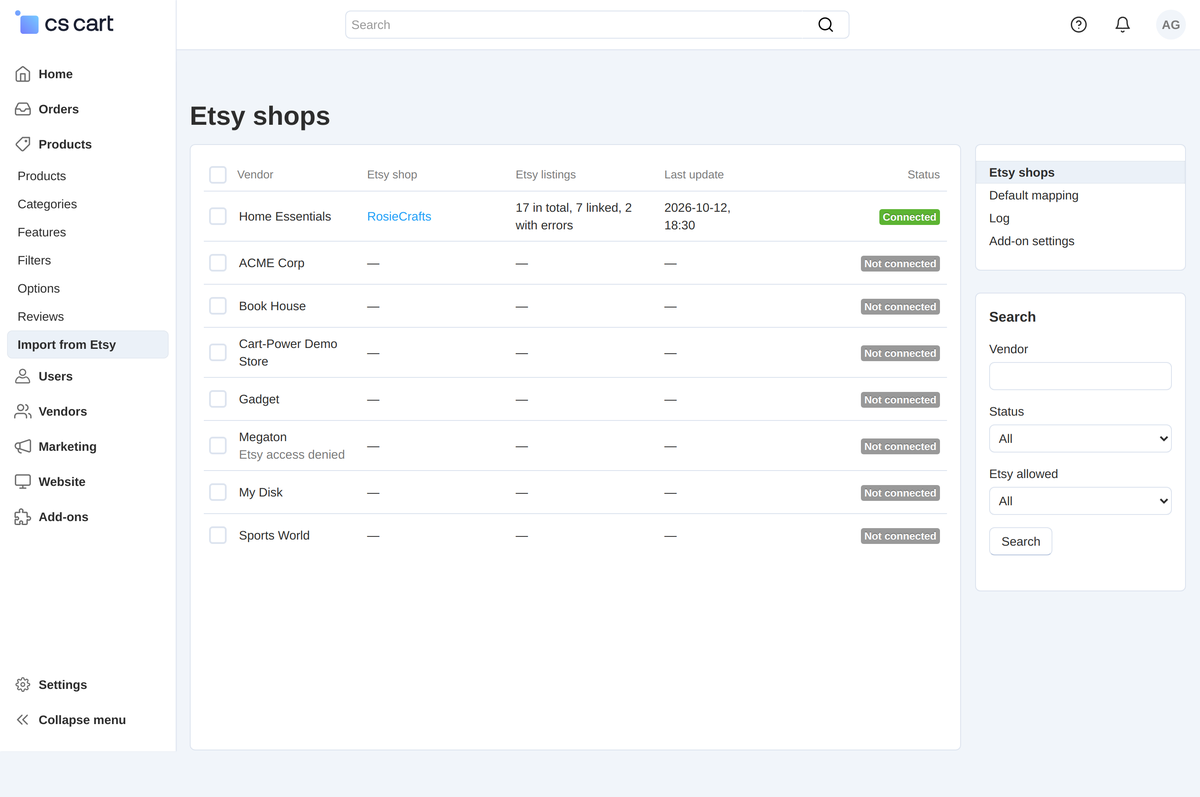
The admin decides who can use Etsy, sets the defaults and sees the shops of all vendors. |
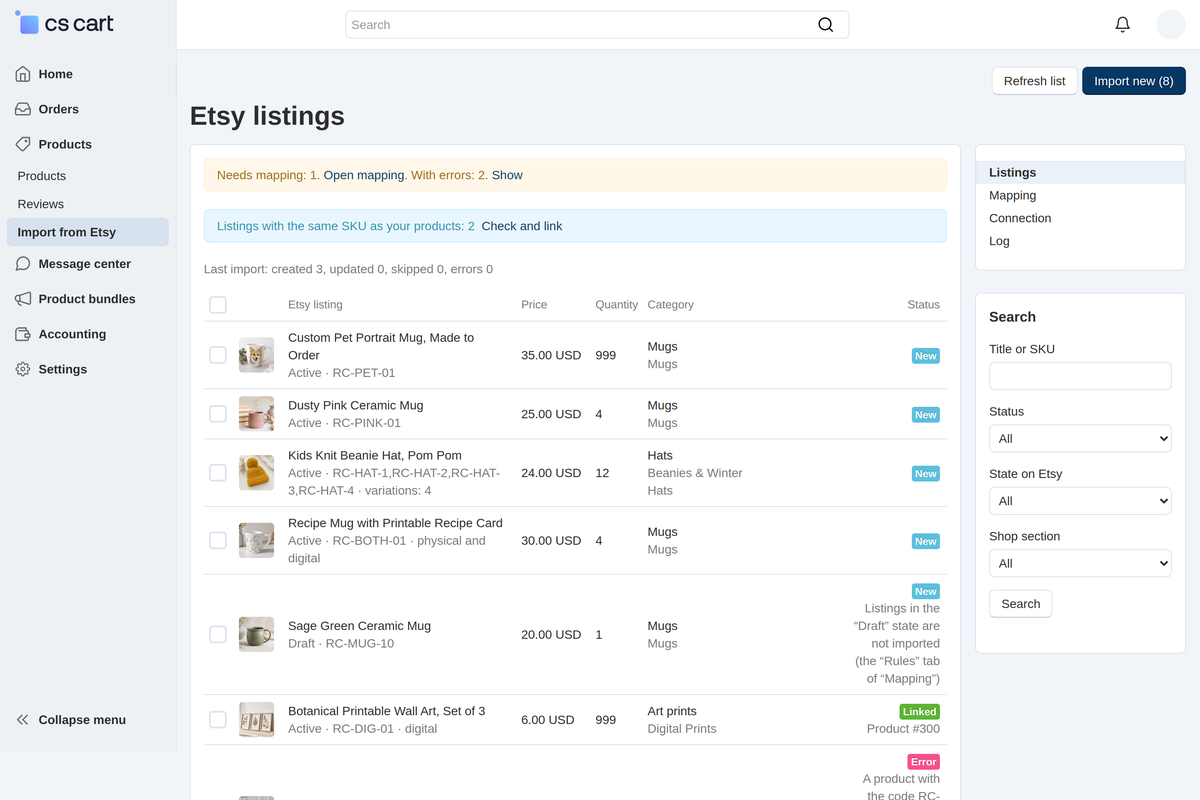
STEP 1
An app on Etsy
The vendor creates a free Seller App on Etsy and enters the callback URL from the connection page in it. |
STEP 2
Keys and consent
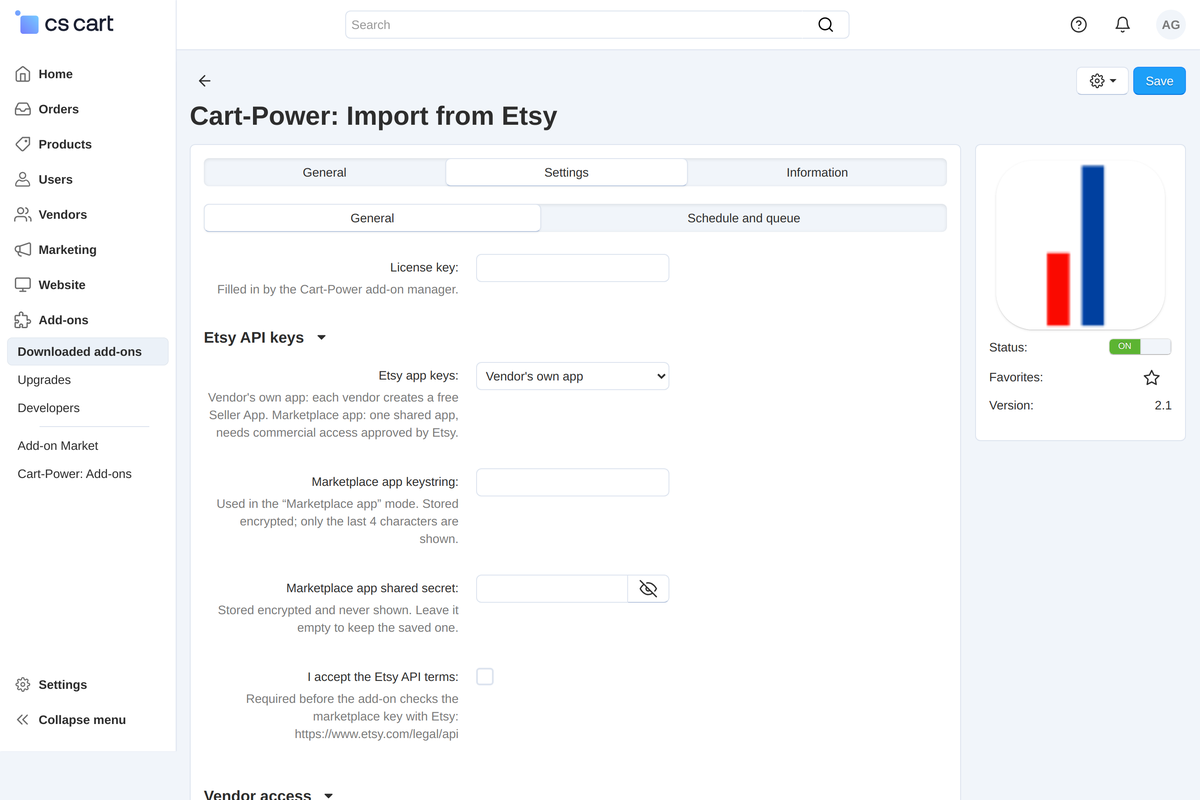
Enters the Keystring and Shared secret and accepts the Etsy API terms - nothing is sent to Etsy before that. |
STEP 3
Connect Etsy
One button: Etsy asks for access to the shop; after that the page shows "Connected" and the shop name. |
STEP 4
Catalog
The add-on reads the shop listings of every state and the shop sections right away. |
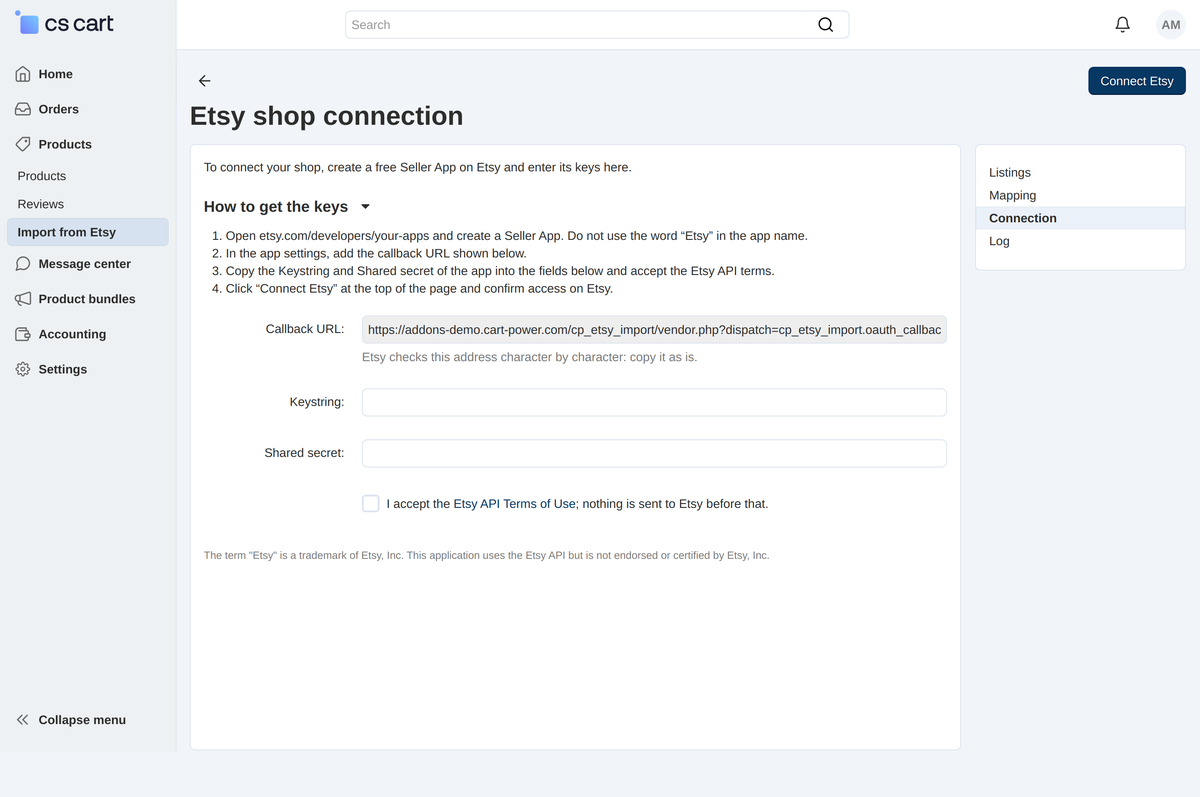
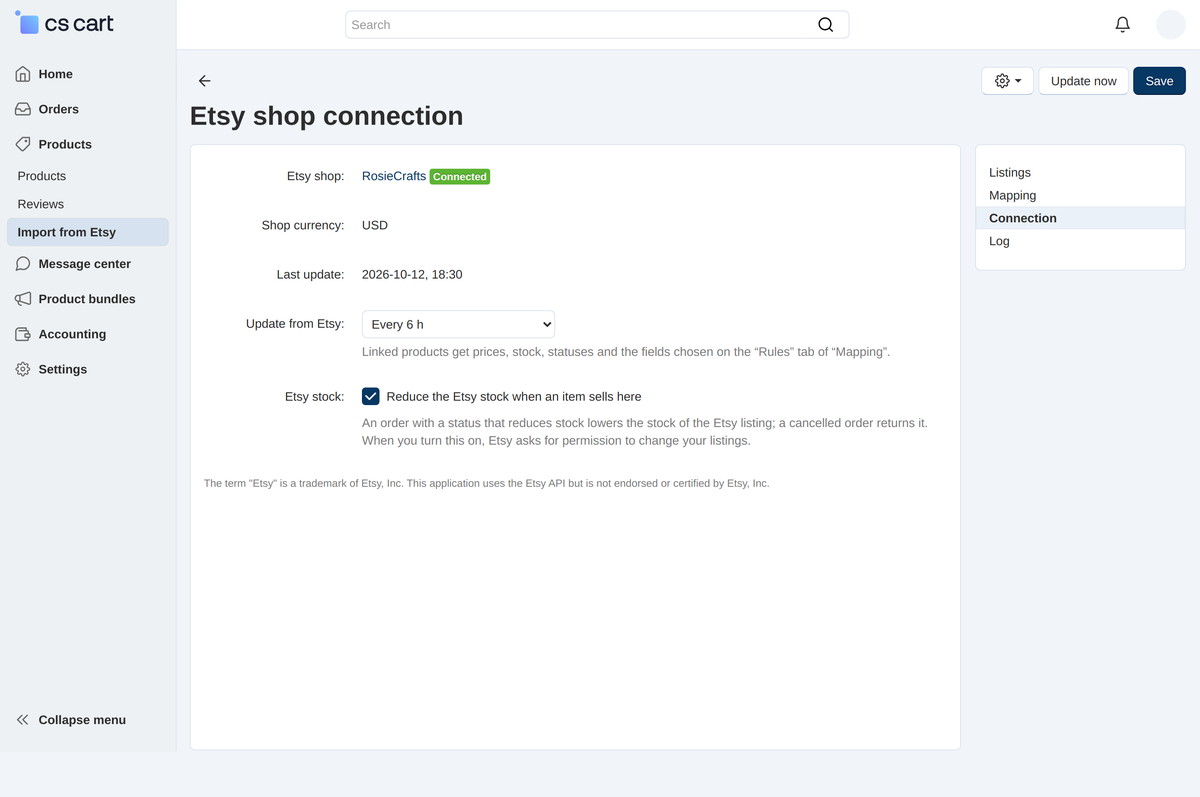
If an item is for sale both on the marketplace and on Etsy, the vendor turns on "Reduce the Etsy stock when an item sells here". Etsy asks for permission once more, now to change listings.
What the add-on does not do
It does not import or create Etsy orders - the Etsy API has no such operation. It does not export marketplace products to Etsy. It does not move digital files, videos or reviews. Connecting to a real Etsy shop - the callback URL and the limits of a Seller App - is checked at the first installation, and writing stock to Etsy - when sales reducing the Etsy stock are first turned on: the add-on was tested against an Etsy API v3 test server built from the Etsy documentation.
Trademark
The term "Etsy" is a trademark of Etsy, Inc. This application uses the Etsy API but is not endorsed or certified by Etsy, Inc.
Does a vendor need an Etsy developer account?
Yes, in the "Vendor's own app" mode: the vendor creates a free Seller App at etsy.com/developers and enters its keys. If the marketplace is connected to Etsy with its own app, the vendor creates nothing - the marketplace app needs commercial access approved by Etsy.
Is it a one-time import or a sync?
Both. The vendor starts the import, then linked products are updated on the vendor's schedule: prices, stock and statuses always, other fields by choice. Marketplace sales reduce the Etsy stock if the vendor turned this on.
Are variations, images and digital products imported?
Variations become a variation group with price, stock and images. Images are scaled down to the set size. Digital listings become "download only" products, and the vendor uploads the files: the Etsy API does not return them.
Is there a limit on vendors?
The add-on does not limit the number of vendors or Etsy shops: one licence covers the whole marketplace. Each vendor has their own connection; one Etsy shop connects to one vendor.
How much does it cost?
From $99 for CS-Cart Standard with six months of updates; $198 for CS-Cart Ultimate and Multi-Vendor, per store licence. Updates come through "Cart-Power: Add-ons Manager" and the CS-Cart Upgrade Center.
What happens on upgrade from 1.0?
Category mappings and product links are carried over, and the 1.0 files and tables are removed. Keys of the previous Etsy API do not work with the new one, so vendors connect their shops again.
|
CS-Cart development · in-house team · since 2013 We build, upgrade and speed up CS-Cart stores and marketplacesAnalysts, developers, designers, QA and support under one roof — no subcontractors. We ship add-ons you can buy on this page today, and we take on the work that no ready-made add-on covers. |
|
2013 Working with |
4.98 Rating from |
200+ Solutions on this |
500+ E-commerce projects |
Flagship products
Everything else we publish improves one screen. These two change the numbers: how customers find products, and how often they come back.
|
Add-on · Search & merchandising Smart SearchElasticsearch-powered search for large catalogues. The customer types two letters, sees products with images and prices, and buys from the dropdown — even after a typo or with the wrong keyboard layout. Visitors who use the search bar are 24% of traffic and 44% of revenue, and convert about 2.5× better than people who only browse categories. If search returns nothing, up to 80% of them leave. | ||||||||
| ||||||||
Try it on a live catalogue: open the demo store and search with a deliberate typo. |
|
Add-on · Mobile commerce PowerApp — mobile app for your storeA native iOS and Android app running on your CS-Cart data: the same products, prices, stock, promotions, reward points and orders. There is no second catalogue to maintain — everything stays in the admin panel you already use. A mobile site brings a customer in once; an app brings them back for free. Push notifications replace the retargeting budget you spend to buy the same customer a second time. | ||||||||
| ||||||||
Screens, block types and pricing tiers: see how the app is built. |
Services
Fixed scope, written specification, a named project manager and a warranty on what we ship.
|
Custom CS-Cart development Functionality the platform does not have: add-ons, marketplace mechanics, integrations with 1C, CRM, ERP, payment and delivery providers. We start from a written specification, not from an estimate on a phone call. Details → |
|
CS-Cart upgrade Move to the current version without losing data, custom code or add-ons. We audit every modification first, upgrade on a staging copy, adapt what breaks and switch over with little or no downtime. Details → |
|
Speed and performance optimisation Conversion falls by about 4.4% for every extra second of load time. We profile the server, the database and the front-end, then fix what actually costs the seconds — and show you the before-and-after numbers. Details → |
|
Design for CS-Cart Mobile-first storefront design built on CS-Cart's own template structure, so the layout survives the next platform upgrade instead of becoming a migration problem. Details → |
|
SEO for CS-Cart A technical audit of indexing, duplicates, redirects, structured data and Core Web Vitals — delivered as a prioritised fix list your developers can act on, or that we implement ourselves. Details → |
How we work
|
Before we start We discuss the goal, offer options and write the specification. You approve scope and price before development begins. |
While we build A named project manager reports progress on a fixed schedule. You always know what is in work and what is next. |
|
Before release A separate QA pass on every release — the developer who wrote the code is not the person who signs it off. |
After handover Documentation for everything we ship, plus a warranty on the modifications and the project. |
Tell us what the store needs to doDescribe the task in a couple of sentences and we will come back with options, a scope and a price. The consultation is free, and we will say plainly if a ready-made add-on already solves it.
|
Client cases, our full add-on catalogue and 184 customer reviews are in the tabs above.


