
Cart is empty
No reviews found


Price scrapers, SEO crawlers, training robots for language models, vulnerability scanners. They buy nothing, yet they spend what your customers spend: CPU time, database memory and bandwidth. The add-on separates them from people and lets you answer each group its own way.
182,000 requests in a day over 76,000 different page addresses - that is how automated crawling looked on our own store on August 11, 2026
|
Detection by behaviour not only by user agent: an honest Chrome from a home address is not caught that way
|
Refusal before the cache a paired service add-on answers before the cache and before the database connection
|
CS-Cart 4.17.1-4.21.2 all four editions, upgrade through the Upgrade Center and the add-on manager
|
The usual tools recognise a bot by how it introduces itself: by its user agent and a list of addresses. The traffic that makes store owners look for protection is not caught that way - it arrives with an honest Chrome header, from ordinary residential addresses, keeps cookies and runs scripts.
Lower load
A refusal before the cache spends neither a database connection nor page assembly. The server serves customers instead of walking the catalogue. |
You see who came
Every recognised crawl is a row of its own: the list, the rule, the address. You see it in the add-on report, not only in your overall traffic. |
Tidier indexing
Junk addresses can be answered with 410, which search engines treat as a signal to drop the page from the index. |
Control
Every decision is visible in the log: not "the add-on blocks something" but "this list caught this address by this rule". |
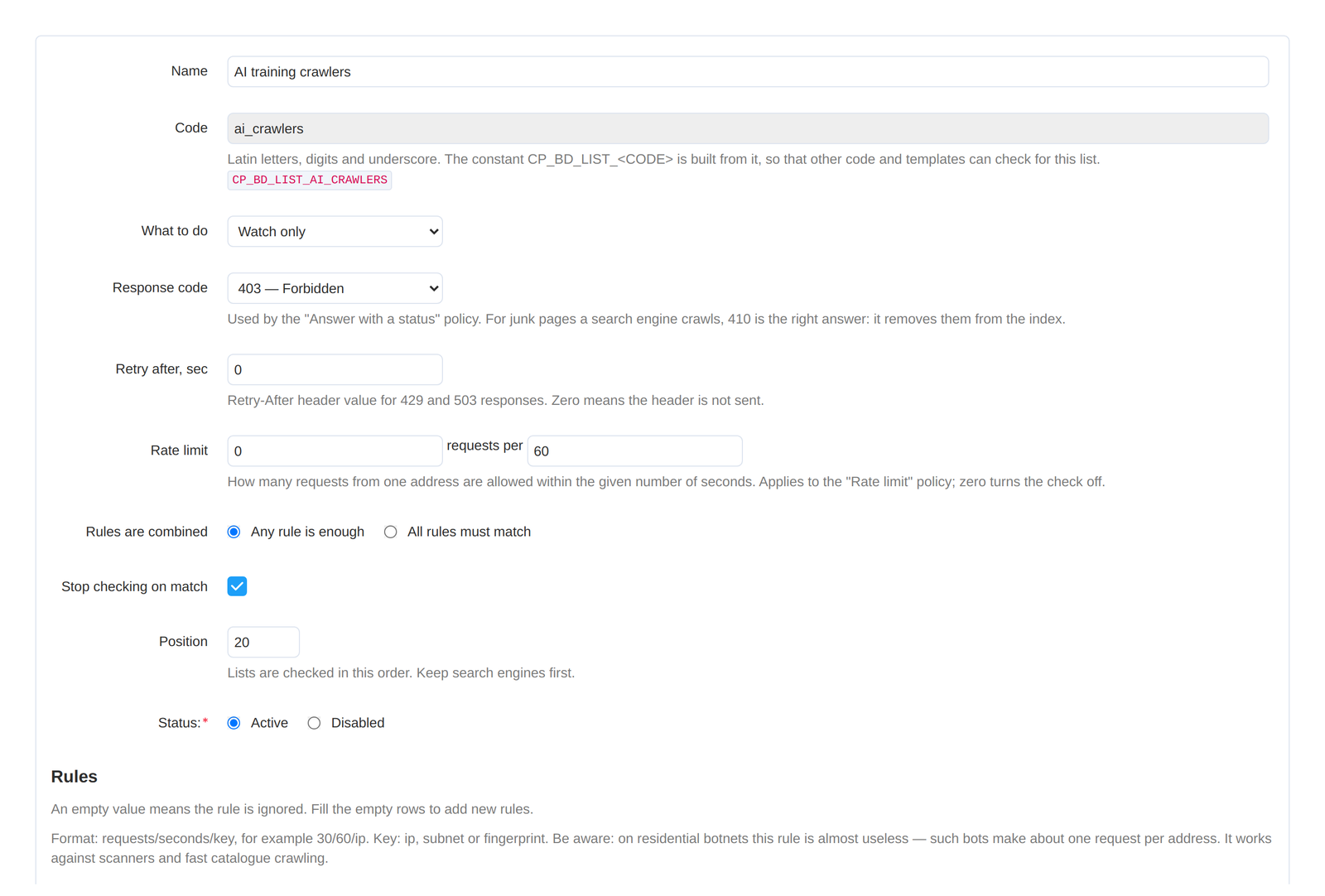
A list is a set of rules and one answer to them. Lists are checked by position from the top. A list carries a "Stop checking on match" flag: while it is set - and out of the box it is set on every list - the first matching list decides what happens to the page. Clear it and the request keeps being compared with the rest. Out of the box search engines come first - position 10, ahead of every other shipped list.
Hiding blocks and sections is not part of that row: it is a property of the layout object itself and works alongside any policy.

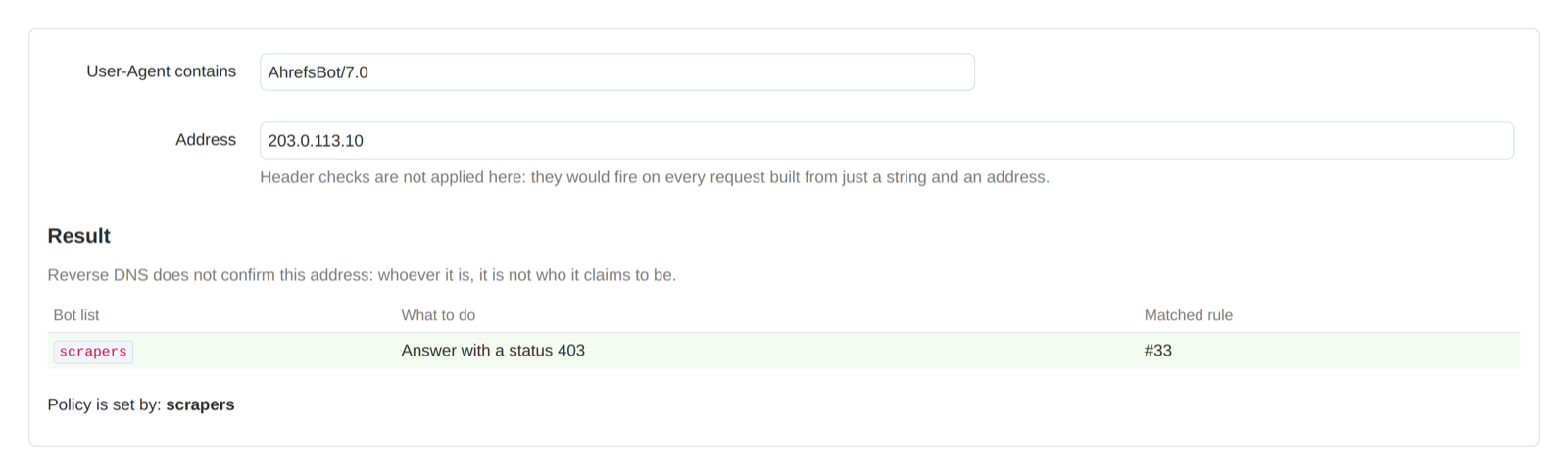
A rule is the sign by which a request lands in a list. Cheap checks go first, reverse DNS last: it is the one that costs a network request.
They are often closed with a single rule, although their jobs differ. Training crawlers (GPTBot, ClaudeBot, CCBot and the like) take texts into a training set. Answer engines (OAI-SearchBot, ChatGPT-User, Claude-SearchBot, PerplexityBot) fetch a page in order to cite the store in an answer to a user.
This is why the add-on keeps them as two separate lists: answer engines are let through by default, training crawlers start in watch-only mode. Which of them to close is the store decision.
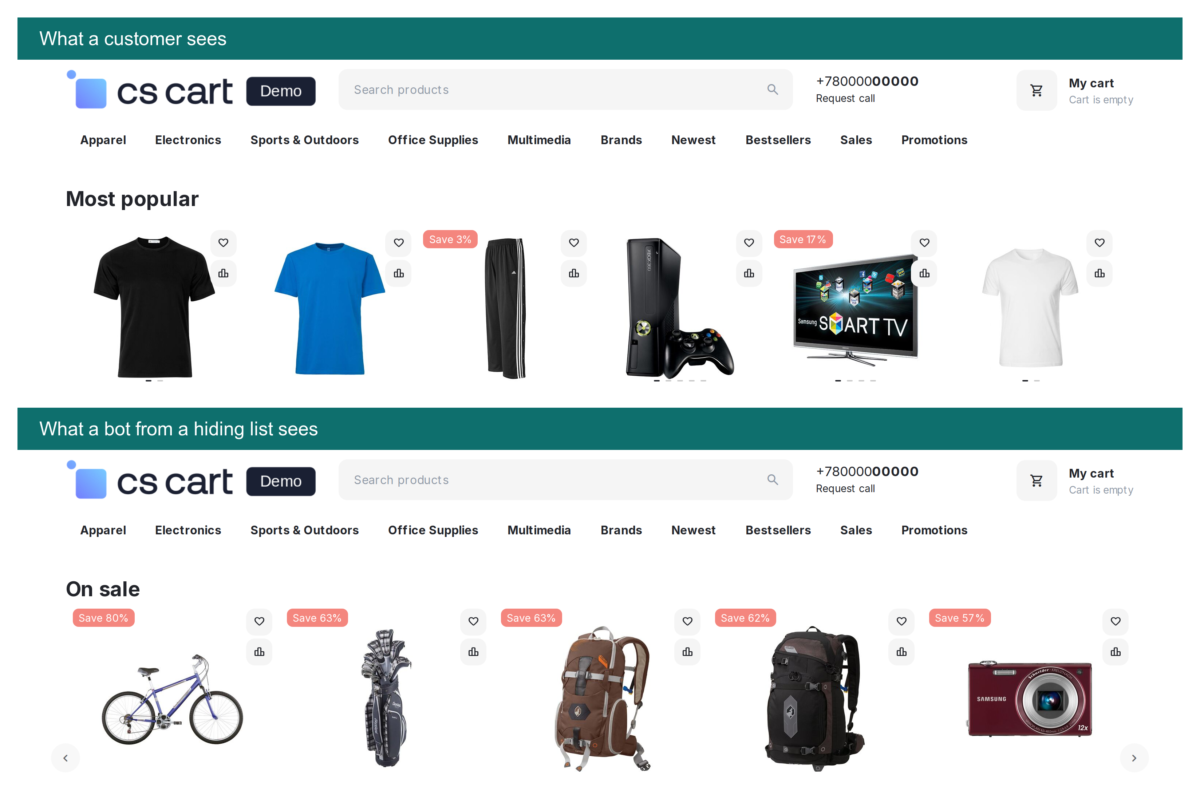
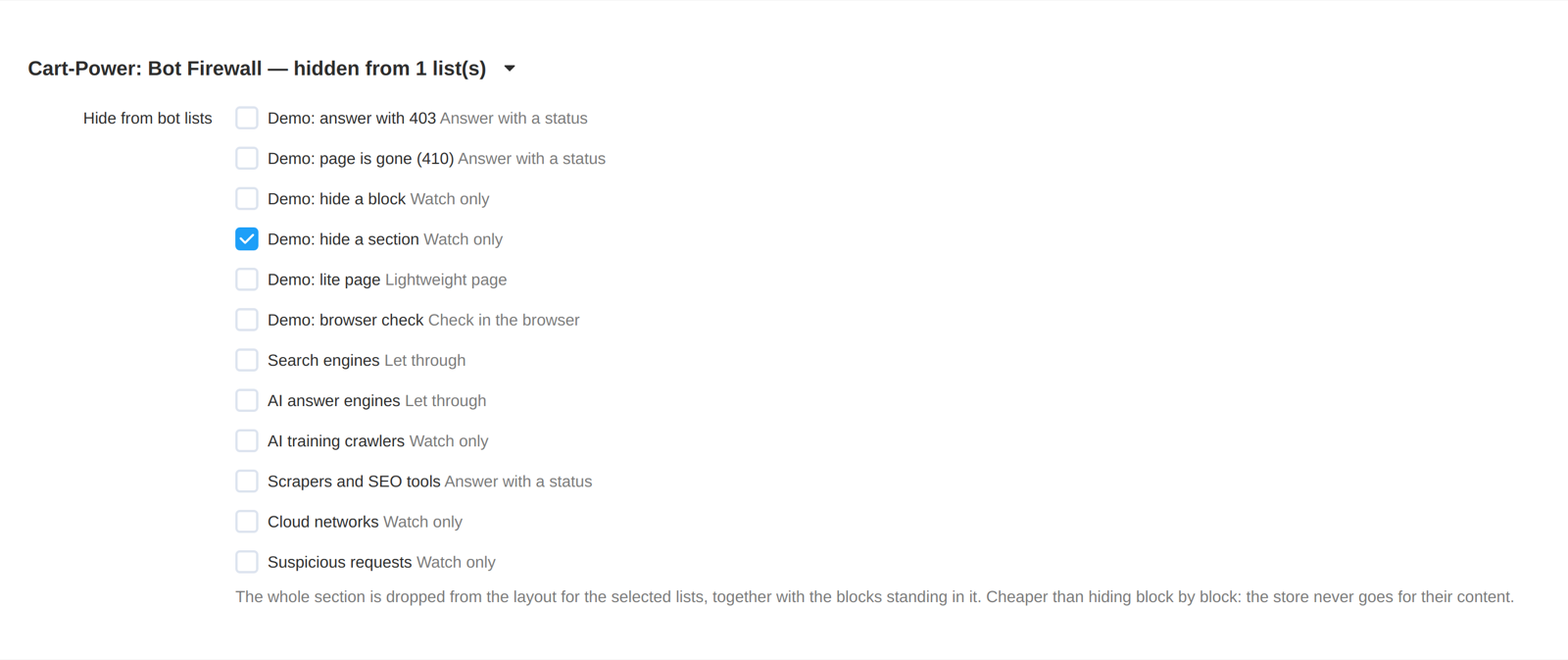
Hiding is a property of a layout object, not an answer to a request: you open the settings of a block or a section and tick the lists it should not be shown to. It works with any policy, including letting through.
A block is not merely hidden - it is never built. A section costs even less: it leaves the layout entirely, and the store never goes for the content of the blocks standing in it.

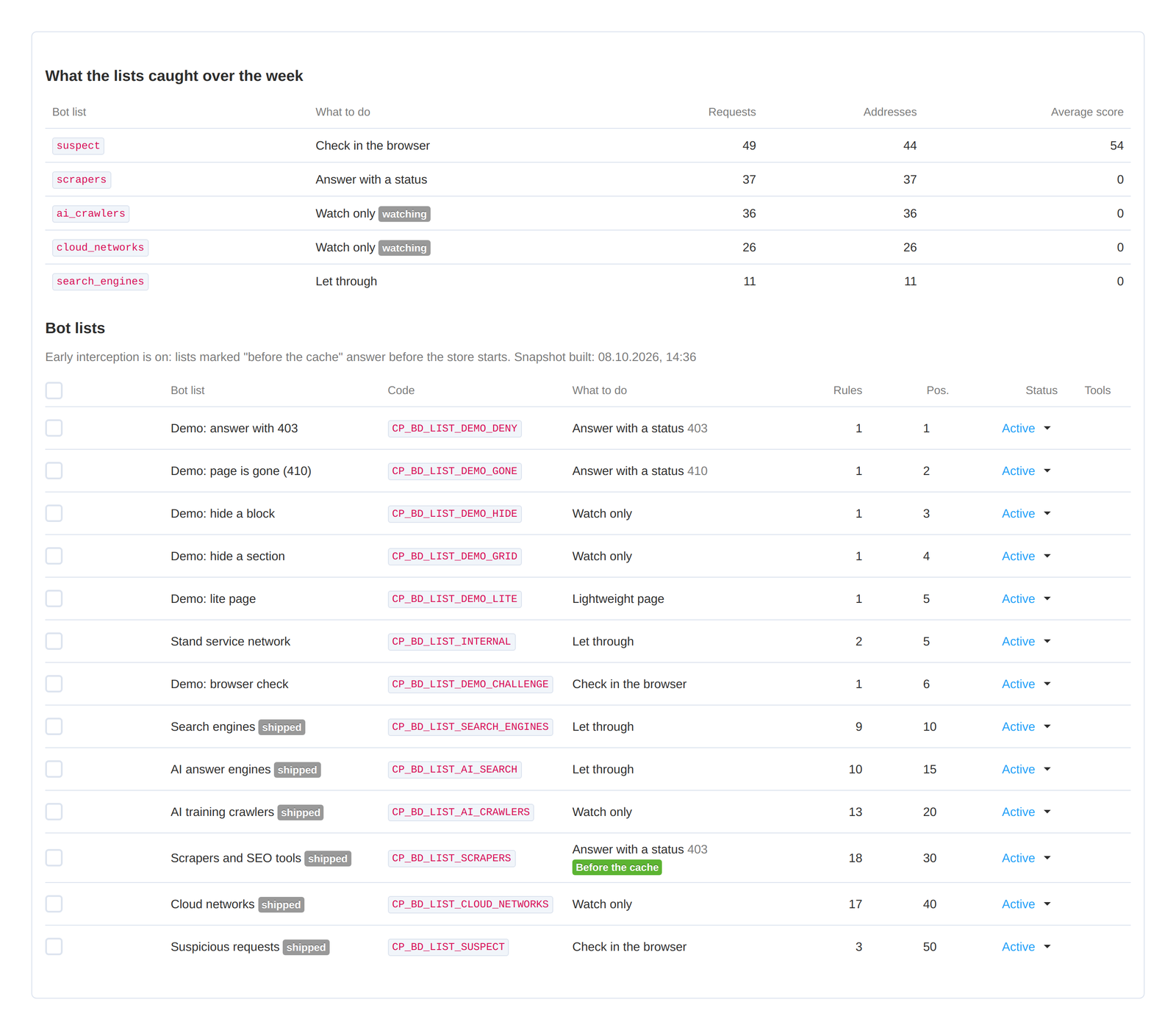
When the store runs a full page cache, a page is often served from it without reaching PHP - and an ordinary protection tool simply does not start. The add-on installs a paired service add-on that runs before the cache: it reads a snapshot of the lists from a file and answers with a refusal itself, before the database connection.
The lists page shows which part each list took over. The "Before the cache" mark sits on lists with the "Answer with a status" policy whose rules all recognise a request by its user agent or address: such a list answers by itself. The "Cache off" mark sits on lists that do not answer themselves but mark the request as non-cacheable, otherwise the cache would serve the bot a ready page and block hiding would never happen.
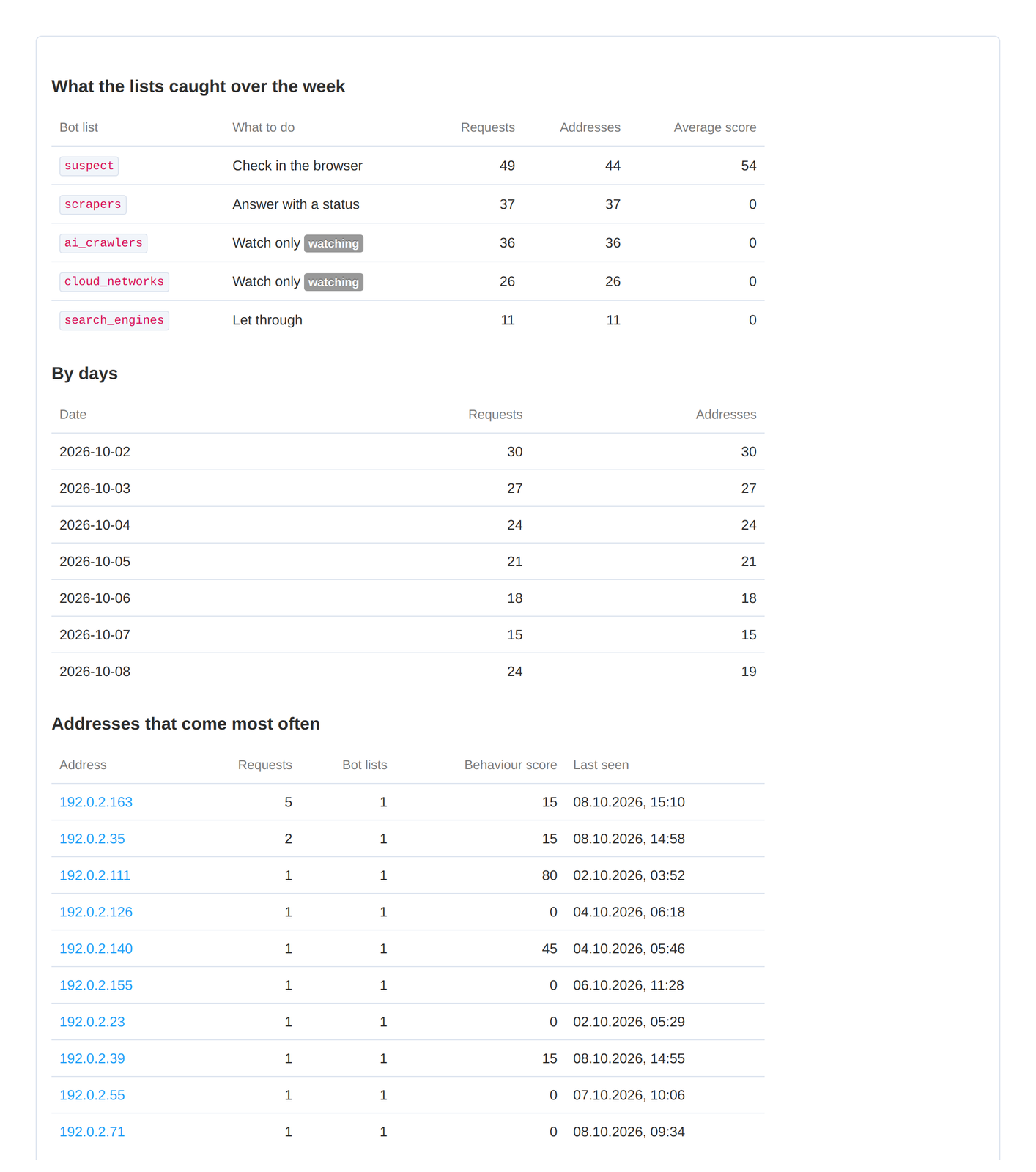
Watch-only is the default state. For a week the add-on blocks nobody and simply records who it would have caught: you look at the report and make sure the lists hold none of your staff, partner services or monitoring. Only then do you switch the real policies on.
Will the add-on cut off live customers?
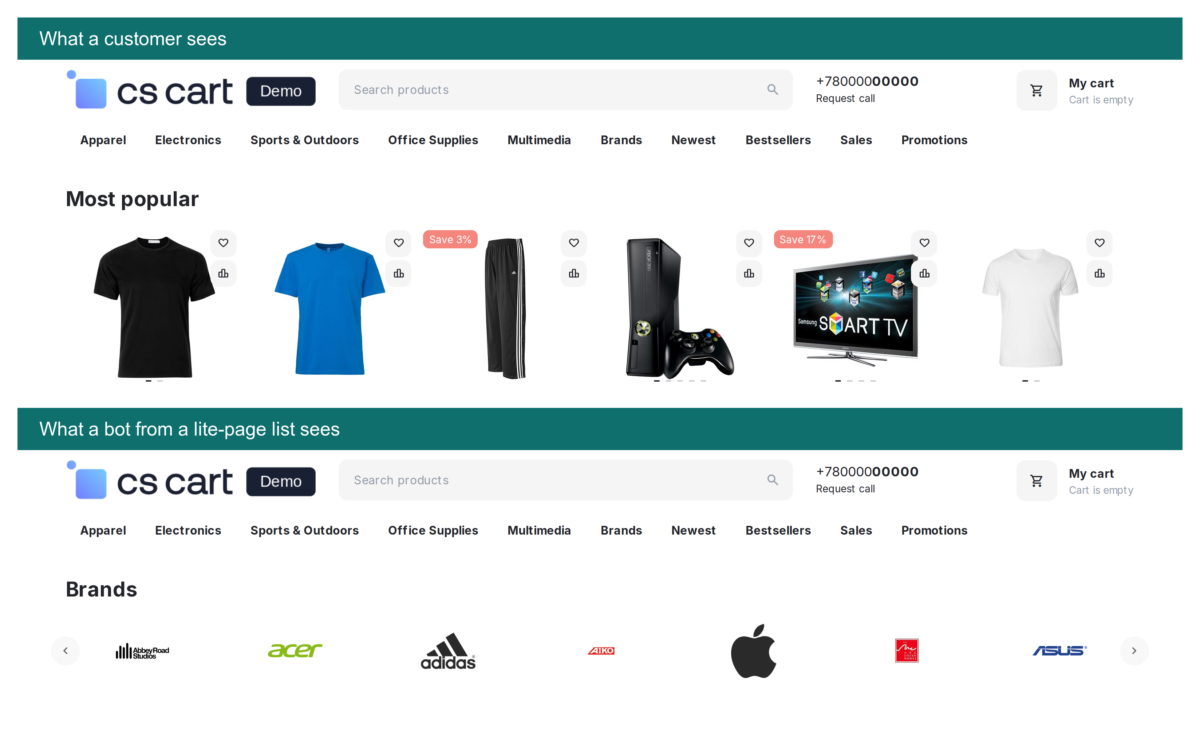
Right after installation it blocks nobody: search engines and AI answer engines are let through, and the rest of the shipped lists are in watch-only mode. For a week you look at the report, take out of the lists whatever does not belong there, and only then switch the real policies on. The panel offers a rule check and a storefront preview through the eyes of a chosen list.
Will indexing suffer?
Search engines are the first list with the "Let through" policy. Like every shipped list it carries the "Stop checking on match" flag, so a match with a search engine ends the check and the other lists are never reached. Genuine Yandex and Google robots are confirmed on top of that by reverse DNS with a forward re-check.
How is this different from blocking by an address list?
An address list catches those who do not hide. The traffic that makes stores look for protection arrives with an ordinary Chrome header and from residential addresses. That is why the add-on also looks at behaviour: whether the visitor keeps cookies, whether the browser answered, how often the requests come.
Does it work with a full page cache?
Yes, and that is a separate part of the add-on. A paired service add-on runs before the cache and answers with a refusal itself. That is how lists with the "Answer with a status" policy work when all their rules recognise a request by its user agent or address. For the other lists the early gate only stops the cache from answering for them, and the store itself makes the decision.
What happens when upgrading from 2.7 or 1.x?
From 2.7 it is an ordinary upgrade: lists, rules, hiding bindings and settings are kept, and the early cutoff service add-on is deployed from inside the main add-on. From 1.x the schema is created on its own, the shipped lists take their places, and your bot groups are carried over into lists ahead of the shipped ones. Upgrade through the CS-Cart Upgrade Center or the Cart-Power add-on manager: both paths have been verified by upgrading from 1.1, 1.2 and 2.7 on CS-Cart Ultimate 4.21. The ready-made overrides that hid counters from bots in 1.x are not removed by the upgrade - they keep working. The "Do not serve counters to bots" setting does the same without copying anyone's templates.
What does the add-on ask of the store?
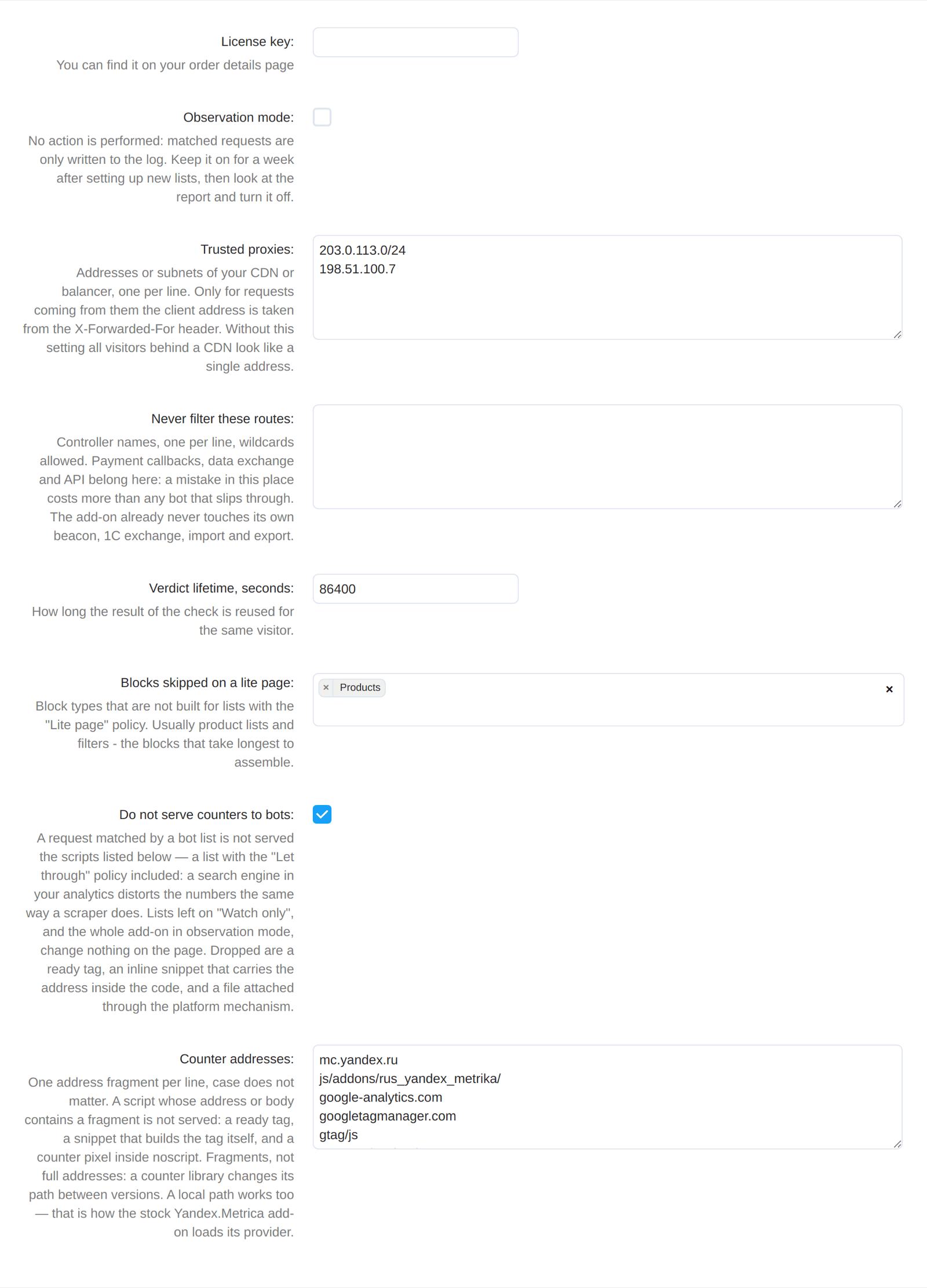
Three things. First, a week of observation: the lists only write to the log at the start, and during that week you take your own staff, partner services and monitoring out of them. Second, scheduled log cleanup: a row is written for every rule that fires, and without cron the table grows. Third, JavaScript on the visitor side for the "Check in the browser" policy: do not give that policy to a list live customers may fall into. Everything else works without attention.
Does the add-on replace DDoS protection?
No. It does not work at the network level and does not fight a targeted attack run by a person. It removes mass automated crawling - the kind that walks your catalogue for months and is paid for by your server.
No reviews found
|
CS-Cart development · in-house team · since 2013 We build, upgrade and speed up CS-Cart stores and marketplacesAnalysts, developers, designers, QA and support under one roof — no subcontractors. We ship add-ons you can buy on this page today, and we take on the work that no ready-made add-on covers. |
|
2013 Working with |
4.98 Rating from |
200+ Solutions on this |
500+ E-commerce projects |
Flagship products
Everything else we publish improves one screen. These two change the numbers: how customers find products, and how often they come back.
|
Add-on · Search & merchandising Smart SearchElasticsearch-powered search for large catalogues. The customer types two letters, sees products with images and prices, and buys from the dropdown — even after a typo or with the wrong keyboard layout. Visitors who use the search bar are 24% of traffic and 44% of revenue, and convert about 2.5× better than people who only browse categories. If search returns nothing, up to 80% of them leave. | ||||||||
| ||||||||
Try it on a live catalogue: open the demo store and search with a deliberate typo. |
|
Add-on · Mobile commerce PowerApp — mobile app for your storeA native iOS and Android app running on your CS-Cart data: the same products, prices, stock, promotions, reward points and orders. There is no second catalogue to maintain — everything stays in the admin panel you already use. A mobile site brings a customer in once; an app brings them back for free. Push notifications replace the retargeting budget you spend to buy the same customer a second time. | ||||||||
| ||||||||
Screens, block types and pricing tiers: see how the app is built. |
Services
Fixed scope, written specification, a named project manager and a warranty on what we ship.
|
Custom CS-Cart development Functionality the platform does not have: add-ons, marketplace mechanics, integrations with 1C, CRM, ERP, payment and delivery providers. We start from a written specification, not from an estimate on a phone call. Details → |
|
CS-Cart upgrade Move to the current version without losing data, custom code or add-ons. We audit every modification first, upgrade on a staging copy, adapt what breaks and switch over with little or no downtime. Details → |
|
Speed and performance optimisation Conversion falls by about 4.4% for every extra second of load time. We profile the server, the database and the front-end, then fix what actually costs the seconds — and show you the before-and-after numbers. Details → |
|
Design for CS-Cart Mobile-first storefront design built on CS-Cart's own template structure, so the layout survives the next platform upgrade instead of becoming a migration problem. Details → |
|
SEO for CS-Cart A technical audit of indexing, duplicates, redirects, structured data and Core Web Vitals — delivered as a prioritised fix list your developers can act on, or that we implement ourselves. Details → |
How we work
|
Before we start We discuss the goal, offer options and write the specification. You approve scope and price before development begins. |
While we build A named project manager reports progress on a fixed schedule. You always know what is in work and what is next. |
|
Before release A separate QA pass on every release — the developer who wrote the code is not the person who signs it off. |
After handover Documentation for everything we ship, plus a warranty on the modifications and the project. |
Tell us what the store needs to doDescribe the task in a couple of sentences and we will come back with options, a scope and a price. The consultation is free, and we will say plainly if a ready-made add-on already solves it.
|
Client cases, our full add-on catalogue and 184 customer reviews are in the tabs above.


