
Cart is empty
Nick S


Different advertising projects can need different event settings. Add multiple pixels, choose the events for each one and send them from the browser, from the server or through both channels.
Multiple pixels separate mode and event settings for every pixel
|
Hybrid in 1.7 one action ID shared by browser and server copies
|
Test events check Conversions API before starting a campaign
|
CS-Cart & Multi-Vendor compatible with 4.17.1–4.21.1; tested on 4.21.1
|
Each pixel has its own configuration. Choose which customer actions to send and how to send them, without inserting Pixel code into store templates.
Settings per pixel
Set a name, ID, status and event selection for each entry. |
Three delivery modes
Browser Pixel, server-side Conversions API or both in Hybrid mode. |
Customer actions
Send views, searches, cart actions, checkout and purchases as standard events. |
Check before launch
Use a test event code to inspect server events in Events Manager. |
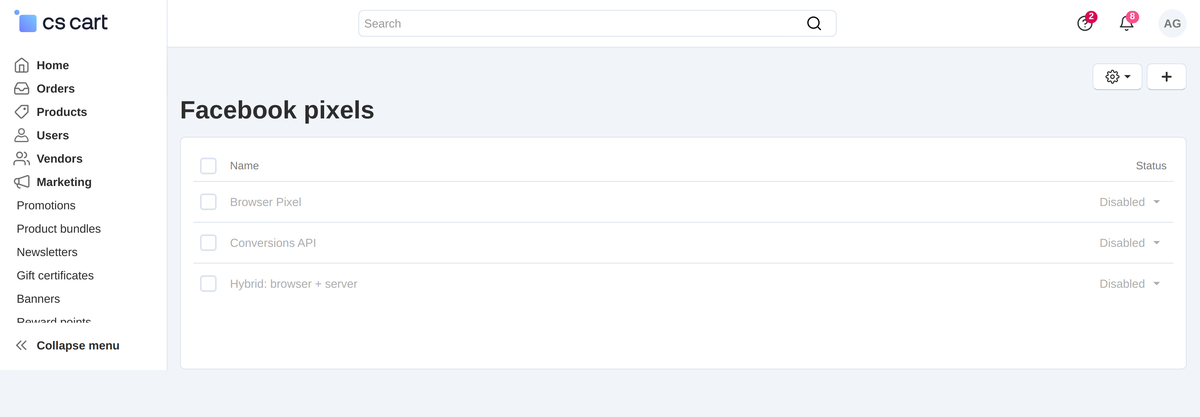
Hybrid mode sends browser and server copies of the same action with a shared event ID so Meta can match them for deduplication. A later add-to-cart action gets a new ID, keeping separate customer actions distinct.
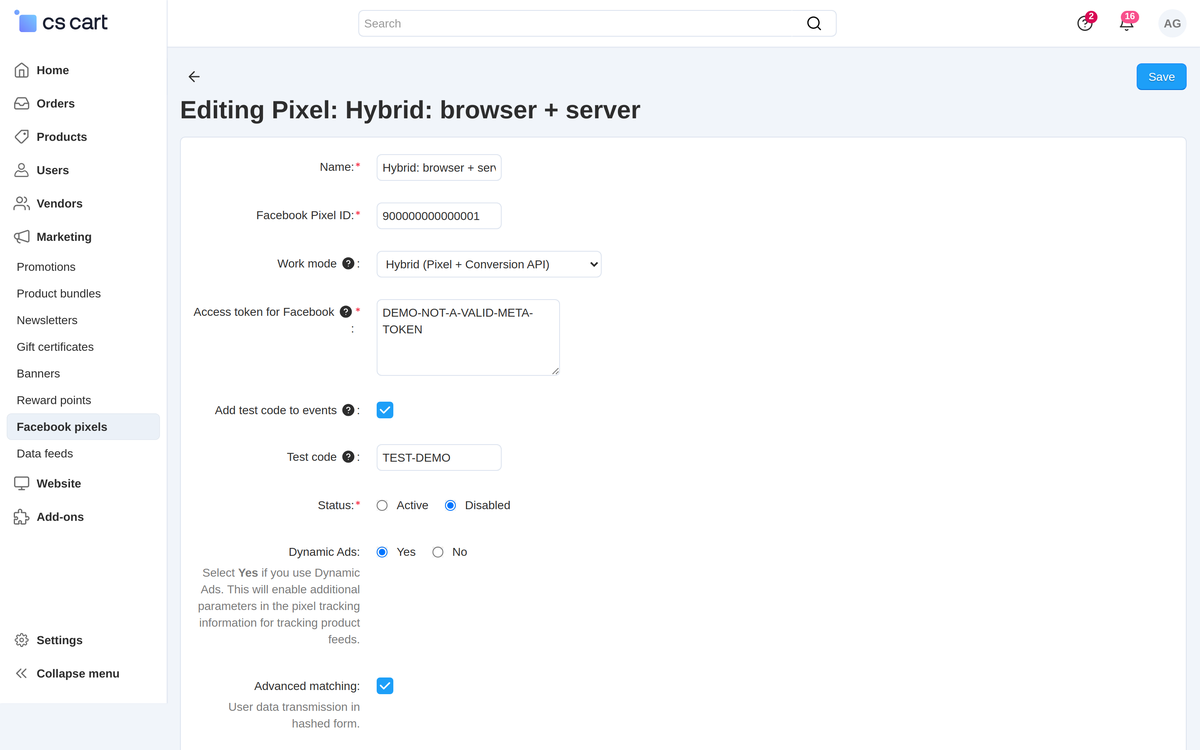
Separate event controls
Disable an event without disabling the entire pixel. With offline payment methods, Purchase does not confirm that money has been received.
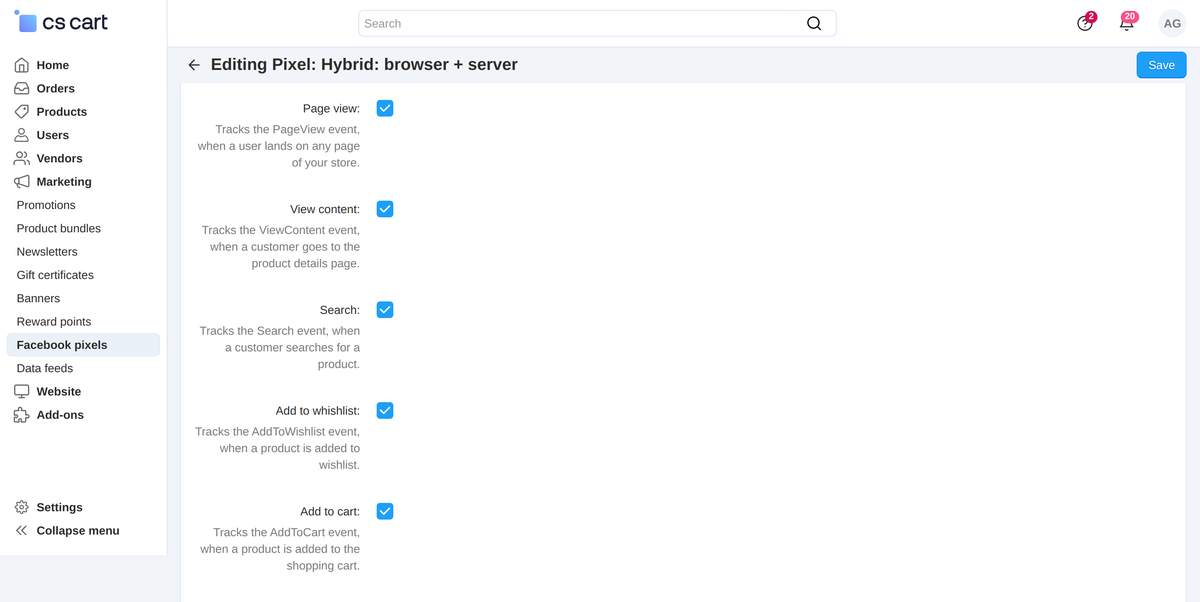
Browser mode sends events through Pixel in the visitor’s browser. Conversions API sends them from the store server and requires an access token. Hybrid combines both paths.
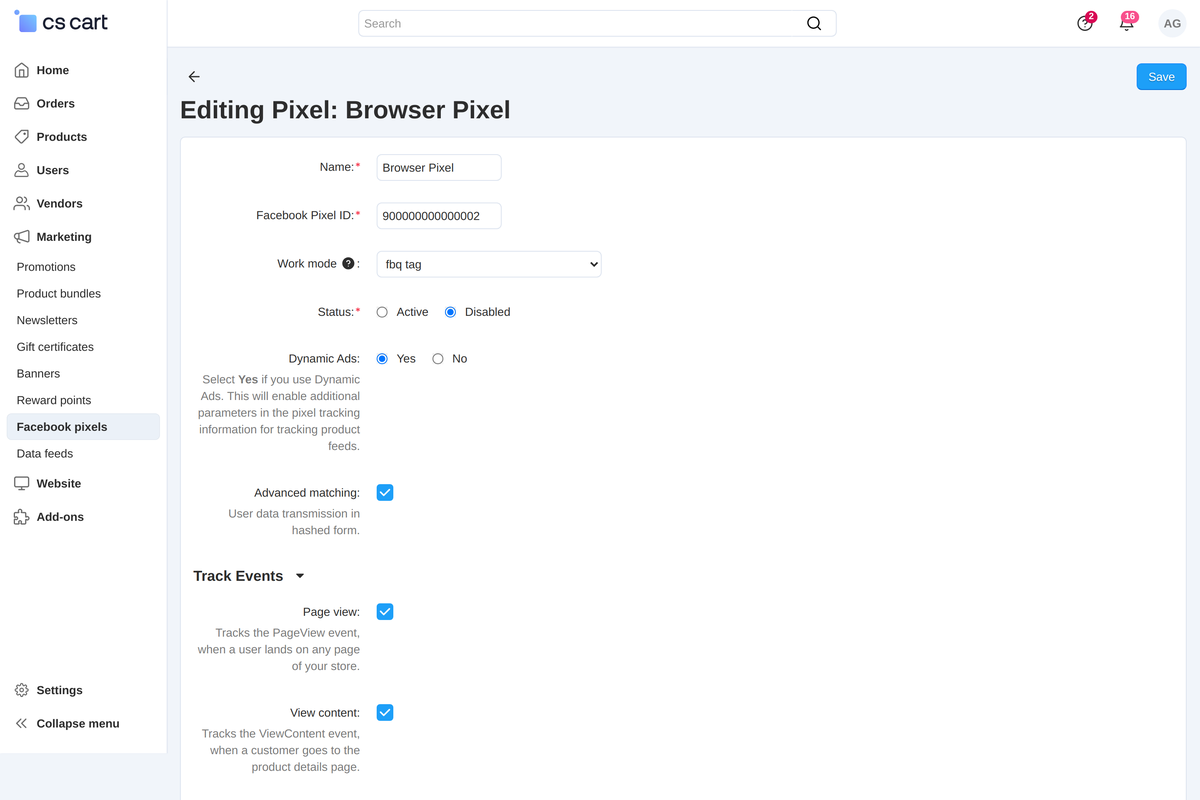
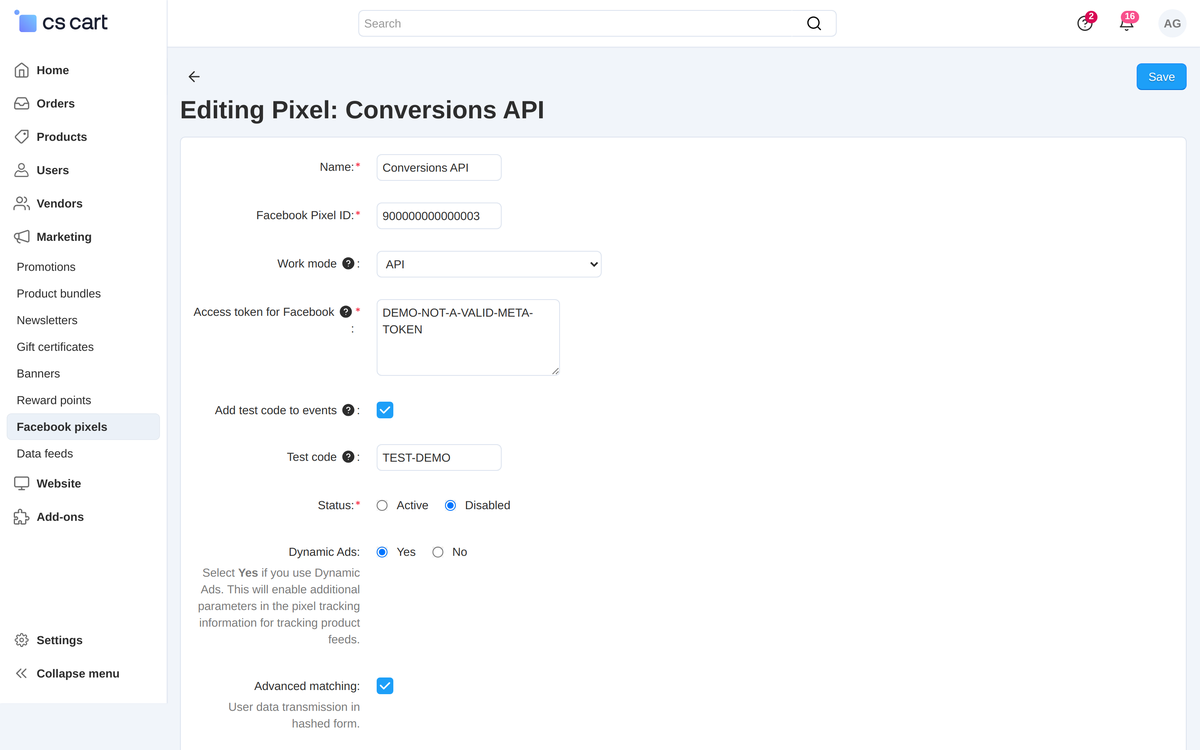
Enable product data for dynamic ads and select the product identifier: the internal product ID or product code. It must match the identifier in your Meta catalog. Configure the catalog and product feed separately.
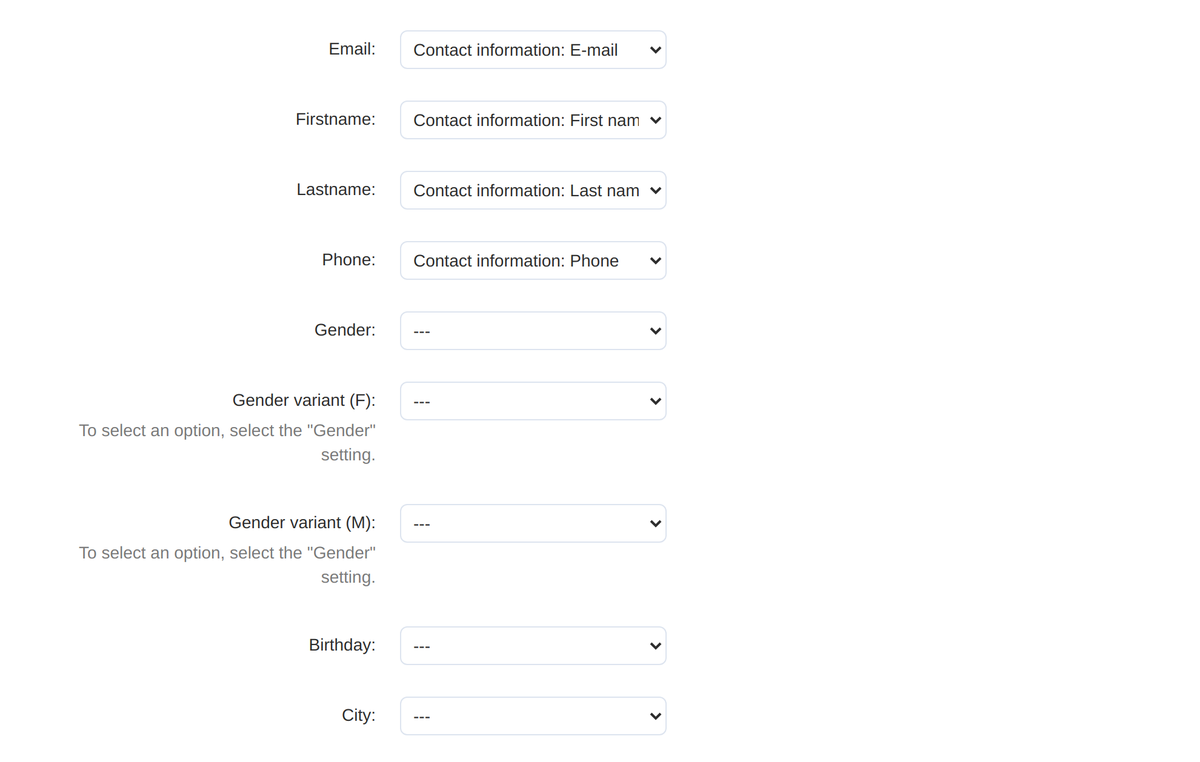
Advanced matching uses available customer data. Map profile fields for email, phone, name, address and other supported values in the add-on settings.

STEP 1
Connect your pixel
Install the add-on and Cart-Power Add-ons Manager. Add your pixel ID. |
STEP 2
Select a delivery mode
For API and Hybrid, supply a valid access token and check events with a test code. |
STEP 3
Test the customer journey
Go from a product page to an order, inspect events in Meta and turn off test mode. |
The base license is $60 for one store. The total depends on the selected platform edition and order options. Six months of updates are included; update renewal and installation are selected separately.
Advertising spend, Meta services and campaign setup are not included in the add-on license. Cart-Power provides support for the add-on.
Can I connect multiple pixels?
Yes. Create a separate entry for each pixel and set its mode and events independently.
Do I have to switch every pixel to Hybrid?
No. Existing modes are preserved. You can keep browser-only or API mode and change individual entries when needed.
Does Hybrid prevent every possible duplicate?
No. The add-on gives two copies of one action the same ID for Meta deduplication. Check events from other add-ons, manual code and tag managers separately.
Does it create a product feed or ads?
No. It sends events and product data. Configure the catalog, feed and campaigns separately.
Can I test it without running ads?
Yes. API and Hybrid support a test event code. The public demo shows configuration examples with placeholder data.
How much does it cost?
The base license is $60 per store. Select the platform edition, update renewal and installation in the order options.
|
CS-Cart development · in-house team · since 2013 We build, upgrade and speed up CS-Cart stores and marketplacesAnalysts, developers, designers, QA and support under one roof — no subcontractors. We ship add-ons you can buy on this page today, and we take on the work that no ready-made add-on covers. |
|
2013 Working with |
4.98 Rating from |
200+ Solutions on this |
500+ E-commerce projects |
Flagship products
Everything else we publish improves one screen. These two change the numbers: how customers find products, and how often they come back.
|
Add-on · Search & merchandising Smart SearchElasticsearch-powered search for large catalogues. The customer types two letters, sees products with images and prices, and buys from the dropdown — even after a typo or with the wrong keyboard layout. Visitors who use the search bar are 24% of traffic and 44% of revenue, and convert about 2.5× better than people who only browse categories. If search returns nothing, up to 80% of them leave. | ||||||||
| ||||||||
Try it on a live catalogue: open the demo store and search with a deliberate typo. |
|
Add-on · Mobile commerce PowerApp — mobile app for your storeA native iOS and Android app running on your CS-Cart data: the same products, prices, stock, promotions, reward points and orders. There is no second catalogue to maintain — everything stays in the admin panel you already use. A mobile site brings a customer in once; an app brings them back for free. Push notifications replace the retargeting budget you spend to buy the same customer a second time. | ||||||||
| ||||||||
Screens, block types and pricing tiers: see how the app is built. |
Services
Fixed scope, written specification, a named project manager and a warranty on what we ship.
|
Custom CS-Cart development Functionality the platform does not have: add-ons, marketplace mechanics, integrations with 1C, CRM, ERP, payment and delivery providers. We start from a written specification, not from an estimate on a phone call. Details → |
|
CS-Cart upgrade Move to the current version without losing data, custom code or add-ons. We audit every modification first, upgrade on a staging copy, adapt what breaks and switch over with little or no downtime. Details → |
|
Speed and performance optimisation Conversion falls by about 4.4% for every extra second of load time. We profile the server, the database and the front-end, then fix what actually costs the seconds — and show you the before-and-after numbers. Details → |
|
Design for CS-Cart Mobile-first storefront design built on CS-Cart's own template structure, so the layout survives the next platform upgrade instead of becoming a migration problem. Details → |
|
SEO for CS-Cart A technical audit of indexing, duplicates, redirects, structured data and Core Web Vitals — delivered as a prioritised fix list your developers can act on, or that we implement ourselves. Details → |
How we work
|
Before we start We discuss the goal, offer options and write the specification. You approve scope and price before development begins. |
While we build A named project manager reports progress on a fixed schedule. You always know what is in work and what is next. |
|
Before release A separate QA pass on every release — the developer who wrote the code is not the person who signs it off. |
After handover Documentation for everything we ship, plus a warranty on the modifications and the project. |
Tell us what the store needs to doDescribe the task in a couple of sentences and we will come back with options, a scope and a price. The consultation is free, and we will say plainly if a ready-made add-on already solves it.
|
Client cases, our full add-on catalogue and 184 customer reviews are in the tabs above.


